
A voice bot is only as good as the information it speaks from. The knowledge base is that information: your services, prices, hours, policies and booking rules, written so an AI agent can say them aloud to a caller and get them right. If you run a service business, the fastest way to a voice agent that sounds competent is to build a short, accurate, spoken-first knowledge base, connect it to your calendar and job tools, and give the agent clear rules for when to hand over to a person. Wattle’s AI front desk is built around that approach: it answers calls, retrieves business information, books appointments and escalates complex conversations to your staff.
Wattleheywattle.comGive Your Voice Agent Better AnswersWattle agents can answer from linked knowledge base material, retrieve business information, book appointments and hand complex conversations to staff.VisitTL;DR
- A voice bot knowledge base is the approved content your agent answers from: services, prices, hours, policies, service areas and booking rules.
- Write for the ear, not the eye. Short sentences, one fact per answer, numbers and names spelled the way people say them.
- Keep live facts (availability, customer records) in connected systems such as your calendar, and keep stable facts (policies, FAQs) in the knowledge base.
- Decide in advance what the agent does when it does not know: take a message, offer a callback or transfer to a person.
- Capture only the call data you need, tell callers about it, and check your state’s recording rules before you switch recording on.
Table of Contents
- What a voice bot knowledge base actually is
- What to put in it
- How to write it for the ear
- Static knowledge versus live data
- What the agent should do when it does not know
- Capturing data from calls
- The Australian rules you need to know
- Testing and maintaining your knowledge base
- Our perspective
- Getting started with Wattle
- FAQ
- Sources
What a voice bot knowledge base actually is
A knowledge base is the collection of content an AI agent is allowed to answer from. For a chatbot that is often help-centre articles. For a voice bot on a business phone line it is closer to the briefing you would give a new receptionist on day one: what you offer, what it costs, where you work, what you need from a caller before you can book them, and what you never promise over the phone.
It differs from a phone menu in an important way. A traditional phone menu forces callers down fixed branches. A voice agent listens to a free-form question and looks for the right answer. If you are still weighing the two approaches, our guide on replacing your phone menu with AI covers the switch, and the comparison of IVR vs voicebot for Australian teams goes into the compliance side.
The knowledge base matters because it sets the ceiling on accuracy. A fluent voice with thin or outdated content sounds confident and gets things wrong. A modest voice with clear, current content gets callers what they rang for.
What to put in it
Start with the questions your callers actually ask. Pull the last month of voicemails, missed-call notes and front-desk messages, and sort them. For most service businesses the same twenty or thirty questions cover the large majority of calls.
Core business facts
These are the facts every agent needs, whatever the trade:
- What you do, and what you do not do. Boundaries stop the agent inventing services.
- Opening hours, including public holiday and after-hours arrangements.
- Service areas, by suburb or postcode where that is how callers ask.
- Pricing guidance: fixed prices, call-out fees, minimum charges, or “quotes are given after assessment”.
- Payment methods and your invoicing terms.
- Cancellation, rescheduling and warranty policies.
Booking rules
Booking is where a voice agent earns its keep, so the rules need to be explicit. Write down which appointment types exist, how long each takes, what information you need to book (name, address, phone number, job description), and any conditions such as “hot water faults are same-day priority”. Wattle agents connect to your existing calendars, so availability comes from the calendar itself rather than from a page of text that goes stale.
Qualification questions
If calls are enquiries rather than bookings, the agent needs the questions that tell a good lead from a poor fit. Our list of qualification call questions and a 30-day script is a useful starting set to adapt.
Escalation rules
List the situations that always go to a person: complaints, safety issues, legal threats, large quotes, existing customers with a dispute. Wattle supports human handover and escalation of sensitive or complex conversations to staff, so these rules are part of the setup, not an afterthought.
How to write it for the ear
Text written for a website reads badly when spoken. A paragraph of policy that works on screen leaves a caller lost after the second clause. Rewrite each entry as something a person would comfortably say in one breath.
One question, one answer
Structure entries as a caller’s question followed by a short answer. “Do you service the Northern Beaches?” gets “Yes, we cover the Northern Beaches, from Manly up to Palm Beach.” Avoid long lists in a single answer. If a service has five tiers, have the agent give the two most relevant and offer to go through the rest.
Write numbers the way people say them
Prices, phone numbers and times are where voice agents most often stumble. Write “two hundred and fifty dollars” in a spoken-style note if the written figure could be read ambiguously, and give suburb names, surnames and product names a phonetic hint if they are unusual. Australian place names such as Woolloomooloo or Toowoomba are classic examples where a hint pays off.
Keep the persona consistent
The knowledge base says what to say. Persona settings decide how it sounds. Wattle lets you configure an agent’s name, role, instructions, language, greeting, persona and guardrails, and our piece on voice and tone for AI walks through making the agent sound like your business rather than a generic assistant.
Choose between flexible and scripted calls
Not every call should be improvised. Wattle offers a conversational mode for flexible, AI-led calls and a scripted mode for controlled, deterministic flows. A practical split is scripted mode for steps where wording must be exact, such as reading out a cancellation policy or confirming a booking, and conversational mode for open questions about services.
Static knowledge versus live data
A common mistake is putting everything in one document. Sort your content into two kinds.
Type Examples Where it should live Stable facts Services, policies, service areas, FAQs, tone guidelines The knowledge base Live facts Appointment availability, customer history, invoice status, stock Connected systems such as calendars, spreadsheets and accounting toolsWattle connects to existing calendars, spreadsheets, accounting platforms, phone numbers and automation tools, so the agent can check live information rather than reciting something you typed three months ago. This keeps the knowledge base short, which makes it easier to maintain and less likely to contradict itself.
What the agent should do when it does not know
Every knowledge base has gaps. What matters is how the agent behaves at the edge. Decide this before launch and write it down.
- Say so plainly. The agent should say it does not have that detail, not guess.
- Offer a next step. Take a message with the caller’s name and number, offer a callback time, or book a call with the right person.
- Transfer when it matters. For the escalation list above, the agent hands the conversation to a staff member. Wattle’s transfers and outbound calling are listed as a separate fee on the pricing page.
- Log the gap. Every unanswered question is a candidate for a new entry. Review them weekly at the start.
Guardrails help here. Because Wattle agents are configured with instructions and guardrails, you can set limits such as never quoting a price outside your published guidance and never giving advice that needs a licensed professional.
Capturing data from calls
A voice agent produces data as a by-product of every conversation: who called, what they wanted, which service, what suburb, whether they booked. Used well, this is more valuable than the answers themselves.
What is worth capturing
- Contact details: name, number, email, address for the job.
- Intent: enquiry, booking, reschedule, complaint, payment.
- Job details: type of work, urgency, access notes.
- Outcome: booked, message taken, transferred, no answer found.
- Transcript and recording, where lawful and disclosed.
Wattle brings calls, web chat, WhatsApp and SMS into a single inbox with call recordings and transcripts, so a job started on the phone can be followed up by text without anyone retyping details. It also feeds connected tools, so a captured booking can land in your calendar and a captured payment request can flow to your accounting platform.
Capture less, and capture on purpose
Collect what you need to do the job and no more. Every extra field is something you must store, protect and eventually delete. Our guide to a data retention policy for calls sets out how long Australian businesses should think about keeping recordings and transcripts.
The Australian rules you need to know
Capturing data from calls in Australia touches two areas: recording law and privacy law. This section is general information, not legal advice. If your business handles health, financial or other sensitive information, or you operate across several states, speak to a lawyer before you finalise your setup.
Recording law differs by state and territory
Recording rules sit in separate surveillance-device laws in each state and territory, alongside the federal telecommunications interception law. One legal summary sorts the eight state and territory Acts into three groups: in Victoria, Queensland and the Northern Territory the prohibition never reaches a participant recording their own conversation, while New South Wales, Tasmania and the ACT prohibit it with exceptions, and Western Australia and South Australia are stricter, allowing participant recording only with all-party consent or a recognised justification. The same analysis warns against grouping WA with NSW, because they differ in structure.
For a business, the practical approach is the same everywhere: tell every caller at the start of the call that it is recorded and why, and do not record callers in states with stricter rules without that notice and their continued participation. Our full guide to call recording laws in Australia walks through what to say and how to configure it, and our note on agent assist for calls covers the compliance timing for Australian teams.
Privacy law: tell people what you collect
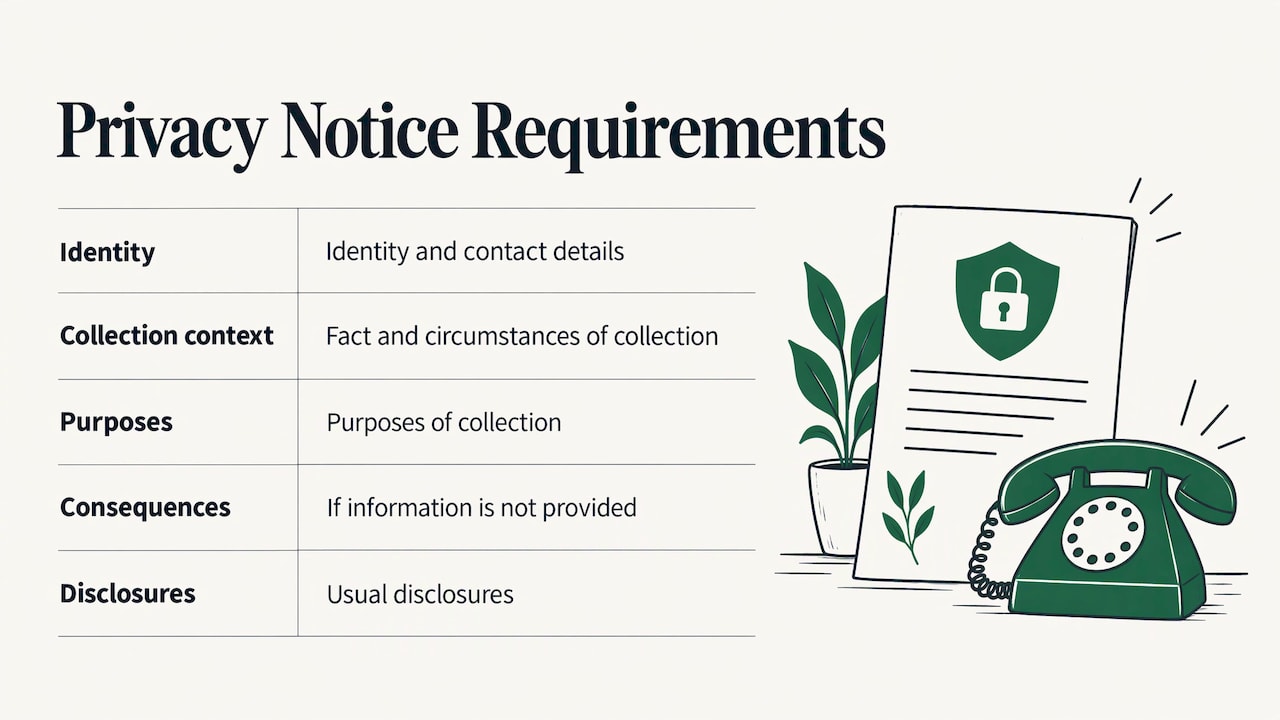
If your business is covered by the Privacy Act, Australian Privacy Principle 5 requires you to take reasonable steps to notify people of certain matters when you collect their personal information. The OAIC’s guidance lists them: your identity and contact details, the fact and circumstances of collection, the purposes, the consequences of not providing the information, and your usual disclosures.
On a voice line this becomes a short opening script. Something like: “You’ve reached Harbour Plumbing’s AI assistant. This call is recorded so we can book your job and keep a record. Our privacy policy is on our website.” Keep it under ten seconds, put it in the greeting and keep your written privacy policy consistent with it.
Testing and maintaining your knowledge base
A knowledge base is never finished. Prices change, staff change, services are added. Treat it as a living document with an owner.
Before launch
- Write a list of the thirty questions your callers most often ask, and call the agent with every one of them.
- Include questions you want it to refuse or hand over, such as requests for medical advice or discounts you do not offer.
- Say difficult words aloud: street names, surnames, product names, prices.
- Ask a colleague who did not write the content to call and try to confuse it.
After launch
- Read a sample of transcripts every week for the first month, then monthly.
- Add an entry whenever a real caller asks something the agent could not answer well.
- Update the knowledge base the same day a price, policy or hour changes. Make that a step in whatever routine you already use for those changes.
- Review recordings of transferred calls to see whether the handover rules are catching the right situations.
Measuring whether it is working
Pick a few simple numbers and track them monthly:
- Calls answered, including after hours. Our after-hours revenue calculator helps you put a dollar figure on calls that used to go to voicemail.
- Bookings made per hundred calls.
- Transfer rate and the reasons for transfers.
- Questions logged as unanswered, trending down as the knowledge base improves.
- Customer feedback on calls, informal at first.
Our perspective
Most knowledge base problems we see described are not technology problems. They are editing problems. A business hands its agent a forty-page policy document and expects it to sound like a sharp front-desk person. It will not, because nobody speaks like a policy document.
Our view is that a good voice agent needs three things working together: a short, spoken-style knowledge base for the stable facts, live connections to the calendar and tools where availability and records live, and clear rules for when a person takes over. That is how we designed Wattle: one workspace where you configure the agent, connect your systems and see every call, chat and text in a single inbox.
We also think you should stay in control. You choose whether a call is conversational or scripted, you set the guardrails, and you decide what gets escalated. The point of the agent is to pick up every call and book the work, so your people can spend their time on the jobs that need a human.
Christopher
Getting started with Wattle
Wattle is an AI front desk for service businesses. It answers calls and chats across phone, website, WhatsApp and SMS, qualifies leads, books appointments, takes payments and hands important conversations to your team. Plans are published on the pricing page: Starter at A$99 per month, Pro at A$499 per month and Max at A$999 per month. Australian mobile numbers, outbound calling and transfers are listed there as a separate fee.
If you want to hear how an agent handles your own questions, you can try an AI receptionist. For a wider overview of setting one up in a small business, see our practical Australian guide to AI receptionists.
FAQ
What is the difference between a voice bot and a chatbot knowledge base?
The content can be the same, but the delivery is different. A chatbot can show a long answer, a link or a table. A voice bot has to say the answer in a few seconds, so entries need to be shorter, numbers need to be easy to say, and the agent needs a plan for when a caller interrupts or does not catch a detail.
How big should a voice bot knowledge base be?
Smaller than most people expect. Start with the thirty or so questions callers ask most, plus your policies and booking rules, and grow from the questions the agent could not answer. Live details such as availability should come from connected calendars and tools rather than from the written content.
Do I have to tell callers I am recording or using an AI?
In Australia, recording rules vary by state and territory, and privacy law expects you to take reasonable steps to tell people when you collect their personal information. The safe routine is a short opening notice that says the call is recorded and why, and points to your privacy policy. Check your state’s rules, and speak to a lawyer if you handle sensitive information.
What should the agent do when it cannot answer?
It should say it does not have that detail, then take a message, offer a callback or transfer to a staff member. Set these rules in advance, and put complaints, safety issues and large quotes on a list that always goes to a person.
Sources
- Australia Recording Laws: State-by-State Rules
- OAIC, APP 5 Notification of the collection of personal information