Under $30/Month WhatsApp Booking: Wattle’s Task Scoped Flow
Yes. WhatsApp appointment booking works, and thousands of service businesses already run it live. The simplest path is a task-scoped chat flow connected to your calendar, either built on the WhatsApp Business API through a BSP or run through a platform like Wattle, which handles slot checking, confirmation, and reminders without opening the door to unrestricted AI chat.
TL;DR:
- Most booking flows rely on a structured, in-chat process that collects essentials, checks live availability, and confirms or reschedules within WhatsApp.
- Using calendar integrations like Google Calendar or Cal.com allows real-time slot management, with human approval needed for high-value or sensitive appointments.
- Automated reminders and rescheduling messages significantly reduce no-shows, especially when these originate directly within the WhatsApp app.
- Setting up requires choosing between direct API integration or using BSPs and no-code tools, with most small operators costing under $30 monthly plus WhatsApp message fees.
- Focusing on a narrowly scoped, task-specific bot ensures deliverability and accuracy, whereas broad, open-ended chatbots tend to cause operational issues.
Table of Contents
- How WhatsApp appointment booking works: the in-chat lifecycle
- Why booking via WhatsApp actually moves the needle
- How do you set up automated WhatsApp booking?
- Best practices to keep your WhatsApp number in good standing
- Which integrations do you actually need?
- Wattle in practice: what an enterprise booking setup looks like
- Ready to put WhatsApp booking to work?
- Where to go deeper on implementation
- The gap between a booking bot demo and a booking bot that survives real customers
- Sources
How WhatsApp appointment booking works: the in-chat lifecycle
A booking conversation on WhatsApp follows a tight, predictable path. It has to. The moment a chatbot starts wandering off-script, customers get confused and abandon the conversation, which is exactly what Respond points to when it recommends keeping the entire discover-to-confirm journey inside the chat window rather than sending people out to an external form.
Here’s the sequence that actually converts:
- Greet and identify intent. The customer messages “Can I book a haircut Thursday?” and the bot recognises this as a booking request, not a general enquiry.
- Collect the essentials. Service type, name, contact number, and preferred date or time window, usually through interactive buttons rather than free text.
- Check real availability. The system queries a calendar or generates slots from your business hours minus existing bookings.
- Present slots. The customer picks a time from a list, not by typing a guess that might already be taken.
- Confirm and write. The booking gets committed to the calendar, and the customer gets an instant confirmation message.
Slot sourcing splits into three common approaches. Some setups query Google Calendar directly for live availability. Others generate a slot grid from stated opening hours and subtract whatever is already booked, which works well for businesses running fixed appointment lengths. A smaller group builds against a custom backend API when bookings need to sync with practice management or POS software.
Confirmation also splits two ways. Auto-confirm suits low-risk bookings like consultations or product demos, where a wrong slot costs little. Pending human approval suits anything with financial exposure, like paid treatments or multi-staff scheduling, where a staff member reviews and approves before the slot locks in. Either way, the system needs a duplicate-check before it commits, so two customers can’t grab the same 2pm slot thirty seconds apart.
Reminders and rescheduling close the loop. A message 24 hours out with a one-tap “confirm” or “reschedule” button cuts the back-and-forth that normally happens over phone calls, and it’s the difference between a booking system and a glorified contact form.
Why booking via WhatsApp actually moves the needle
The case for WhatsApp booking isn’t theoretical. It’s about where your customers already are and how few steps it takes to get them from “interested” to “booked.”
Most service enquiries on WhatsApp today die somewhere between the first message and an actual appointment, usually because someone has to manually check a calendar, type a reply, and wait for confirmation. Automating that sequence closes the gap while the customer is still paying attention.
- Higher capture rate. Enquiries that arrive on WhatsApp get answered inside the same thread, so there’s no “I’ll call you back” limbo where interest cools off.
- Fewer no-shows. Automated reminders with tap-to-confirm buttons give customers an easy way to reschedule instead of just not turning up, and vendor data on in-chat reminders points to measurable drops in no-show rates when reminders run natively in the app.
- Around-the-clock capture. An AI agent takes bookings at 11pm on a Sunday just as easily as 11am Tuesday, which matters for trades and clinics that get after-hours enquiries.
- Less manual admin. Every booking lands in one thread with the customer’s history attached, instead of scattered across a diary, a spreadsheet, and someone’s memory.
Pro Tip: Track your no-show rate for four weeks before you automate reminders, then again for four weeks after. That before-and-after number is worth more than any generic industry figure when you’re deciding whether the investment paid off.
How do you set up automated WhatsApp booking?
Getting from “we take enquiries on WhatsApp” to “we run bookings on WhatsApp” is a project with a defined shape. Here’s how it breaks down.
- Pick your integration path. You’ve got two realistic options: build directly on the Meta Cloud API, or go through a Business Solution Provider (BSP) or no-code platform. Direct API access gives you full control but demands engineering time for webhooks, message templates, and error handling. A BSP or platform route gets you live faster, usually with less flexibility on custom logic. Either path requires a verified Meta Business Manager and a dedicated phone number that isn’t already registered on personal WhatsApp.
- Prepare your assets. Write out your service list with durations, confirm your actual business hours, decide your cancellation policy, and set up API or OAuth access to your calendar, whether that’s Google Calendar or Cal.com.
- Wire the system together. Set up the webhook that receives incoming messages, register your message templates with Meta for reminders and confirmations, and connect slot-checking logic to your calendar. Booking writes need to be idempotent, meaning if the same request fires twice due to a network retry, it doesn’t create two appointments.
- Test before you go live. Run sandbox conversations covering the obvious path, then deliberately break it: ambiguous times (“sometime Thursday afternoon”), simultaneous booking attempts on the same slot, and customers who abandon halfway through and come back an hour later.
- Launch in stages. Start with human-in-the-loop approval on every booking for the first week or two, watch what the bot gets wrong, then progressively hand off routine bookings to full automation while keeping an escalation path for anything unusual.
Pro Tip: Run your first two weeks with every booking requiring a manual tap of approval, even if the flow works perfectly in testing. Real customers phrase things your test cases never anticipated, and catching that during a supervised phase is far cheaper than catching it after a double-booked Saturday.
Budget-wise, no-code platforms and BSP plans for small operators commonly sit under US$30 a month plus per-conversation WhatsApp fees, though costs scale with message volume and the BSP you choose.
Best practices to keep your WhatsApp number in good standing
Meta doesn’t treat every WhatsApp bot the same, and the businesses that run into deliverability trouble are usually the ones that built an open-ended chatbot instead of a scoped tool.
- Scope the agent to one job. A booking bot should book appointments, not answer philosophy questions or attempt customer support outside its lane. Policy guidance on WhatsApp AI agents increasingly pushes toward task-scoped bots rather than general-purpose assistants, and narrower scope also means fewer ways for the conversation to go sideways.
- Use buttons and list menus, not free text. Steering customers toward structured choices increases data accuracy and cuts the ambiguous inputs that trip up automated systems.
- Stick to approved templates for transactional messages. Confirmations, reminders, and reschedule prompts need to use Meta-approved templates, and opt-ins need to be handled properly so you’re not messaging people who never consented.
- Escalate anything sensitive to a human. Payment disputes, medical details, or complaints don’t belong in an automated flow. Route them out immediately.
- Lock down credentials and audit trails. Encrypted API credentials, logged write actions, and confirmation requirements before anything financial happens aren’t optional extras. They’re what stops a booking bot from becoming a liability.
Pro Tip: If you’re unsure whether a request belongs in the automated flow, build the escalation trigger first and the automation second. It’s much easier to loosen restrictions once you trust the system than to bolt on safety after something’s gone wrong.
Which integrations do you actually need?
Most of the engineering complexity in WhatsApp booking lives in three areas: where you keep availability, how you wire the automation, and how you handle money.
For calendars, Google Calendar and Outlook/Exchange work fine for live availability checks and direct writes. Booking platforms like Cal.com give you a purpose-built layer for slot management if you don’t want to build calendar logic from scratch.
For automation, no-code builders like n8n, Zapier, or Make let you wire a booking flow without heavy engineering, and an n8n workflow combining a GPT-based assistant with Cal.com and SMS reminders shows how far solo operators can get without a dev team. A custom webhook microservice gives you more control over locking and idempotency if you’re scaling past a handful of bookings a day.
- Payments should run through Stripe-hosted links or payment requests, confirmed before any charge fires.
- Pending bookings need somewhere to live between “requested” and “confirmed,” with a duplicate-check guarding against double bookings.
- Log everything: retries, failures, and no-show rates, so you can actually measure whether the system is working.
If wiring all this yourself feels like more than your team has bandwidth for, a local digital partner such as HarbourSide Digital can help set up the connective tissue between your booking flow and your existing marketing stack.
Wattle in practice: what an enterprise booking setup looks like
Wattle runs this exact pattern as a working product rather than a build-it-yourself project. Its AI agents handle WhatsApp conversations alongside phone and web chat, with every booking, call, and message landing in one inbox instead of three disconnected tools.
Calendar integrations with Google Calendar and Cal.com check availability and write confirmed bookings directly, with duplicate-guardrail logic preventing the double-booking problem that plagues DIY builds. Sensitive moments get a human handoff instead of an AI guess, and protected actions require explicit confirmation before anything changes. Encrypted credentials and audit events sit underneath all of it. Businesses test flows in-browser before publishing, then roll out in stages with reporting on call volume, bookings, and outcomes, the same staged approach worth using whichever platform you pick.
Ready to put WhatsApp booking to work?
If you’ve read this far, you already know the mechanics: a task-scoped chat flow, a calendar it can check and write to, and a human backstop for anything sensitive. Wattle handles all three of those pieces natively, and it does it across phone, web chat, and WhatsApp at once, so a booking started on one channel doesn’t get lost when a customer switches to another.
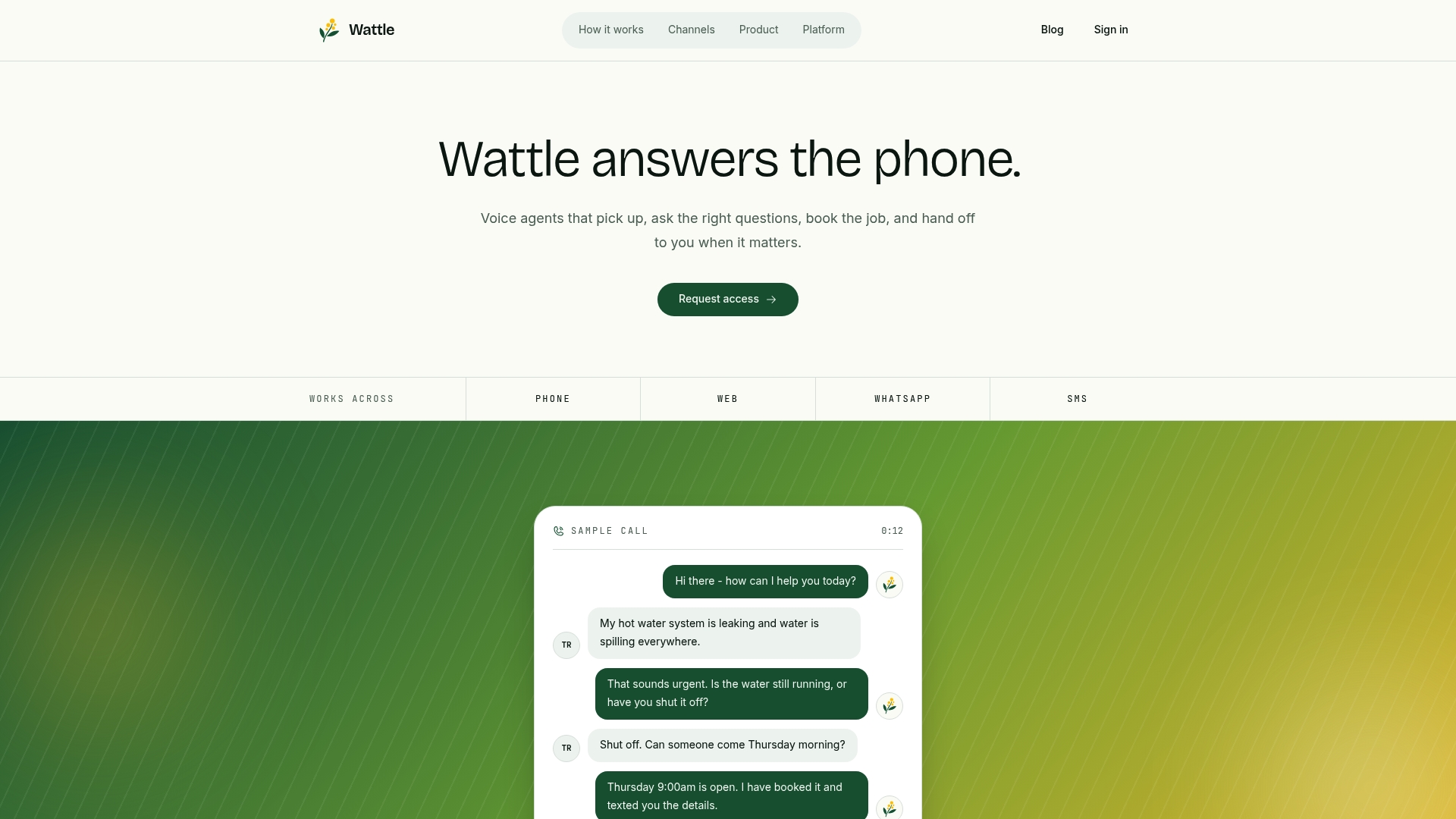
You get automated slot checking against Google Calendar or Cal.com, reminder messages with one-tap confirm and reschedule, and a single inbox where every conversation, booking, and payment sits against the customer’s profile. Stripe connects directly for payment requests, so deposits or full payments can be collected without leaving the conversation. If you’re running a clinic, salon, trades business, or any operation where missed bookings cost real money, the setup process starts with a guided walkthrough rather than a blank engineering brief. Request a demo with Wattle and see how your specific booking flow would actually run before you commit to anything.
Where to go deeper on implementation
For build details, start with the Infobip WhatsApp booking overview, the respond.io best-practice guide, and the Shahzain-Ali GitHub receptionist example for working code.
The gap between a booking bot demo and a booking bot that survives real customers
Every vendor demo of a WhatsApp booking bot looks flawless, because demos run scripted conversations from someone who knows exactly what to type. Real customers don’t cooperate like that. They type “arvo” instead of “afternoon,” they ask about pricing mid-booking, they change their mind about the service three messages in, and they abandon the conversation for six hours then pick it back up expecting the bot to remember everything.
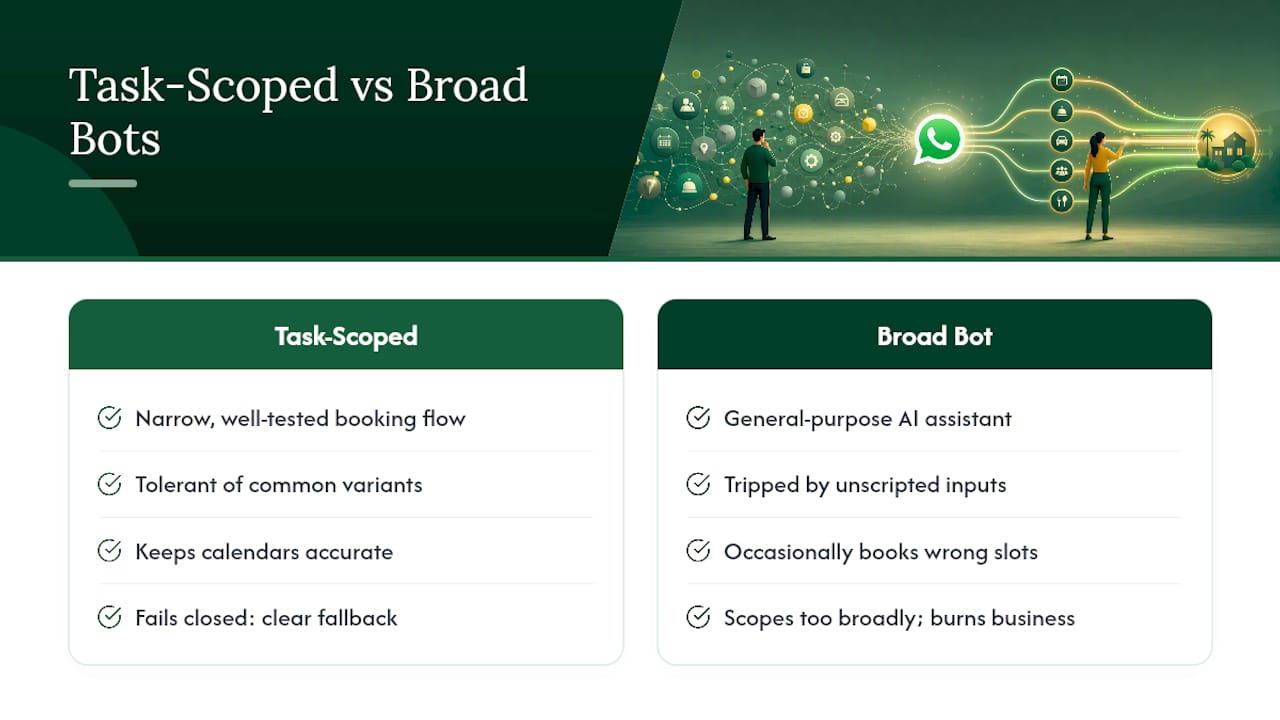
The businesses that get burned by WhatsApp automation aren’t the ones who chose the wrong tool. They’re the ones who built (or bought) a bot scoped too broadly, one that tries to be a booking system and a customer service agent and a FAQ bot all at once. That’s not a technical failure. It’s a scoping failure, and it’s exactly what Meta’s own policy direction is pushing against by favouring task-scoped agents over general-purpose chat.
The uncomfortable truth for a lot of small operators is that a narrow, boring, well-tested booking flow will always outperform an impressive-looking general AI assistant that occasionally books the wrong slot. Impressive demos sell software. Narrow scope keeps calendars accurate. If you’re evaluating any platform, including Wattle, the question that actually matters isn’t “how smart does the AI sound,” it’s “what happens when a customer does something the flow didn’t anticipate.” Every credible implementation, whether it’s a two-day n8n build or an enterprise platform, needs a clear answer to that question before it touches a real calendar.
— Christopher