
Voice AI is ready for routine customer service work right now, not someday. If your call volume includes bookings, balance checks, order status or refunds, a targeted pilot with human handoff will show measurable results within weeks. The practical move is to trial an integrated platform, such as Wattle, that pairs conversational AI with real escalation to your team.
TL;DR:
- Voice AI can autonomously resolve up to 80% of routine inquiries like balance checks and order status, assuming accurate routing of complex calls.
- Function calling capability enables voice AI to perform actions such as booking, canceling, and updating records, significantly increasing first-call resolution.
- High-quality voice AI must include natural speech, quick response times, and robust integrations with calendars, CRM, and accounting software.
- Proper evaluation and pilot focus on high-volume, low-stakes workflows, with clear success metrics like resolution rate and CSAT, before scaling implementation.
- Ongoing maintenance and regular knowledge base updates are essential to sustain accuracy and prevent performance drift over time.
Table of Contents
- What can voice AI customer service actually do?
- What are the business benefits and real use cases?
- How do you evaluate and choose a voice AI vendor?
- How Wattle meets the buyer criteria that matter
- How do you handle multilingual and accented speech?
- How do you stop AI interactions frustrating customers?
- Can voice AI systems scale without breaking down?
- What actually matters when you’re deciding whether to pilot
- Book a Wattle demo and see a pilot in action
- Sources
What can voice AI customer service actually do?
Voice AI customer service runs on five connected layers: speech-to-text to capture what the caller says, natural language understanding to work out intent, context retention to remember earlier parts of the conversation, text-to-speech to reply naturally, and function calling to actually take action, like booking a slot or pulling up an invoice. That last piece is the one most buyers underestimate. A system that can only chat is a glorified IVR with better manners. A system that can book, cancel, verify and update records inside the call is doing the job of a support agent.
Platform architectures that support real-time function calls, things like calendar writes, payment links and CRM updates, materially lift the share of calls resolved end to end, rather than just triaged and passed along.
Here’s what voice AI reliably handles today:
- Appointment booking, rescheduling and cancellations against a live calendar
- Order status, delivery windows and simple account balance checks
- Password resets, business hours, location details and other static FAQ-style queries
- Payment collection and invoice delivery through a connected accounting platform
- Initial triage and lead qualification before a warm handoff to a specialist
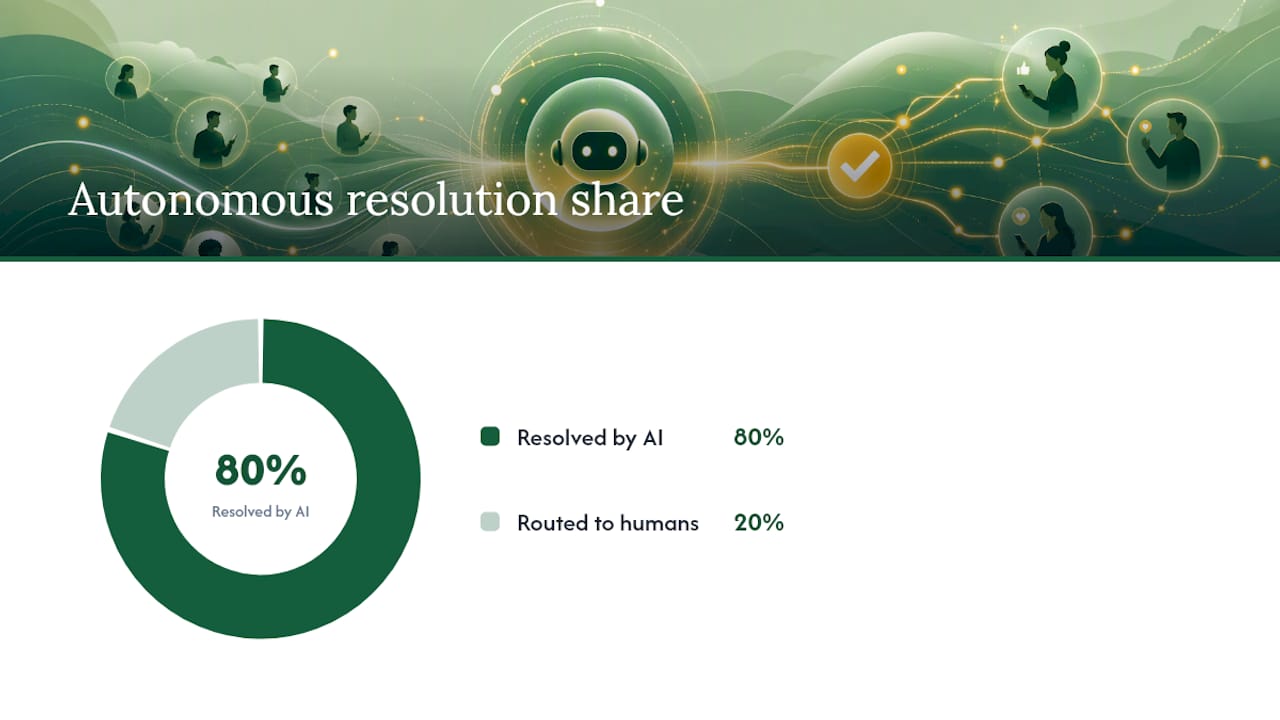
Where it still falls short is anywhere judgement, empathy or ambiguity dominate: complaints involving compensation, medical or legal nuance, multi-party disputes, or a customer who’s clearly distressed. Good platforms detect these situations and escalate rather than guess. Up to 80% of routine inquiries can be resolved autonomously by AI agents handling balance checks, order status and billing questions, but that number assumes the remaining 20% is routed cleanly, not forced through a script that wasn’t built for it.
The metric shift to expect is straightforward: average answer time drops toward zero because there’s no queue, deflection rates on routine categories climb, and average handle time on the calls that do reach humans tends to rise slightly, because those are now the harder cases.
What are the business benefits and real use cases?
The operational case is capacity. A voice AI agent handles unlimited simultaneous calls, works 24/7, and never puts a customer on hold during a lunch rush or a public holiday. For a business that currently loses bookings to voicemail on a Saturday, that alone changes revenue, not just cost.
The customer experience case is consistency. Every caller gets the same accurate answer about opening hours or refund policy, not whichever version the agent on shift happens to remember.
Four scenarios show where this plays out in practice:
- Appointment booking. A trades business or clinic connects its calendar; the AI checks real availability, books the slot, and sends a confirmation text, no back-and-forth required.
- Billing and balance lookups. Customers ask about an outstanding invoice or account balance and get an instant answer pulled from the connected accounting system.
- Order status enquiries. Retail and logistics callers get real-time shipping or delivery information without waiting for a human to open three separate systems.
- Triage and lead qualification. Inbound sales or service calls get sorted by urgency and intent before a human ever picks up, so specialists spend time on qualified conversations.
During a pilot, watch four numbers closely: resolution rate (calls closed without human involvement), CSAT on AI-handled interactions, average handle time for both AI and human-assisted calls, and escalation rate (how often and how cleanly the AI hands off). If escalation rate is high but CSAT stays strong, that’s a sign the handoff logic is working, not failing.
How do you evaluate and choose a voice AI vendor?
Choosing wrong here is expensive. Not in licence fees, but in the customer trust you burn while a badly configured bot mishandles calls for three months before anyone notices the pattern. Run the evaluation as a structured checklist, not a gut feel after one polished demo.
Core evaluation criteria:
- Voice quality and latency. Does the voice sound natural under real network conditions, and does the system respond within a beat, not a noticeable pause?
- Intent recognition and context retention. Can it hold a multi-turn conversation without losing track of what the caller already said?
- Integrations and data access. Does it connect to your actual calendar, CRM, accounting platform and phone numbers, or does it need custom middleware?
- Human handoff mechanics. Are there both blind transfer (straight to a person) and warm transfer (staff accepts before the call connects) options, plus message-taking if nobody answers?
- Security and compliance. Does the vendor offer verifiable controls, not just a claim on a sales page?
- Observability and testing support. Can you see transcripts, call recordings, and captured data after every call, and test flows before publishing them live?
Security is often the deciding factor for regulated industries. Look for SOC 2 Type II certification, contractual safeguards for sensitive data, and the ability to run in an auditable, isolated environment if your sector demands it. A vendor that can’t answer specific questions about data retention or encryption at rest should be treated as a red flag, not a technicality to sort out later.
What to test in a live demo, not a canned one:
Ask to make a real call, not watch a recorded one. Push it with a noisy background, interrupt it mid-sentence, change your mind halfway through a booking, and ask it to handle a protected action like cancelling a payment. Good systems require explicit confirmation before anything sensitive happens; systems that don’t are a liability waiting to surface.
Designing the pilot:
Scope one high-volume, well-defined workflow, appointment booking is the easiest starting point for most service businesses, and run it for four to eight weeks. Baseline your current metrics first: current answer times, abandonment rate, and average handle time. Set a success threshold before you start, for example, a defined resolution rate on the target workflow and no drop in CSAT, so you’re not deciding “did it work” retroactively based on vibes.
Pro Tip: Run your pilot on the workflow with the highest call volume and lowest emotional stakes, like booking or balance checks, not your most complex support category. You want a clean signal on whether the technology works before you throw ambiguity at it.
Red flags that should stop a deal:
- Vendor can’t clearly explain where voice recordings and transcripts are stored or how long they’re retained
- No warm handoff option, only “the AI will transfer the call” with no acceptance step
- Sales team can’t produce a working live demo, only pre-recorded examples
- No visibility into failed calls, no-match rates or flow-level analytics after go-live
Industry guidance is consistent on one point: treat AI agents as an extension of your team, paired with co-pilot features and genuine warm handoffs, not a replacement that quietly takes over the phone line and hopes nobody complains.
How Wattle meets the buyer criteria that matter
Wattle was built around the exact evaluation checklist most buyers work through, rather than bolted together to check boxes after the fact. Every agent is configurable by role, persona, greeting, and guardrails, and you choose between scripted mode for deterministic, controlled flows, refunds, verification, anything sensitive, or conversational mode for flexible, AI-led calls where rigidity would frustrate callers.
The knowledge base runs on retrieval-augmented generation: upload documents, paste text, or point it at your website, and agents answer grounded in that material rather than guessing. You can inspect the retrieved source passages and test questions before anything goes live.
Where it maps to procurement criteria:
- Integrations cover Google Calendar and Cal.com for booking, Xero and QuickBooks Online for invoicing, Google Sheets for data capture, and Twilio for SMS and verification codes
- Protected actions, cancelling a booking, processing a refund, changing account data, require six-digit customer verification and exact-action confirmation before anything executes
- Human handoff includes both blind transfer and warm transfer (staff must accept before the call connects), plus AI message-taking if nobody’s available
- Security architecture runs on multi-tenant accounts with PostgreSQL Row Level Security, encrypted integration credentials, and audit events logged for every sensitive operation
That last point matters more than most buyers initially realise. Up to 80% of routine inquiries can be resolved autonomously by comprehensive AI systems, but that figure only holds if the platform can actually reach into your calendar, your accounting software and your CRM to close the loop, not just talk about doing it.
The implementation pattern in practice:
Scope starts with one workflow and one phone number. You build the call flow visually using ask, capture, branch and handoff steps, then test it as a browser-based call before it ever reaches a real customer. Once it passes internal review, you publish it against your live number and run the pilot period with full visibility into transcripts, recordings and captured data through the unified inbox. Scaling from there means adding agents for other roles or numbers, not rebuilding from scratch.
How do you handle multilingual and accented speech?
Accent and language coverage is where a lot of voice AI deployments quietly fail. A system trained predominantly on one accent group will mishear names, addresses and numbers from callers with different accents, and that mishearing compounds fast when the next step is booking an appointment or pulling up an account.

The practical fix has two parts. First, choose a platform with a broad voice library and language configuration at the agent level, not a single default voice forced onto every caller. Second, test with real accented and multilingual speakers before launch, not just your internal team, who tend to speak in the accent the demo was tuned for.
For genuinely multilingual customer bases, running separate agents per language, each with its own greeting, persona and knowledge base, usually outperforms one agent trying to auto-detect and switch languages mid-call. Auto-detection adds a layer of uncertainty at exactly the moment you want the system most confident.
Numbers, spelled names, and addresses are the highest-risk content in any accented call. Confirmation steps, reading back a booking time or a phone number before finalising it, catch most errors before they become a customer complaint, and they cost you two seconds of call time to include.
How do you stop AI interactions frustrating customers?
Frustration with voice AI rarely comes from the AI sounding artificial. It comes from the AI getting something wrong and having no visible way out. A customer who’s said “speak to a person” twice and is still stuck in a script will remember that far longer than they’d remember a slightly robotic greeting.
The single biggest lever is a working escalation path that’s easy to trigger and fast to land. If a caller can say “transfer me” or “this isn’t working” at any point in the flow and get a human within a reasonable wait, most of the frustration risk disappears.
Transparency helps too. Callers who know upfront they’re speaking with an AI assistant, and that a person is available if needed, tend to be more patient with minor stumbles than callers who feel deceived or trapped. Confirmation steps before sensitive actions, reading back a booking time, confirming a cancellation, also reduce anxiety, because the caller can hear the system checking its own work rather than barrelling ahead.
The last piece is honest scope. Deploy voice AI on tasks it handles well, don’t force it onto emotionally charged complaint calls just because volume is high there, and frustration drops sharply because the technology is only being asked to do what it’s actually good at.
Can voice AI systems scale without breaking down?
Scalability in voice AI splits into two separate questions: can it handle more call volume, and can it stay accurate as your business changes underneath it. The first is largely solved by cloud architecture, concurrency limits are configurable, and most platforms handle volume spikes without degrading call quality.
The second question is the one that gets neglected. A knowledge base built at launch goes stale as pricing changes, services get added, and policies shift. Platforms that support ongoing document uploads, website re-scraping and knowledge refresh handle this well; platforms that require a developer ticket to update an FAQ entry become a maintenance burden within a few months.
Long-term maintenance also means watching the metrics that reveal drift: rising no-match rates on the knowledge base, growing escalation rates on categories that used to resolve cleanly, or complaints about outdated information. These are leading indicators that content needs refreshing, not that the technology has failed.
Budget for a quarterly review cycle, checking knowledge base accuracy, call flow performance and escalation patterns, rather than treating a voice AI deployment as a one-off project. The businesses that get the most sustained value treat it the way they’d treat any live customer-facing system: monitored, maintained and periodically retrained.
What actually matters when you’re deciding whether to pilot
Scripted flows win on predictability, you know exactly what happens at every branch, and that matters enormously for anything touching money or account changes. Conversational flows win on coverage, they handle the messy real-world phrasing customers actually use instead of the phrasing you scripted for. Most businesses need both, and the mistake I see leaders make is picking one philosophy and forcing every call type through it.
Change management matters more than the technology selection itself. Redesign what your human agents spend time on before launch, not after, and set internal KPIs that reward escalation quality rather than just call volume handled.
If you’re ready to pilot, the checklist is short: pick one high-volume workflow, baseline your current metrics, set a success threshold in advance, and give it four to eight weeks before drawing conclusions either way.
— Christopher
Book a Wattle demo and see a pilot in action
Wattle is the practical way to trial voice AI without committing to a rebuild of your phone systems first. Because it runs across phone, web chat, WhatsApp and SMS from one workspace, you can pilot a single workflow, like appointment booking or billing lookups, and see every call, transcript and outcome land in one inbox instead of scattered across disconnected tools.
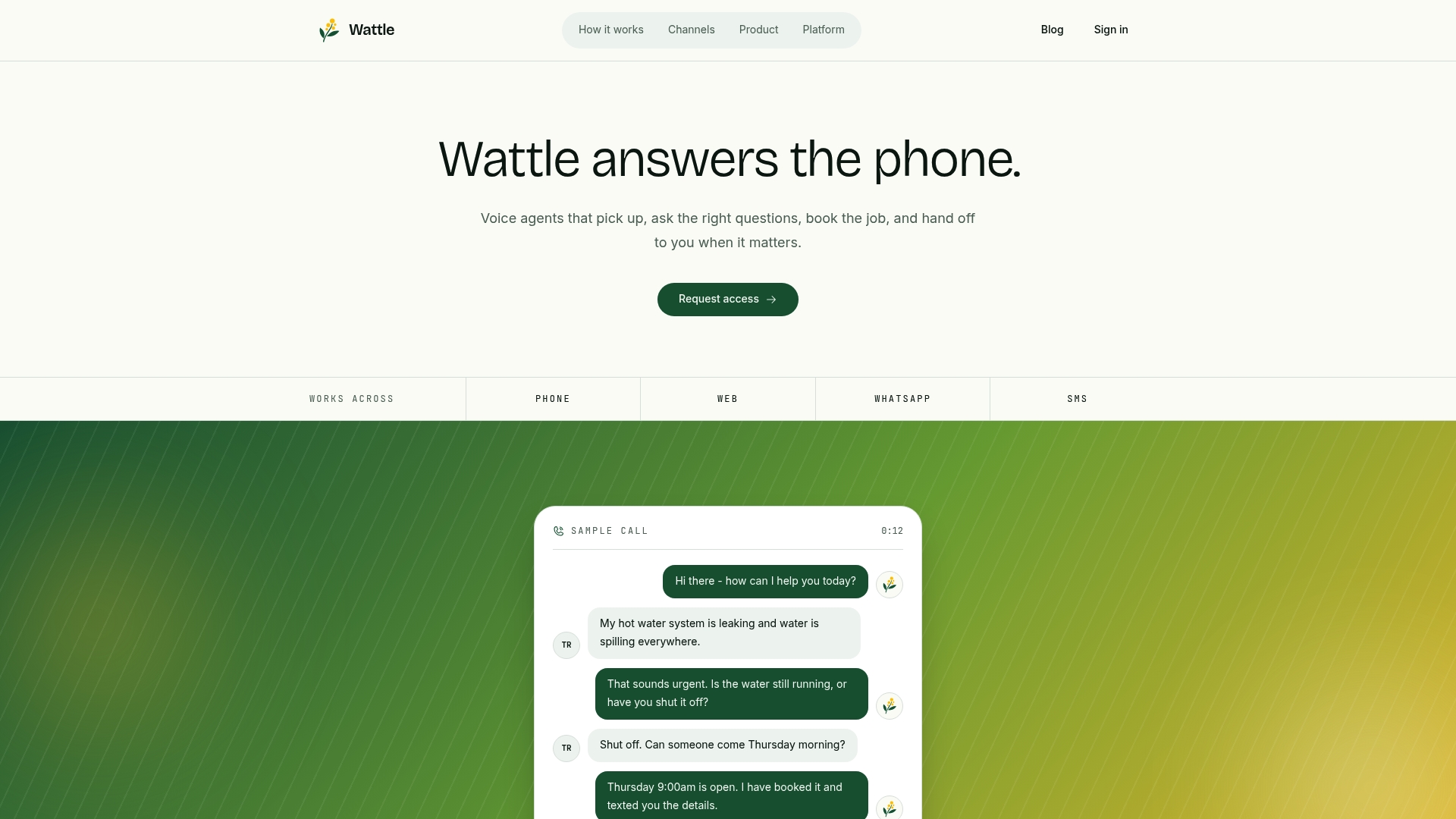
A demo walks through building a real call flow for your business, testing it live with a browser-based call, and reviewing exactly how handoff, verification and integrations with your calendar or accounting platform would work in practice. From there, a pilot typically runs against one phone number and one workflow so you get a clean read on resolution rate and CSAT before deciding to scale. If you’re ready to see what a working voice AI agent looks like on your own call flow, book a demo with Wattle and start there.
Sources
For deeper detail on the figures and guidance referenced above, see Zendesk’s contact centre research, Google Cloud’s enterprise CX guidance, Inworld’s security considerations for contact centre AI, and Computer Weekly’s reporting on voice AI adoption.