
SMS customer support is the use of text messaging, both automated alerts and live two-way conversations, to answer customer questions and resolve issues. It works best for time-sensitive, low-complexity interactions where speed matters more than nuance: order updates, appointment confirmations, quick FAQs. Businesses adopt it because texts get read faster than emails and customers can reply from anywhere, but the real payoff comes from pairing it with clear workflows and the right platform, covered below.
TL;DR:
- SMS support is most beneficial for sending time-sensitive updates like delivery status, appointment reminders, and quick FAQs, which reduce call volume.
- Adopting a two-way inbox with automation and clear escalation triggers improves agent efficiency and maintains customer satisfaction.
- Essential platform features include integration with existing systems, security, deliverability controls, and a visual workflow builder to prevent missing critical automation.
- A staged rollout focusing on low-complexity use cases, with thorough testing and measurement, increases the chances of a successful, scalable implementation.
- Strict compliance rules, such as obtaining explicit consent and respecting quiet hours, are crucial to maintain trust and deliverability.
Table of Contents
- What is SMS customer support, and what problems does it solve?
- How does SMS change the way agents actually work?
- What platform features should you require before you commit?
- How do you roll out SMS customer support step by step?
- What compliance and etiquette rules protect your SMS program?
- Which metrics actually tell you if SMS support is working?
- Where do AI voice agents and omnichannel automation fit in?
- When should SMS lead, and when should another channel take over?
- Ready to add SMS support without adding headcount?
- Sources
What is SMS customer support, and what problems does it solve?
SMS customer support splits into two distinct modes, and mixing them up is where most teams go wrong.
Transactional SMS is one-way: a delivery notification, a booking confirmation, a one-time password (OTP). No reply expected, no conversation to manage. Two-way conversational SMS is different: the customer can text back, ask a follow-up, or start a new query entirely. That second mode is what turns SMS into a genuine support channel rather than just a notification tool.
The case for using it comes down to attention. Most consumers now say they would rather message a business than call or email it, according to Twilio research covered by TechCrunch, and mobile devices have become a dominant way people contact businesses in the first place. Texts also get opened quickly, which is why time-sensitive updates work so well over SMS compared with email.
The highest-value use cases tend to cluster around a few patterns:
- Delivery and order status updates that would otherwise generate “where’s my stuff” calls
- Appointment reminders and rescheduling, which cuts no-shows without tying up a phone line
- One-time passwords and account verification codes
- Short, scriptable FAQs (hours, pricing, returns policy)
- Post-service review requests and quick satisfaction surveys
Business.com’s rundown of practical SMS uses covers several of these in more depth, and most support teams find that starting with two or three of these categories, rather than trying to text-enable everything at once, is what actually sticks.
How does SMS change the way agents actually work?
Adding SMS doesn’t just add a channel, it changes how agents triage their day. Texts arrive in short bursts throughout the day rather than in the queued batches typical of email, so the tooling around it matters as much as the channel itself.
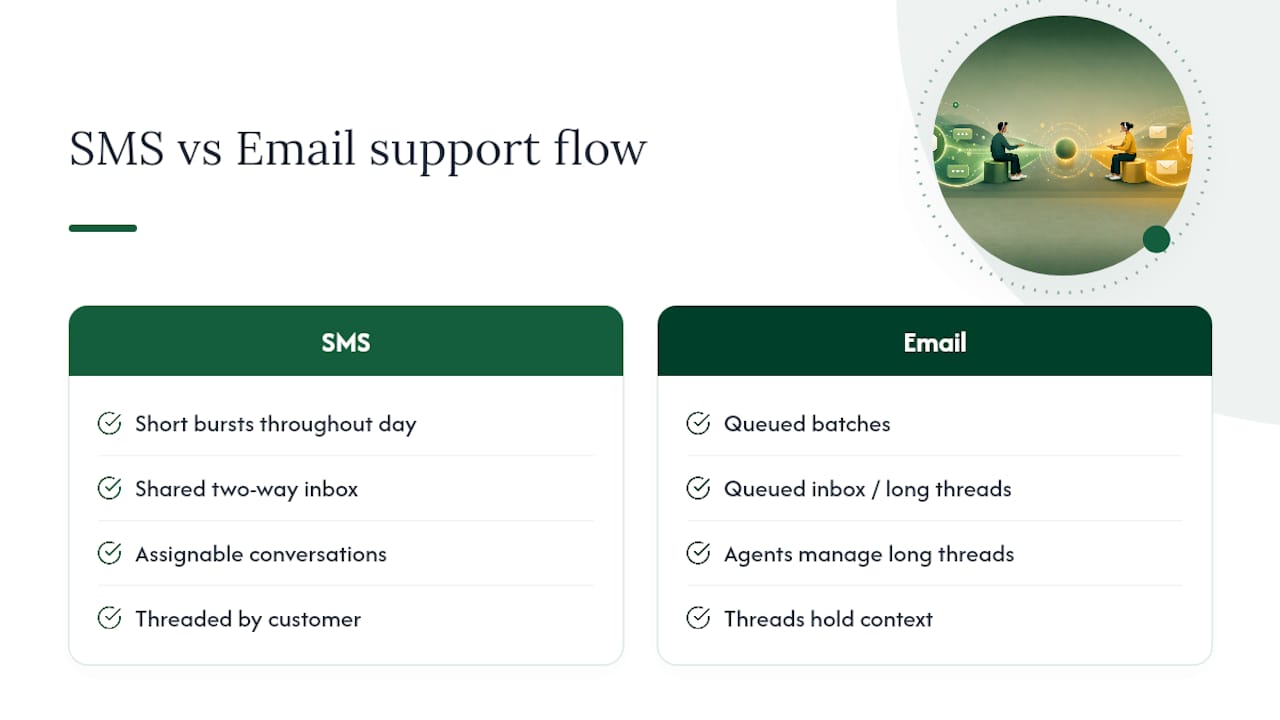
A shared two-way inbox is the foundation: conversations need to be assignable, threaded by customer, and searchable, with internal notes so a second agent can pick up context without asking the customer to repeat themselves. Reaching people through the channel they already prefer measurably improves the experience, according to Gladly’s research on text-based service, but that only holds if the handoffs behind the scenes are clean.
Automation handles the repetitive layer, autoresponders for hours and locations, simple FAQ bots for policy questions, so agents spend their time on the messages that actually need judgement. The trick is designing clear escalation triggers: a keyword, a sentiment flag, or a customer typing “agent” should bump the conversation to a human immediately, not after three failed bot attempts.

Pro Tip: Write SMS templates the way you’d text a friend who’s in a hurry. One idea per message, no jargon, and always end with what happens next.
Training matters more than teams expect here. Agents used to long email threads or live chat scripts often over-write in SMS, and customers notice.
What platform features should you require before you commit?
Choosing SMS support software is less about picking a brand and more about checking off a specific set of capabilities. Skip any of these and you’ll feel it within the first month.
- A two-way team inbox with assignment, internal notes, and searchable history, not just an outbound blast tool.
- Native integrations with your CRM, ecommerce platform, and existing helpdesk, so context travels with the customer.
- API access for anything the built-in integrations don’t cover, particularly if you run custom booking or order systems.
- A visual workflow builder for autoresponders and simple decision trees, so non-technical staff can update flows without a developer.
- Deliverability controls, including consent logging, quiet hours enforcement, and automated opt-out handling.
- Security and audit trails, plus genuine multi-channel support so SMS, WhatsApp, and web chat land in one inbox instead of three.
Vendor guides on the category consistently flag integration and automation as the features buyers underestimate until they’re missing, a point Mobile Text Alerts’ guide to SMS support makes clearly, and it lines up with what buyers actually search for when comparing platforms on review sites like G2’s Twilio listings. The audit trail requirement isn’t optional if you’re in a regulated industry, either.
How do you roll out SMS customer support step by step?
Rolling out SMS support badly usually looks the same everywhere: someone enables the channel for every ticket type at once, customers get confused about what they can text in for, and the opt-out rate spikes in week two. A staged rollout avoids that.
- Pick one to three use cases with obvious volume and low complexity, delivery updates and appointment reminders are the classic starting pair.
- Draft short templates for each scenario and map out exactly where automation hands off to a human agent.
- Set up consent capture before a single message goes out. Opt-in records need to exist and be retrievable, not just assumed.
- Integrate with your CRM or helpdesk, then test deliverability across carriers and confirm quiet hours are actually enforced in the system, not just written in a policy doc.
- Pilot with a defined customer segment, track first response time and opt-out rate daily, and gather agent feedback before expanding.
The pilot step is where most of the real learning happens. Starting narrow and measuring hard, rather than switching SMS on for the whole customer base, is what separates a channel that scales cleanly from one that generates complaints, a pattern Business backs up directly.
Pro Tip: Run your pilot for at least two full billing or service cycles before deciding whether to scale. One good week doesn’t tell you how the channel behaves under normal load.
If the pilot’s opt-out rate stays low and first response time beats your email benchmark, you’ve got a case to expand. If it doesn’t, fix the template and escalation design before adding volume.
What compliance and etiquette rules protect your SMS program?
Texting customers comes with obligations that are easy to overlook when you’re focused on speed and convenience, and getting them wrong costs you both trust and deliverability.
- Obtain explicit, recorded consent before sending any non-transactional message, and be upfront about what the customer is signing up for.
- Process STOP requests immediately and automatically, no manual review, no delay.
- Respect quiet hours, generally avoiding messages very early or late in the recipient’s local time zone.
- Never send sensitive personal data, payment details, or medical information over SMS; route those conversations to a secure channel instead.
- Keep every message short and actionable, one clear ask or one clear answer per text.
- Track opt-out rate and message frequency as ongoing health metrics, not just at launch.
Consumers respond to text messages faster than emails on average, one of the reasons SMS is favoured for time-sensitive customer communication, but that speed advantage evaporates fast if customers feel spammed. Compliance requirements vary by market, so confirm the specific rules that apply to your jurisdiction, Mobile Text Alerts’ compliance guidance is a useful starting point, but local telecom and privacy regulators should have the final word.
Which metrics actually tell you if SMS support is working?
Three categories of metrics matter, and tracking only one gives you a distorted picture.
- Operational: first response time, resolution rate, and average handle time per SMS conversation.
- Customer: CSAT specifically for SMS interactions, response rate, and opt-out rate as a trust signal.
- Business impact: ticket deflection from other channels, cost per contact, and conversions influenced by SMS follow-ups.
Run A/B tests on template wording and timing, then attribute changes in resolution rate or opt-out rate back to the specific variant. A support team switching customers onto texting instead of calling often sees call volume drop while SMS contact volume rises sharply, a trade many teams find worth making once the numbers are visible, according to Gladly’s analysis of text-based service outcomes.
Where do AI voice agents and omnichannel automation fit in?
The next layer of maturity in SMS support isn’t a better template library, it’s connecting SMS to the rest of your communication stack so nothing falls through the cracks. An AI-driven voice agent like Wattle answers incoming calls, asks the right qualifying questions, and books appointments in real time, taking that volume off agents entirely rather than just routing it faster.

What matters operationally is that Wattle runs across phone, web, WhatsApp, and SMS, with every conversation landing in one inbox instead of four separate systems. A customer who starts on SMS and later calls in doesn’t have to repeat themselves, because the history is already there. For support leads weighing whether to add SMS as a standalone tool or as part of a connected system, the unified inbox is usually the deciding factor.
When should SMS lead, and when should another channel take over?
SMS wins for anything short, time-sensitive, and low-emotion: reminders, status checks, quick yes/no confirmations. It loses badly for anything that needs tone, empathy, or a long explanation, complaints, refund disputes, technical troubleshooting all belong on a call or in a longer chat thread.
The mistake I see most often isn’t picking the wrong channel, it’s rolling SMS out everywhere at once instead of piloting narrow and measuring first response time and opt-out rate before scaling. Automation should handle the predictable ninety percent; a human should always be one message away for the rest.
— Christopher
Ready to add SMS support without adding headcount?
Wattle gives support teams a way to run SMS support alongside phone, web, and WhatsApp without adding another system to babysit. Its AI voice agent answers calls, asks the questions your team would ask, and books appointments on the spot, while every SMS conversation lands in the same inbox as your calls and web chats.
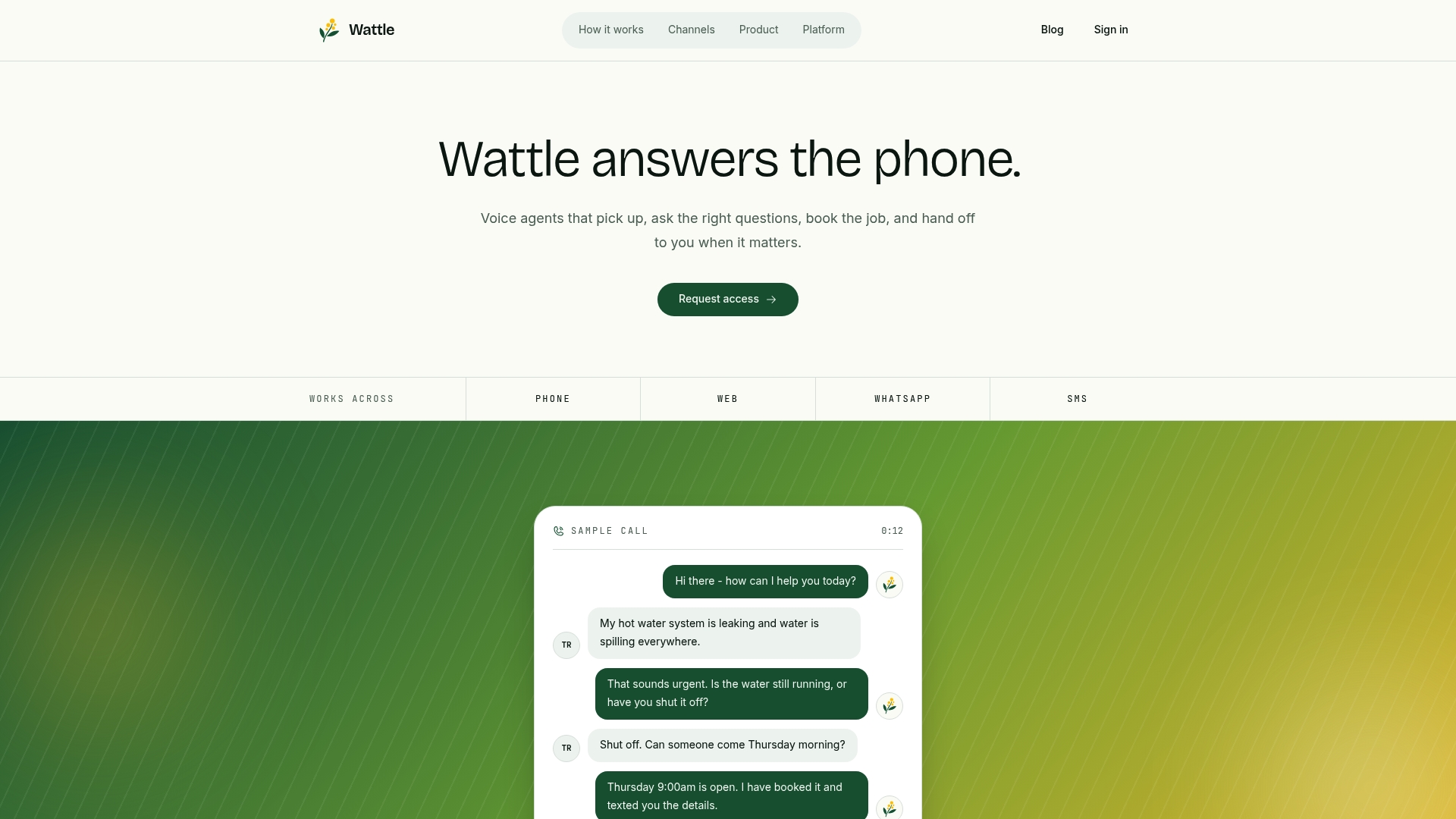
That means no agent hunting across four apps to find out what a customer already said, and no customer repeating themselves because the channels don’t talk to each other. If you’re planning a pilot for delivery updates, appointment reminders, or quick FAQ handling, this is the kind of setup that keeps the rollout simple instead of turning into another tool to manage. Head to the Wattle product page to see how the omnichannel inbox works and get started with a demo.