Yes, SMS can handle the whole booking cycle: confirmations, reminders, and rescheduling. The fastest way to cut no-shows is an integrated workflow that links a booking link or two-way texting directly to your calendar, so a customer’s reply updates the schedule automatically. Wattle is one example of a platform built to run this end-to-end, but the same principle applies whatever tool you choose.
TL;DR:
- SMS reminders sent 24 to 48 hours before appointments significantly improve attendance, with some platforms reporting notable no-show reductions.
- Using a dedicated phone number and integrating it directly with your booking system ensures reliable delivery, response tracking, and automatic calendar updates.
- Business types with high appointment volumes, like clinics and salons, see the biggest return on investing in SMS booking workflows.
- Personalizing messages with customer and appointment details increases engagement and reduces missed communications.
- Utilizing AI-driven platforms like Wattle consolidates calling, messaging, and booking management into one system, lowering administrative overhead.
Table of Contents
- Why use SMS for appointment booking and reminders?
- How to set up SMS appointment booking and automated reminders
- Message templates, timing and best-practice wording
- Technical considerations and integrations
- Cost, metrics and consent basics
- How an integrated AI front desk implements SMS booking
- Security and privacy considerations beyond the basics
- Handling replies and two-way conversations
- Personalisation techniques that improve engagement
- Author perspective: common pitfalls and quick wins
- Run SMS booking and reminders through Wattle
- Sources
Why use SMS for appointment booking and reminders?
SMS gets read. Most text messages are opened within minutes, which is why service businesses lean on it over email for anything time-sensitive. A systematic review of appointment reminder studies found that automated reminders, delivered by SMS or other channels, consistently reduce missed appointments and lift attendance across clinical and service settings.
The flow-on effects matter more than the headline stat. Fewer no-shows means fewer empty slots on a hairdresser’s or physio’s calendar. Faster confirmations mean less time on the phone chasing replies. Some vendor-reported figures suggest significant reductions in no-shows after adopting SMS booking and reminders, though those numbers come from case studies rather than independent trials, so treat them as indicative rather than a guarantee.
Businesses that see the biggest gains tend to be appointment-heavy trades: clinics, salons, tradies doing scheduled callouts, and any service where a missed slot is dead revenue, not just an inconvenience.
How to set up SMS appointment booking and automated reminders
Getting this running doesn’t need a developer. Here’s the order that works:
- Choose your flow. Two-way conversational SMS lets customers text to book or change a time, which suits businesses with variable schedules. A single-use booking link (sent by text) is simpler to build and works well for standard slot types. Missed-call text-back, where an unanswered call triggers an automatic SMS with a booking link, is worth adding regardless of which flow you pick, since it captures demand you’d otherwise lose.
- Get a dedicated sending number. Set up a mobile number, or where supported, a sender name, so customers recognise who’s texting them.
- Connect your calendar or booking system. Map appointment types to time slots and set rules for how confirmations write back to the calendar.
- Write your templates. Draft confirmation, reminder, and reschedule messages, then save them into the platform so they fire automatically.
- Test everything live. Send real messages to a few different phones and carriers, check that replies update the calendar, and confirm delivery reports are working before you go live.
Before switching on bulk sends, check your platform’s message limits. Support documentation for SMS booking systems warns that businesses can exhaust their SMS balance unexpectedly around holidays or high-volume periods, so build in a buffer.
Things to double-check before launch:
- Delivery reports are visible and readable
- Opt-out replies (STOP, etc.) are handled automatically
- Booking-link clicks correctly update calendar availability
Pro Tip: Send yourself a test reminder the night before a real appointment. If it feels intrusive or badly timed to you, your customers will feel exactly the same.
Message templates, timing and best-practice wording
Timing matters more than most businesses realise. Research on appointment adherence strategies points to a 24 to 48 hour reminder window as the sweet spot: close enough to stay top of mind, far enough out that a reschedule is still easy. A short reminder an hour or two before the appointment is optional but useful for high-value or easily forgotten bookings.
Templates worth saving into your system:
- Booking confirmation: “Hi [Name], you’re booked with [Business] on [Date] at [Time]. Reply YES to confirm or CALL to change.”
- Reminder (24–48 hours out): “Reminder: your appointment with [Business] is [Date] at [Time], [Location]. Reply RESCHEDULE if you need a new time.”
- Reschedule link: “No worries, [Name]. Pick a new time here: [Link]”
- Cancellation: “Your [Date] appointment with [Business] has been cancelled. Text BOOK to find a new slot.”
Keep every message under two or three sentences, always include the date, time, and location, and give one clear action. Skip the pleasantries; nobody rereads a text for tone.
Pro Tip: Add “Reply STOP to opt out” to your very first message in the sequence, not buried three texts later. It’s both good practice and good manners.
Technical considerations and integrations
Number type affects both cost and speed. Local mobile numbers work fine for low-volume, personal-feeling messages. Long codes handle moderate volume but throttle at scale. Short codes and alphanumeric senders push higher throughput but usually mean a longer setup and sometimes a registration process, depending on the carrier and country.
Integrations worth prioritising:
- Calendar sync with Google Calendar or Microsoft Bookings so bookings and cancellations write back automatically. Microsoft’s own documentation shows a standard pattern here: map each appointment type to a specific SMS template, then let the system handle delivery and tracking.
- Booking-link flows, where a customer texting in gets a link that lets them pick an open slot without a phone call. This pattern shows up across several SMS booking implementations and reliably cuts the back-and-forth of manual scheduling.
- A unified inbox or CRM so replies from SMS, calls, and web chat land in one place, instead of three different tools.
Set up basic failover too: if an SMS bounces or fails to deliver, the system should retry or flag it for staff follow-up, not just silently drop the message.
Cost, metrics and consent basics
SMS pricing usually runs one of three ways: pay-per-message, a monthly bundle of included messages, or a flat platform fee that covers messaging as part of a broader subscription. To estimate spend, multiply your monthly booking volume by roughly three messages per appointment (confirmation, reminder, and any follow-up), then check that figure against your provider’s rate.
Track these metrics from day one:
- Delivery rate: are messages actually reaching phones?
- Confirmation rate: how many bookings get an active reply?
- No-show change: month-on-month comparison against your baseline
- Staff time saved: fewer manual reminder calls, less phone tag
On consent, capture opt-in at the point of booking (a checkbox or a verbal confirmation logged in your system works), give an obvious opt-out on every message, and keep a record of when consent was given. This is general good practice, not a substitute for checking your own regulatory obligations.
How an integrated AI front desk implements SMS booking
Platforms built as a genuine front desk, rather than a bolt-on messaging tool, tend to close more of the gaps above by default. Wattle runs AI voice agents that answer calls, send automatic missed-call text-backs, and follow up completed calls with SMS, all feeding into one inbox alongside web chat and WhatsApp.
That structure matters because replies, bookings, and payment requests stay in a single thread per customer rather than scattered across separate tools. Templates, confirmation rules, and calendar writebacks (through Google Calendar or Cal.com) sit in the same workspace where staff can take over a conversation if a customer needs a human. For a business trying to run the checklist above without hiring extra admin support, that consolidation is the practical difference between a tidy system and a messy one.
Security and privacy considerations beyond the basics
Compliance checklists cover the minimum. Protecting customer data properly means going further. Every phone number, name, and appointment detail flowing through your SMS system is personal information, and it deserves the same handling standard as your financial records, not an afterthought bolted onto a marketing tool.
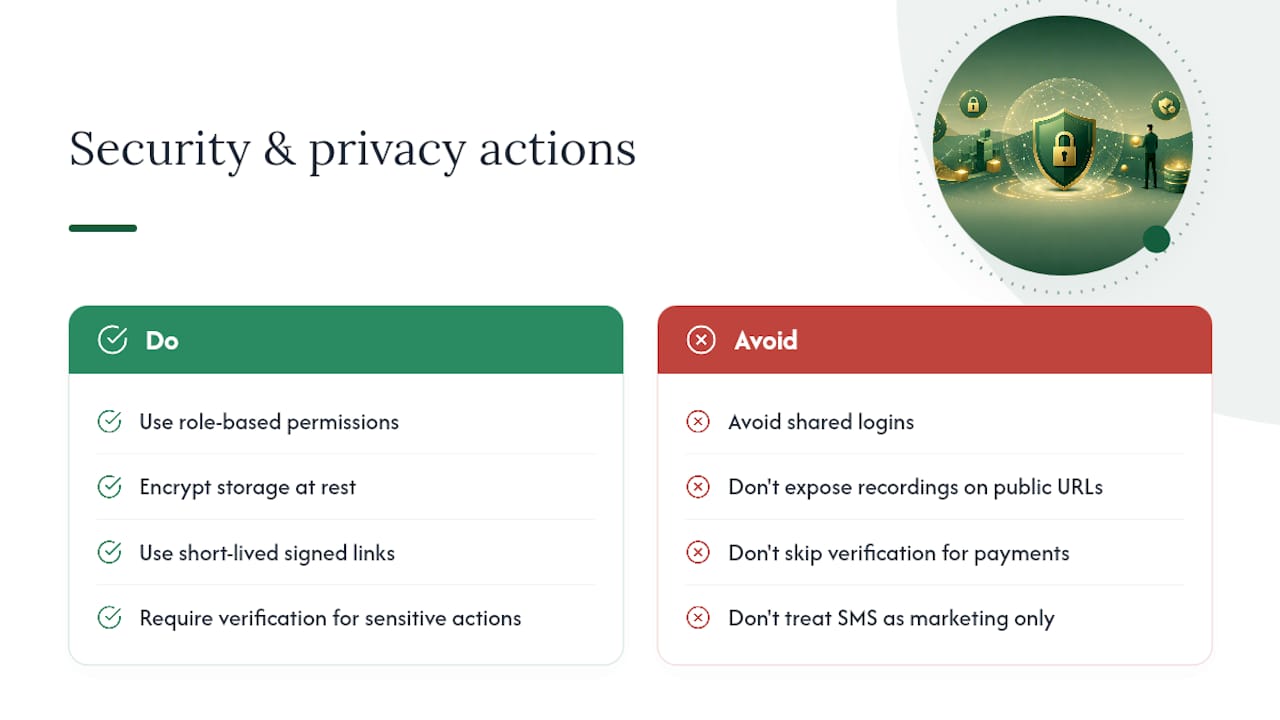
Start with who can see what. If multiple staff members access the same booking inbox, use role-based permissions rather than one shared login. Anyone who doesn’t need to see a customer’s full history shouldn’t have access to it.
Check how your provider stores message content and call recordings. Encrypted storage at rest, not just in transit, is the standard worth insisting on. If your platform offers call recordings or transcripts, confirm they’re accessed through short-lived signed links rather than permanent public URLs, and that recording only happens with explicit opt-in.
Watch for identity confirmation on sensitive actions. A customer rescheduling a haircut is low risk. A customer cancelling a paid invoice or changing account details over SMS is not; that kind of action deserves a verification step, such as a one-time code sent by SMS or email, before it’s actioned. Any credible platform handling payments or account changes over text should have this built in as standard, not as a paid extra.
Finally, review who holds the keys to your integrations. Calendar access, payment processor connections, and CRM logins are often more exposed than the SMS messages themselves.
Handling replies and two-way conversations
A booking system that can only send is only half a system. Customers will text back, whether you planned for it or not: “can we do Thursday instead”, “running 10 mins late”, “actually need to cancel”. If nobody, human or automated, is watching that inbox, you lose the entire benefit of using SMS in the first place.
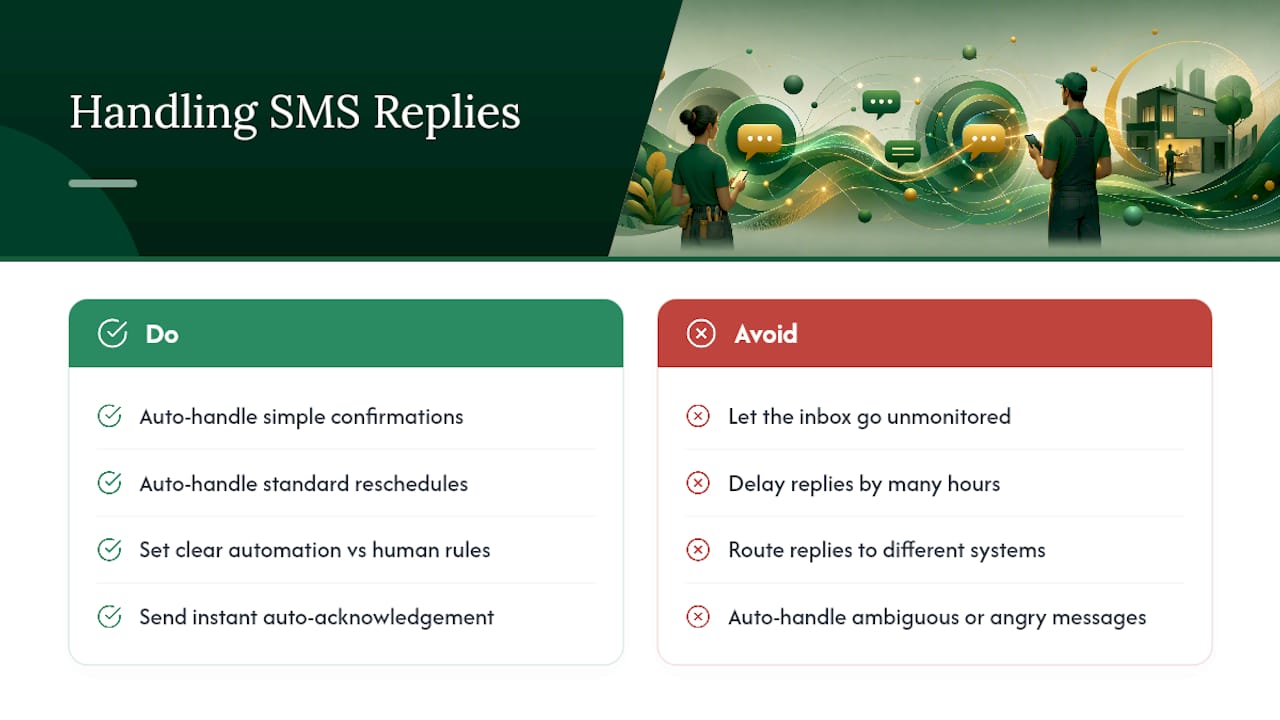
Set clear rules for what an automated system should handle versus what needs a human. Simple confirmations (“YES”, “OK”, a thumbs-up emoji) and standard reschedule requests within your usual availability can be resolved automatically. Anything ambiguous, anything angry, or anything involving a refund should route to a real person, fast.
Response time is where most businesses fall down. A customer who texts to reschedule at 9am and gets a reply at 5pm has probably already booked somewhere else. If you can’t staff a live inbox during business hours, an automated first response (“Got it, we’ll confirm your new time shortly”) buys you time without leaving the customer hanging.
Keep the full exchange visible in one thread per customer, not scattered across separate confirmation and reminder tools. A customer who replies to a reminder text expects that message to connect to their original booking, not to disappear into a black hole because it went to a different number or system than the one that sent the confirmation.
Personalisation techniques that improve engagement
Generic reminders get generic attention. Adding the customer’s name, the specific service booked, and the staff member or location assigned to the appointment turns a forgettable text into something that reads as intended for them specifically. “Reminder: your appointment tomorrow at 2pm” gets skimmed. “Hi Sarah, your colour appointment with Jess tomorrow at 2pm” gets read properly.
Timing personalisation works too, and it’s underused. A customer who’s rebooked the same service five times in a row doesn’t need the same detailed first-timer message as someone booking for the first time; a shorter, familiar tone fits better once the relationship is established. Conversely, a first-time customer benefits from a bit more detail: parking instructions, what to bring, how long the appointment takes.
Segment your message tone by service type where it makes sense. A reminder for a routine check-up can be brisk and functional. A reminder for something higher-stakes, a consultation, a procedure, a big-ticket service, benefits from a slightly warmer, more reassuring tone. None of this requires complex logic; most booking platforms let you insert dynamic fields (name, service, staff member, time) into a single template, which gets you most of the personalisation benefit without writing ten separate message variants.
Author perspective: common pitfalls and quick wins
Test delivery across a handful of carriers and phone types before going live; a message that lands perfectly on your own phone can still fail elsewhere. Resist the urge to send more than two well-timed reminders; volume erodes trust faster than it improves attendance. The two fastest wins I’ve seen are single-tap booking links inside the SMS itself and missed-call text-back, which recovers demand that would otherwise just hang up and call someone else.
— Christopher
Run SMS booking and reminders through Wattle
Setting all of this up piece by piece, a number here, a template tool there, a separate calendar sync, is exactly the kind of admin overhead that eats a week you don’t have. Wattle combines AI voice agents, automatic SMS follow-up, missed-call text-back, and calendar integrations into one workspace, so booking, confirming, and reminding customers happens without you stitching four tools together.
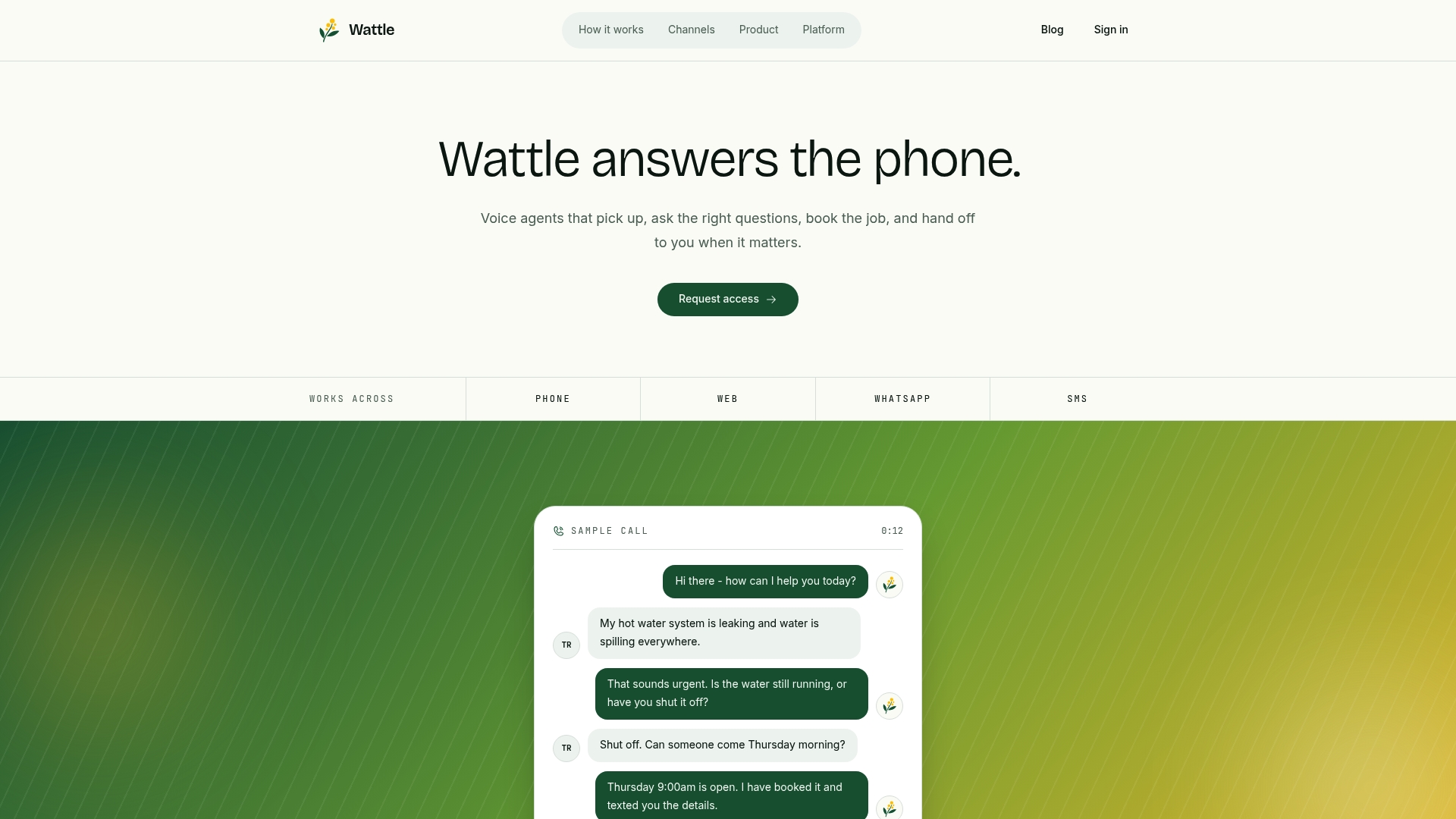
If you’re weighing up whether to build this yourself or partner with someone, HarbourSide Digital is worth a look if you need help connecting SMS flows to your existing website and CRM setup. For a more direct path, you can see how Wattle’s AI voice agents handle calls, SMS, and bookings from one inbox and book a demo to see it running against your own calendar.