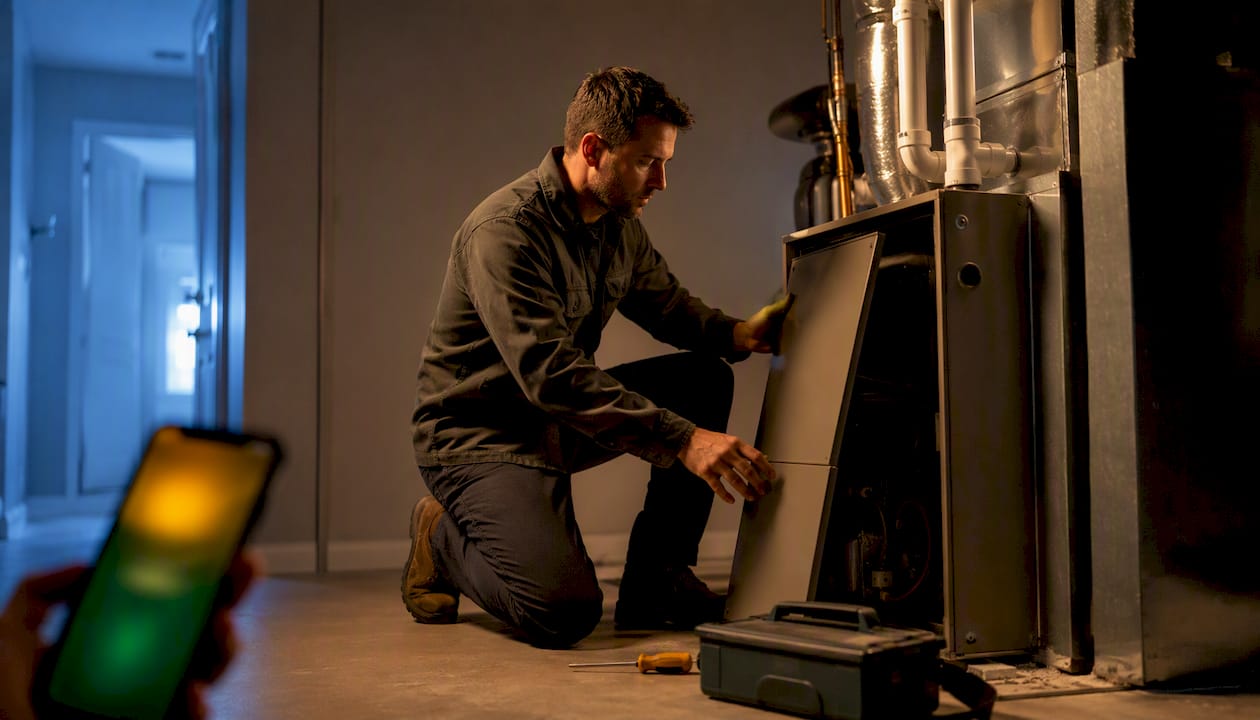
The fastest way to stop losing HVAC jobs to missed calls is an AI front desk that answers every call, spots a genuine emergency, books the job into your calendar, and notifies the right technician. This is HVAC AI HVAC answering in practice: 24/7 coverage, emergency routing, live booking, and integrations with the software you already run. Wattle is one direct option worth trialling or demoing if you want to see this working on your own number.
TL;DR:
- An AI answering system for HVAC handles emergency triage with targeted questions and routes life-threatening issues immediately to ensure safety.
- It offers real-time calendar syncing for accurate scheduling and is capable of completing payments securely through verification codes.
- Deployment typically takes one to two weeks for setup and testing, with a two- to four-week pilot phase to optimize routing and booking efficiency.
- Costs start at around $99 per month, with prices increasing based on features, call volume, and additional integrations like outbound calling or SMS.
- The system’s reliability depends on thorough configuration, especially emergency escalation protocols, and requiring response-time SLAs from vendors is recommended.
WattleKeep HVAC Calls MovingWattle answers calls, captures customer details, books appointments, and hands sensitive conversations to your team across connected channels.Explore Wattle
Table of Contents
- What does an AI answering service for HVAC actually do?
- How should emergency detection and on-call routing actually work?
- Which integrations actually turn calls into booked jobs?
- What does go-live actually look like for an HVAC business?
- What does AI answering cost, and where’s the return?
- How is customer data verified and kept secure?
- Where does Wattle fit for HVAC businesses?
- When should you add an AI front desk instead of hiring more staff?
- Get an AI front desk built for HVAC call volume
- Sources
- FAQ
What does an AI answering service for HVAC actually do?
An AI answering service for HVAC is a voice agent that picks up every call, has a real conversation with the caller, and takes action instead of just recording a message. The better platforms run in two modes: scripted, where the flow follows a fixed decision tree for consistency, and conversational, where the AI can handle unexpected questions without breaking. Interruptible greetings matter more than they sound. A caller with a burst pipe doesn’t want to sit through thirty seconds of “Thanks for calling” before they can say “emergency.”
Behind the call itself, three things need to happen reliably:
- Lead capture that pulls name, number, address and fault description without sounding like a form.
- A transcript and AI-generated summary landing in your system within minutes of the call ending.
- Appointment booking that checks real availability rather than offering a slot that’s already taken.
When you’re evaluating vendors, push past the sales pitch and ask to see the integrations list, the security controls, and whether they’ll commit to a response-time SLA in writing. A systematic review of large language models in building energy systems found that current LLM approaches work best as workflow and semantic layers rather than fully autonomous decision-makers, which is exactly the role a well-built answering agent should play: handling language and logistics, not making technical judgement calls a technician should make.
How should emergency detection and on-call routing actually work?
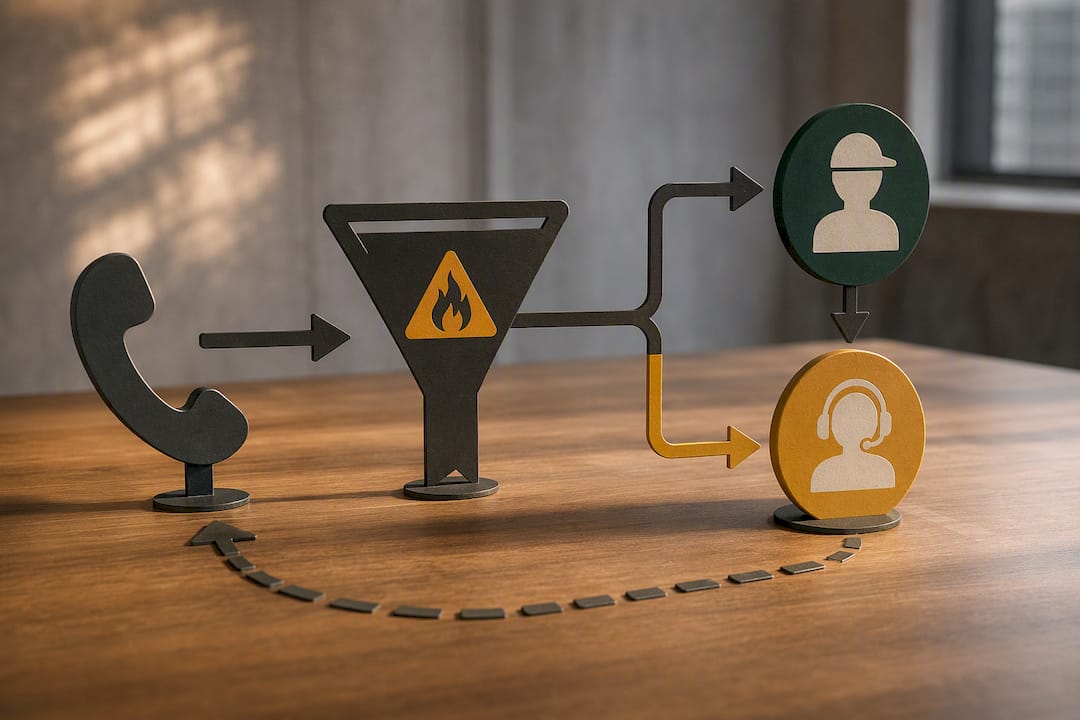
A genuine HVAC emergency has a short list: no heat in freezing conditions, no air conditioning during a heatwave with a vulnerable occupant, a suspected gas leak, or a burst water heater flooding a property. The agent’s job is to ask two or three targeted questions to confirm severity, not to diagnose the fault. “Is there a smell of gas?” and “Is water actively leaking right now?” tell you more in five seconds than a generic “how can I help” ever will.
Routing should follow a clear hierarchy:
- Immediate transfer for anything gas-related or life-safety, no exceptions.
- Warm transfer for confirmed no-heat or no-cool emergencies, where the AI calls the on-call technician first and only connects once they accept.
- Staff-notify via SMS or push notification with a retry sequence if nobody answers within an agreed window, escalating to a second contact.
- Message-taking only for non-urgent faults, logged with full details for next-business-day scheduling.
If the on-call technician can’t be reached and the situation isn’t life-threatening, the safest fallback is to capture full details and confirm a callback time, rather than letting the AI attempt anything it isn’t built to do, like offering repair advice over the phone.
Pro Tip: Test your emergency flow with a mock gas-leak call during setup, not after go-live. If the agent doesn’t escalate correctly on a practice run, it won’t get it right at 2am either.
Which integrations actually turn calls into booked jobs?
The answering layer only earns its keep if it talks to the systems you already run. Calendar integrations like Google Calendar or Cal.com let the AI check real-time availability and book directly, rather than promising a slot and leaving your dispatcher to sort out the clash later. Field-service platforms extend that further, syncing job details, technician assignments and customer history so nothing gets re-typed.
Payment and invoicing integrations change the workflow in a different way. If a customer wants to pay a deposit or settle an invoice over the phone or via SMS, that’s a protected action, and it should require verification, such as a one-time code sent by text, before anything is processed. This isn’t optional friction. It’s the difference between a smooth transaction and a dispute six weeks later.
A few integration questions worth asking any vendor:
- Does the calendar sync run in real time, or on a delay that risks double bookings?
- Can invoices or quotes be generated and delivered without a staff member touching them?
- Does every channel, phone, SMS and web chat, feed into one inbox, so a customer who calls then texts doesn’t have to repeat themselves?
That last point matters more than it sounds. A unified inbox cuts down on the “didn’t we already discuss this?” callbacks that eat up admin time during busy periods.
What does go-live actually look like for an HVAC business?
Rolling out an AI answering system isn’t a weekend project, but it’s not a quarter-long IT initiative either. A realistic setup runs in stages:
- Forward your business number (or provision a new one) and set your coverage windows, including after-hours and public holidays.
- Build the call flow: greeting, qualifying questions, emergency triage rules, and booking logic, using a template if the vendor offers one for HVAC.
- Load your service catalogue, pricing, and service area so the agent doesn’t quote jobs you don’t do or book addresses outside your patch.
- Run test calls, including at least one emergency scenario, one booking scenario, and one edge case like a wrong number or a supplier calling.
- Brief your technicians on the handoff process, so nobody’s surprised when a warm transfer call comes through mid-job.
- Go live on a pilot basis, watching a small set of metrics before switching over fully.
The pilot metrics worth tracking are simple: average response time to first answer, percentage of calls that convert to a booked job, and success rate on emergency transfers reaching a technician on the first attempt. Most HVAC businesses can get through configuration and testing within one to two weeks, with the pilot phase running two to four weeks after that before full confidence sets in. If a technician misses a warm transfer twice in the pilot, that’s a routing problem to fix before it becomes a customer complaint.
What does AI answering cost, and where’s the return?
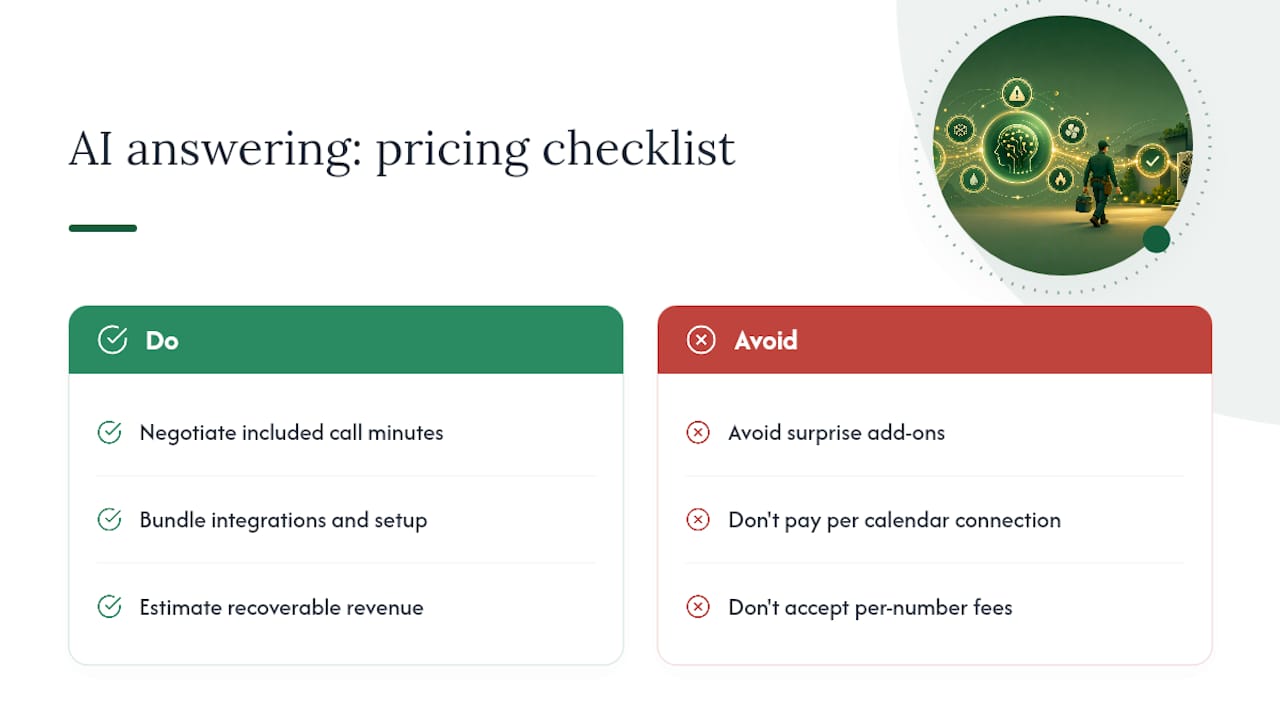
Pricing in this category tends to follow one of a few models: a flat per-number subscription, tiered plans based on features and call volume, or per-minute and per-call charges layered on top of a base fee. Watch for add-ons that aren’t obvious upfront, like outbound calling, human transfer fees, or charges for additional phone numbers.
When negotiating, the real levers are included call minutes, setup and call-flow configuration, and how much integration work is bundled versus billed separately. A vendor who charges extra for every calendar connection adds up fast.
The ROI math is straightforward: multiply your missed-call rate by your typical booking conversion rate, then by your average job value, and you get a rough recoverable revenue figure. If your business misses even a handful of calls a week during peak season and a portion of those would have converted to paid jobs, the maths generally favours fixing that leak over accepting it as a cost of doing business. Gartner’s research on conversational AI points to the same conclusion for customer service automation broadly: value shows up in workflow and call handling once pilots validate the approach, not in feature lists alone.
How is customer data verified and kept secure?
Verification should scale with risk. A booking request needs a name and number. A payment, a cancellation, or an account change needs a six-digit code sent by SMS or email before the AI proceeds. Anything that can’t be verified safely should fall back to a human, not push through anyway.
On storage, check three things during procurement: whether call recording is opt-in with clear disclosure, who can access transcripts and recordings, and how long that data is retained before deletion. Every protected action, a payment taken, a booking changed, should generate an audit log entry, so if a customer disputes a charge months later, there’s a clear record of what was said and confirmed.
Where does Wattle fit for HVAC businesses?
Wattl’s feature set maps directly onto what an HVAC answering system needs to do. Its call-flow builder supports the branching logic emergency triage requires: ask, confirm severity, then route via immediate transfer, warm transfer, or staff notification with retry logic if nobody answers. Calendar integrations with Google Calendar and Cal.com handle live booking, while Xero and QuickBooks Online integrations manage invoicing once a job’s confirmed.
Protected actions, like taking a payment or cancelling a booking, require six-digit verification before they execute, and warm transfers give technicians the choice to accept a call rather than being dropped into one mid-job. The unified inbox pulls phone, SMS and web chat into a single customer thread, so a caller who follows up by text isn’t starting from scratch.
For HVAC businesses weighing this up, the practical next step is a demo call through Wattle to see how a triage flow handles a mock no-heat emergency, and how quickly a booked job shows up on a connected calendar.
When should you add an AI front desk instead of hiring more staff?
Three signals usually mean it’s time: a missed-job rate you can’t explain away, emergency calls handled inconsistently depending on who picks up, or admin time swallowed by repeat calls and manual booking. The trade-off isn’t complicated, control versus cost, and a staged rollout, one number or one after-hours window first, lets you test that trade-off without betting the whole operation on it. Compare that against what a service provider like Conexcool handles operationally in commercial refrigeration and HVAC repair, where after-hours call volume alone can justify the shift.
— Christopher
Get an AI front desk built for HVAC call volume
Wattle is the alternative to hiring extra dispatch staff for after-hours and peak-season call overflow: one AI voice agent answers every call, triages emergencies, books straight into your calendar, and hands genuinely urgent jobs to your on-call technician, all without a long-term contract locking you in.
It suits HVAC businesses that lose jobs to missed calls on weekends, during heatwaves, or whenever the phone rings faster than staff can pick up. Everything from the initial call to the booked appointment lands in one inbox, so nothing falls through a gap between a phone call and a follow-up text. Plans start with Starter at $99 a month, scaling up to Pro and Max as call volume grows, with Australian mobile numbers, outbound calling and transfers available as add-ons. The next step is straightforward: book a demo through Wattle and run a mock emergency call through it before you commit to anything.
FAQ
Is there an AI answering service for HVAC technicians?
Yes. Platforms like Wattle are built specifically for service businesses, including HVAC, to answer calls, triage emergencies, and book jobs directly into a connected calendar. The agent can also hand off to a technician by warm transfer or SMS notification when a call needs a human.
How much does an AI answering service typically cost?
Pricing usually runs on a monthly subscription with tiers based on features and call volume, sometimes with per-minute or per-call charges layered on top. Wattle’s plans start at $99 a month for Starter, with Pro at $499 and Max at $999 a month, plus separate fees for Australian mobile numbers, outbound calling and transfers.
What is the best AI tool for HVAC call answering?
The right tool depends on whether it handles emergency triage with proper escalation, integrates with your calendar and invoicing software, and offers human handoff for calls the AI shouldn’t handle alone. Wattle covers all three through its call-flow builder, calendar and accounting integrations, and warm-transfer controls.
Are AI answering services reliable for emergency calls?
Reliability comes down to how the routing logic is built, not just the AI itself. A well-configured system confirms severity with targeted questions, then follows a strict hierarchy: immediate transfer for gas or life-safety issues, warm transfer for confirmed no-heat or no-cool emergencies, and staff notification with retry logic for everything else.
What should I ask a vendor before signing up?
Ask whether they’ll commit to a response-time SLA in writing, how their calendar sync handles real-time availability, and what verification is required before payments or cancellations go through. A vendor that can’t answer these clearly during a demo is a red flag worth taking seriously.