For most businesses, the right approach is an integrated platform or managed AI voice agent that records, transcribes and stores calls automatically, backed by human review for anything high-stakes. Solo users and light personal use are usually fine with native phone or app-based capture. Whatever you choose, run a short test call first, confirm consent from every participant, and check the transcript against the audio before you trust it. Options like Wattle, Apple’s built-in tools, and Microsoft Teams all handle this differently, and picking the wrong one wastes weeks.
TL;DR:
- Native phone tools are suitable for personal or light professional use but may have region-specific limitations and require participant consent.
- Managed AI voice-agent platforms like Wattle offer the most comprehensive solution, automating call handling, recording, transcription, and workflow integration.
- High accuracy in transcription depends on audio quality, noise suppression, and the use of industry-tuned models, but human review remains essential for high-stakes calls.
- Proper setup requires testing permissions, call routing, and output locations on each platform, with conference calls needing diarization for clear speaker separation.
- Legal compliance mandates informing participants, recording consent, access logs, and secure data handling, tailored to jurisdiction-specific regulations.
Wattleheywattle.comKeep Call Records TogetherWattle supports opt-in call recording, transcriptions, AI summaries, and captured details across customer conversations in one workspace.Explore Wattle
Table of Contents
- What are the main types of call recording and transcription tools?
- How do you choose the right call recording and transcription tool?
- How do you set up call recording on iPhone, Android, Teams and VoIP?
- Why do call transcripts get inaccurate, and how do you fix it?
- What are the legal and privacy rules for recording calls?
- How do businesses use call transcripts after recording?
- How much does call recording and transcription cost?
- How do you record VoIP, PSTN and conference calls?
- What causes recording and transcription failures, and how do you fix them?
- Which call recording and transcription tools suit which use case?
- How do you build recording and transcription into a business workflow?
- Lessons from real rollouts
- Get integrated recording, transcription and follow-up in one platform
- Where to check platform-specific setup details
- Sources
What are the main types of call recording and transcription tools?
Four categories cover almost every use case, and they solve different problems.
Native phone features are the free option built into your device. Apple’s iPhone recording and transcription tool works well for personal or light professional use, but availability depends on your region and language, and Apple is explicit that you need every participant’s agreement before you hit record. It is the lowest-friction option and the least configurable.
Mobile apps sit on top of the native dialler and add features like cloud backup, keyword search and basic summaries. They suit freelancers and small teams who want more than the phone gives them but don’t need enterprise controls.
Cloud transcription services are built for volume. They typically bill per minute or per call, offer APIs, and produce exportable searchable transcripts with speaker diarization. Good fit for sales teams, recruiters and support desks that need scale without owning infrastructure.
Managed AI voice-agent platforms go a step further. Rather than just capturing and transcribing a call someone else took, they answer the call, run the conversation, and log a transcript, summary, and structured data automatically. Wattle falls into this category and is aimed at businesses that want recording and transcription bundled with the call handling itself, rather than bolted on afterwards.
The trade-offs break down roughly like this:
- Native tools: free, fast to start, but limited configurability and inconsistent availability by device and region.
- Apps: better features and export options, moderate learning curve, variable data handling policies.
- Cloud transcription services: strong accuracy and scale, but you still need a separate system to actually run the call.
- Managed AI voice-agent platforms: highest setup effort upfront, but the most complete: call handling, recording, transcription, and workflow automation in one place.
Match the category to your actual volume and stakes, not to whichever tool a colleague mentioned last week.
How do you choose the right call recording and transcription tool?
Start with a short checklist before you look at a single vendor page.
- Accuracy target. Do you need “good enough to search” or “good enough to quote in a dispute”? These require different tools and different budgets.
- Compliance needs. Are you in a regulated sector (health, legal, finance) where retention periods and disclosure rules are stricter than general business use?
- Retention policy. How long does the vendor keep recordings and transcripts, and can you set your own retention window?
- Speaker separation. Do you need to know who said what, or is a single merged transcript enough?
- Real-time vs post-call. Do you need a live transcript during the call (useful for support agents) or is an after-the-fact record sufficient?
- Integrations required. Does the transcript need to land in a CRM, a calendar, or an accounting platform automatically, or is a standalone file fine?
Once you’ve answered those six questions, take them into any vendor trial and ask directly:
- How long does processing take from end of call to finished transcript?
- What export formats are supported (plain text, SRT, VTT, JSON)?
- Is speaker diarization included by default, or is it a paid add on?
- What security certifications does the platform hold, and where is data stored?
- What happens to my data if I cancel? Can I export everything first?
A few answers should make you walk away immediately. No clear, written data retention or deletion policy is a red flag. No export option locks you into their ecosystem forever, which is a real risk if pricing changes later. No speaker labels on a multi-participant call means you’re getting a transcript, not a usable one, for anything involving more than one voice worth tracking separately.
Pro Tip: Ask for a sample transcript from audio similar to your own conditions, not the vendor’s demo recording. A clean studio sample tells you nothing about how the tool handles your actual call centre or mobile reception.
How do you set up call recording on iPhone, Android, Teams and VoIP?
Getting your first usable transcript is mostly about permissions and finding where the output lands. Here’s the fastest path for each platform.
- iPhone. Check that the built-in recording and transcription feature is available for your region and language, since Apple restricts it in some markets. Enable it in the Phone app settings, make a test call, and confirm you (and the other party) agree to being recorded before you start. Transcripts and recordings typically show up in the Notes app afterwards, so check there first if you can’t find them.
- Android and third-party apps. Grant microphone and call-recording permissions explicitly. Test whether the app captures both sides of the call or just your voice, since some apps only capture one channel by default on Android. Speakerphone tends to introduce more background noise than a wired headset, so if accuracy matters, use a headset for the test call.
- Microsoft Teams. Recording and transcription are admin-controlled, not user-controlled by default. An admin needs to enable the policy in the Teams admin centre before any user can start a recording. Once enabled, transcripts generally appear attached to the meeting or call recording in the chat thread or in Stream, depending on your organisation’s setup.
- VoIP and SIP capture. For business phone systems, recording usually happens at the SIP trunk or PBX level rather than on the device. Identify your capture point (trunk, extension, or call recording server), set up webhook or API export so transcripts land where you need them, and run one full test call end to end before rolling it out to a team.
Whichever platform you’re on, the first test call is where problems show up. Do it before you commit a whole team to the workflow.
Why do call transcripts get inaccurate, and how do you fix it?
Transcription errors come from predictable sources: audio compression on phone networks, background noise, two people talking over each other, and heavy accents or industry jargon the model hasn’t seen before. None of these are solved by picking a “better” tool alone.
On the technical side, record at device level where you can rather than relying on a room microphone picking up a speakerphone call. Use a headset instead of a laptop mic for anything you plan to transcribe seriously. Test your mic routing before a real call, not during one, and enable noise suppression if your platform offers it.
On the model side, look for:
- Custom or industry-tuned language models if your calls are full of technical terms a general model won’t recognise.
- Confidence scores per segment, so low-confidence sections can be flagged automatically rather than trusted blindly.
- Timestamps, which make it far faster to jump to the exact moment a disputed statement was made.
- Diarization, which pairs with confidence scores to let you route only uncertain, high-risk segments for human review instead of re-checking everything.
Vendor accuracy claims should be read as a ceiling, not a guarantee. Providers advertising figures near 99% are usually describing clean audio with limited accents, and real-world performance drops with noise, crosstalk and jargon. For anything genuinely high-stakes, like a legal deposition, a medical intake call, or a regulated financial disclosure, human review isn’t optional. Professional transcription services report accuracy approaching 99.4% after human QA, which is the benchmark automated tools are chasing rather than matching outright.
What are the legal and privacy rules for recording calls?
Consent and disclosure rules differ by jurisdiction, and they can differ within a country depending on the type of call, so check local law before you assume a rule applies to your situation. Apple’s own guidance is a useful illustration of how seriously platforms take this: it explicitly tells users to confirm other participants are willing to be recorded before the feature is used, regardless of where you are.
Treat this as your minimum compliance checklist, not the full picture for your specific situation:
- Inform every participant that the call may be recorded, ideally at the start of the call, not buried in a policy document nobody reads.
- Record consent itself. A verbal acknowledgment at the start of the call, logged with a timestamp, is far more defensible than assuming silence means agreement.
- Keep access logs showing who listened to or downloaded a recording and when.
- Limit team access to recordings and transcripts on a need-to-know basis rather than giving the whole company a shared folder.
- Redact where required, particularly for payment details, health information, or anything covered by sector-specific rules.
For anything beyond routine business calls, don’t rely on a blog post (including this one) as your legal authority. Platform documentation like Microsoft’s Teams admin guidance will tell you what a specific tool supports, but only legal counsel can tell you what your specific jurisdiction and industry require. Treat the two as separate questions.
How do businesses use call transcripts after recording?
A transcript sitting in a folder is close to worthless. The value shows up once it feeds into something else.
The most common uses are searchable transcript archives (useful when a customer disputes what was agreed), AI-generated summaries that save someone reading a 20-minute call end to end, automatic extraction of action items and follow-up tasks, logging into a CRM against the right contact record, and quality coaching, where managers review flagged calls instead of sampling randomly.
Getting there depends on the integration pattern the vendor supports. Webhook delivery pushes a finished transcript to a system of your choosing the moment it’s ready. APIs let you pull transcripts on demand or build custom logic around them. Native connectors, where they exist, link directly into a calendar, an accounting platform like Xero, or a CRM without custom engineering. Speaker diarization and per-segment confidence scoring make all of this more useful, because low-confidence segments can be routed for review while the rest of the transcript is trusted as is.
Expect exports in plain text, SRT or VTT for anything with timestamps, and check whether the vendor supports secure storage with clear export paths before you commit, since a platform with no export option locks your own data inside their system.
Pro Tip: Before you sign with any vendor, export one full transcript and try feeding it into your actual CRM or ticketing system. If the format doesn’t map cleanly, you’ll be doing manual cleanup on every single call.
Governance matters just as much as the technical connection: know your retention window, confirm you can export everything before cancelling, and check whether the platform logs who accessed a recording and when.
How much does call recording and transcription cost?
Pricing shapes vary more than most buyers expect. Per-minute billing is the most common model and scales predictably with call volume. Subscription tiers bundle a set number of minutes or calls with added features like diarization or summaries. Some providers now bill in 15-second increments rather than per full minute, which can cut costs meaningfully for businesses running lots of short calls, like appointment confirmations or quick support check ins.
Hidden costs catch people out more than the headline rate does:
- Storage fees once you exceed a retention allowance.
- Human review or QA charged separately from automated transcription.
- Export or redaction fees for compliance-heavy formats.
- Integration engineering if you need custom connectors the vendor doesn’t provide out of the box.
Roughly speaking: a solo user making a handful of calls a day will do fine on a low-cost per-minute plan or even a free native tool. A small team handling dozens of calls daily should budget for a subscription tier with diarization and integrations included. A contact centre running hundreds or thousands of calls a day needs to model per-15-second or per-minute costs against actual call length data, because short-call billing models can shift the total significantly compared to flat per-minute pricing.
How do you record VoIP, PSTN and conference calls?
Each call type has its own recording quirks, and treating them all the same is where a lot of setups go wrong.
VoIP calls are usually the easiest to capture reliably because the audio is already digital. Recording typically happens at the SIP trunk, the PBX, or within the software client itself, and quality depends heavily on network stability rather than hardware.
PSTN (traditional landline) calls need to be captured at the point where the call terminates, whether that’s a physical phone system, a gateway converting the signal to digital, or a mobile device. Audio quality is often lower than VoIP by default, which makes noise suppression and headset use more important, not less.
Conference and multi-party calls are the hardest case for accurate transcription. More participants mean more overlapping speech, more chances for one voice to be quieter than another, and a much bigger payoff from good speaker diarization. If your business runs regular conference calls with more than two or three people, treat diarization as a requirement rather than a nice-to-have feature, because a merged transcript with no speaker labels on a five-person call is close to unreadable.
Whichever call type you’re recording, check where the capture point sits in your specific setup before assuming a generic tool will “just work.” A tool built for mobile app capture won’t necessarily plug into a PBX, and a PBX-level recorder won’t help with a WhatsApp voice call.
What causes recording and transcription failures, and how do you fix them?
Most technical issues fall into a handful of repeatable categories, which makes them easier to troubleshoot than they first appear.
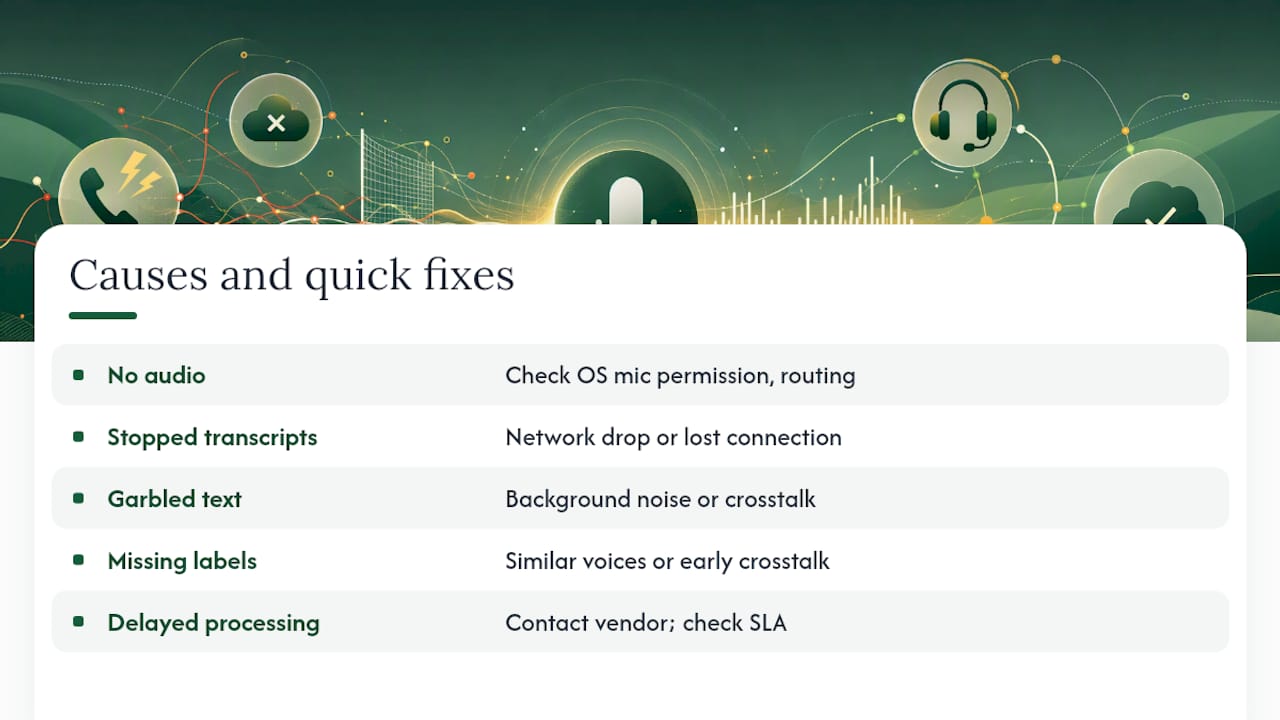
No audio or partial audio is usually a permissions or routing problem: check that microphone access is actually granted at the OS level, not just the app level, and confirm which audio channel the app is pulling from if a call sounds one-sided in playback.
Transcripts that stop partway through often point to a network drop during upload or an app losing its connection mid-call. Test your connection stability separately from the transcription quality itself before assuming the tool is at fault.
Garbled or nonsense text in specific sections is almost always background noise, crosstalk, or a speaker talking over background music or a TV. Re-listen to that exact section of the audio. If the audio itself is unclear, no model will fix it.
Missing speaker labels despite diarization being enabled usually means two speakers had very similar vocal tone or the call had significant crosstalk right at the start, which can confuse the initial speaker assignment.
Delayed processing is worth flagging to your vendor if it happens consistently, since processing time should be stated clearly in their documentation and consistent delays beyond that stated window suggest a capacity or account issue, not a one-off glitch.
Keep a short log of failures with timestamps and call details. A pattern (always fails on conference calls, always fails after 40 minutes) is far easier to diagnose than a one-off complaint.
Which call recording and transcription tools suit which use case?
There is no single best tool, because the categories solve different problems.
For personal or light professional use, native phone tools are the sensible starting point. They’re free, require no setup beyond enabling a toggle, and cover the basics well for someone recording the occasional client call or reminder.
For teams already living inside Microsoft 365, Teams’ built-in recording and transcription is the obvious default, since it requires no new vendor relationship and transcripts land inside tools staff already use.
For businesses that need standalone transcription at volume without changing how they make calls, a dedicated cloud transcription service makes sense, particularly one offering diarization and flexible export formats for downstream use.
For businesses that want the call handled and documented automatically, from answering, through booking or qualifying, to a searchable transcript and summary landing in one inbox, a managed AI voice-agent platform is the more complete option. Wattle sits in this category: it answers calls, records and transcribes them with opt-in controls, generates post-call summaries, and pushes the result into integrations like calendars or CRM workflows without a separate transcription step bolted on afterwards.
Match the tool to what you’re actually trying to solve. A support desk trying to reduce missed calls needs a different tool than a legal team needing defensible transcripts of client calls.
How do you build recording and transcription into a business workflow?
A workflow example makes the abstract advice concrete. Take a small service business booking appointments over the phone.
- Call comes in. The system (native, app, or an AI voice agent) answers or captures the call with recording enabled and consent confirmed at the start.
- Call is transcribed. The transcript is generated automatically, with speaker diarization separating the customer from staff or the AI agent.
- Summary and action items are extracted. Key details, requested appointment time, customer name, and any specific requests, are pulled out automatically rather than requiring a staff member to relisten.
- Data flows into existing tools. The appointment lands in a calendar, the contact is logged or updated in a CRM, and an invoice or quote may be triggered automatically if the business uses a connected accounting platform.
- Low-confidence segments get flagged. Anything the transcription model wasn’t sure about is marked for a quick human check rather than trusted blindly.
- Recording and transcript are archived. Stored according to a defined retention policy, with access limited to relevant staff and logged for audit purposes.
The businesses that get the most value out of this aren’t the ones with the fanciest transcription model. They’re the ones who mapped out every step from “phone rings” to “data lands where it’s useful” before choosing a tool, then picked the option that covered the most steps without needing five separate systems stitched together.
Lessons from real rollouts
Every failed rollout I’ve seen shares one root cause: the business skipped the pilot and went straight to a full team deployment. Run a small pilot first, one line, one team, a couple of weeks, and measure two things specifically: transcript quality against your actual call conditions, and whether staff actually use the transcripts or ignore them.
Training doesn’t need to be complicated. A one-page playbook covering how to start a call, how consent gets confirmed, and where to find a transcript afterwards solves most adoption problems. The businesses that skip this step end up with a powerful tool nobody on the floor knows how to use.
Escalate to human verification, or a fully managed solution, the moment a call carries legal, medical or financial weight. That’s not caution for its own sake. It’s recognising that automated transcription is a strong first pass, not a final answer, for anything where being wrong actually costs you something.
— Christopher
Get integrated recording, transcription and follow-up in one platform
Wattle gives you configurable call recording and transcription with explicit opt-in consent, automatic post-call summaries, and speaker-level detail built into every conversation it handles, without stitching together a separate recorder, transcription service, and CRM entry step by step.
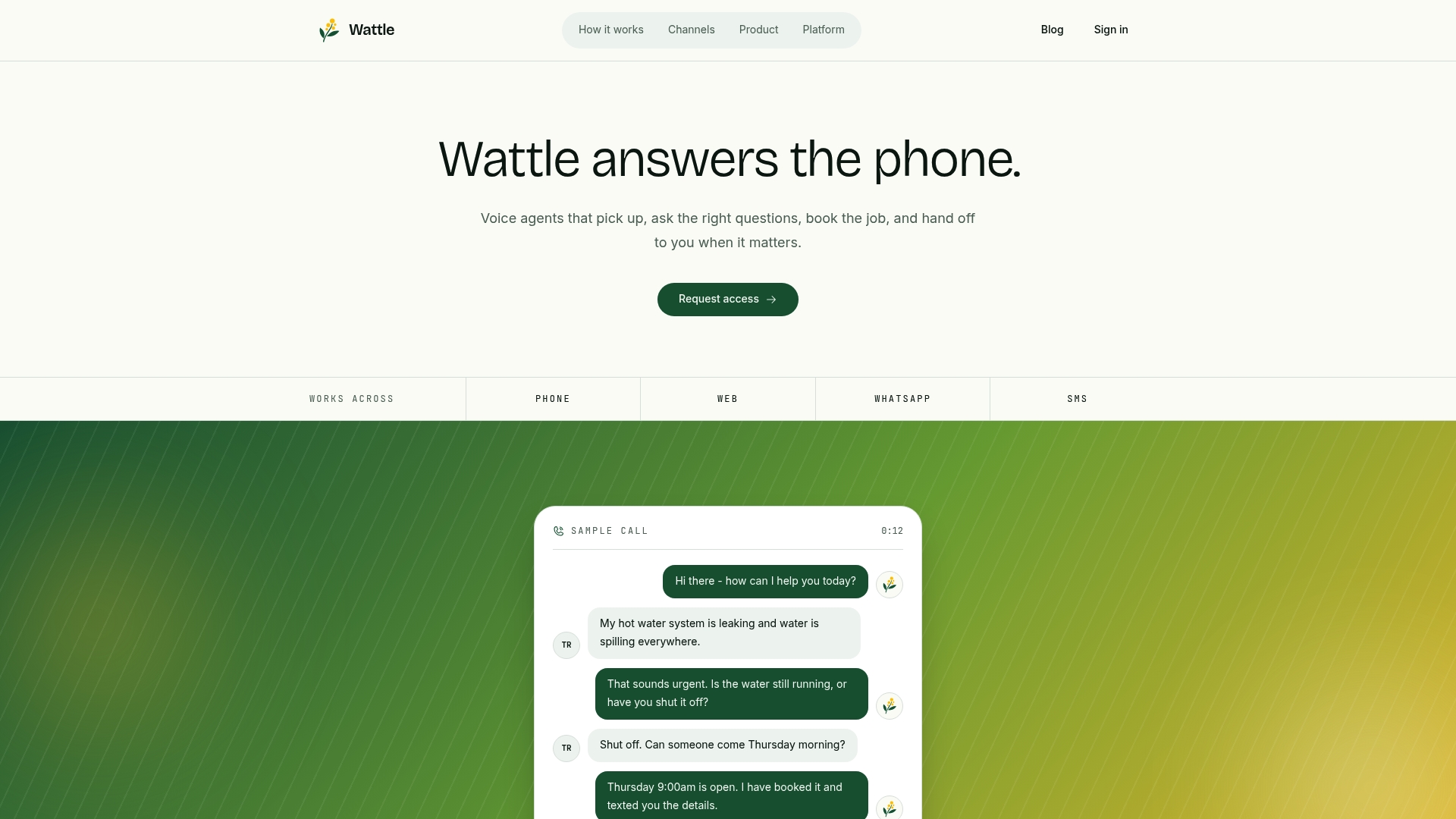
Where the tools covered above each solve one piece (recording, or transcription, or storage), Wattle answers the call itself, books the appointment or qualifies the lead, and hands you a searchable transcript and summary already logged against the right contact. It connects to calendar and payment tools, so the transcript isn’t the end of the workflow, it’s the start of one. For businesses juggling phone, web chat, WhatsApp, and SMS across separate systems, that consolidation is the real time saving over running four disconnected tools. For integration work connecting transcripts into commerce workflows, providers like Orphora AI work in a similar space if you need e-commerce-specific voice agent tooling alongside your setup.
If your business is past the point of manually reviewing call recordings and wants recording, transcription, and booking handled in one place, try a Wattle demo and see how it handles your actual call volume before committing to a full rollout.
Where to check platform-specific setup details
For iPhone recording and transcription setup, including regional availability and consent requirements, go straight to Apple’s own support documentation rather than a third-party summary. For Microsoft Teams, Microsoft’s admin configuration guide covers exactly which policies control recording and transcription and where transcripts land afterwards.
For accuracy benchmarks and when human review is worth the extra cost, GoTranscript’s call transcription page is a useful reference point on what professional-grade verification actually delivers. Beyond platform docs, check your own jurisdiction’s consent and recording laws with a legal professional before recording anything outside routine internal business calls.