An AI voice agent answers phone calls, understands what the caller wants, and completes the task, booking an appointment, qualifying a lead, or answering a question, without a person picking up. The business outcome is straightforward: fewer missed calls, faster response, and lower cost per contact. Platforms like Wattle package this into a workspace where you configure the agent, connect your calendar and CRM, and hand off anything sensitive to staff.
TL;DR:
- Most voice agents use a sandwich architecture to improve control and auditability, though speech-to-speech models offer lower latency and more natural conversation.
- They excel in repetitive, rule-based tasks like appointment booking, lead qualification, and support triage, which directly impact missed calls and response time for certain businesses.
- Critical platform features include telephony support, accurate knowledge retrieval, reliable call flow design, extensive integrations, security measures, and testing environments.
- Deployment success depends on thorough testing, knowledge base indexing, explicit escalation rules, and privacy compliance, avoiding rushed launches that cause performance issues.
- Future developments will focus on reducing latency, enhancing omnichannel memory, improving voice customization, and blurring the line between voice agents and automation platforms.
Table of Contents
- What is an AI voice agent and how does it actually work?
- Which business tasks benefit most from a voice agent?
- What features and integrations should you check before choosing a platform?
- How do you take a voice agent from prototype to live production?
- What does an AI voice agent actually cost?
- What metrics tell you whether the voice agent is working?
- How does Wattle put these capabilities into practice?
- How do leading AI voice agent platforms actually differ?
- Where is AI voice agent technology heading next?
- When should a business actually adopt an AI voice agent?
- How Wattle helps you move from research to a live agent
- Sources
What is an AI voice agent and how does it actually work?
Strip away the marketing and every AI voice agent does three jobs. It listens (speech-to-text, or STT), it thinks (a large language model paired with tools and business logic), and it speaks (text-to-speech, or TTS). How a vendor wires those three pieces together determines almost everything about how the agent behaves in production.
Most serious platforms use what’s called the “sandwich” architecture: STT feeds the transcript to an agent, the agent decides what to do and calls the right tool, and TTS turns the response back into speech. The LangChain voice agent documentation describes this as a producer-consumer pipeline, where later stages start processing before earlier ones finish, which is how some providers hit sub-700ms response times.
The alternative is speech-to-speech (S2S), where one multimodal model handles audio in and audio out directly. It can sound more natural and shave off latency, but you lose granular control over what the agent says and why.
- Sandwich architecture: better grounding, easier to audit, easier to plug in business tools
- Speech-to-speech: lower latency, more natural turn-taking, harder to constrain
For anything involving bookings, payments, or compliance, the modular approach still wins on controllability most production teams need.
Which business tasks benefit most from a voice agent?
Not every call needs a human, and not every call should go to a machine. The tasks that suit an AI phone agent share one trait: they’re repetitive, rule-based, and time-sensitive.
- Reception and appointment booking. The agent checks calendar availability, confirms a time, and sends a reminder, no hold music required.
- Lead qualification and outbound calling. It asks the right screening questions before a rep ever gets involved, and can run outbound campaigns to follow up on missed connections.
- Support triage. Routine questions (opening hours, order status, pricing) get resolved instantly; anything complex gets flagged for a person.
- Surveys, payments, and follow-up. Post-call SMS, payment links, and satisfaction checks happen automatically.
Trades, clinics, and salons tend to see value fastest, because missed calls there translate directly into lost bookings. ROI varies by volume and vertical, so treat vendor case studies as a starting benchmark, not a guarantee, and validate the numbers against your own call data before you commit to a plan.
What features and integrations should you check before choosing a platform?
A voice agent is only as good as what it’s connected to. Before you sign anything, run through this checklist.
- Telephony support: SIP-based calling, number provisioning, and increasingly, WhatsApp Business Calling.
- Knowledge base and retrieval (RAG): the agent should answer from your actual documents and website content, not generic training data.
- Call-flow design: look for both conversational mode (flexible, AI-led) and scripted mode (deterministic, for compliance-heavy flows), plus reliable human handoff.
- Integrations: calendars, CRM or spreadsheets, payment processing, and automation tools like Zapier or n8n for anything custom.
- Security: audit trails, explicit recording opt-ins, and tenant data isolation if you’re on a shared platform.
- A demo environment: you should be able to test calls before anything goes live.
Pro Tip: Run a knowledge base test with your ten most common customer questions before publishing an agent. If it fumbles more than one or two, your source documents need work, not the AI.
How do you take a voice agent from prototype to live production?
Rushing this step is the single most common reason deployments underperform. Work through it in order.
- Prototype on a test number with a narrow set of flows, don’t try to automate everything on day one.
- Index your knowledge base and run real customer questions against it to check retrieval accuracy.
- Define escalation and verification rules. Anything touching payments or account changes needs explicit confirmation and, ideally, a verification code sent by SMS or email before the action executes.
- Stress-test the conversation. Try different accents, background noise, interruptions mid-sentence, and forced handoffs to a human.
- Check consent and recording settings. Confirm what gets recorded, for how long, and whether callers are told, and cross-reference against your own privacy policy commitments.
Skipping step three is how businesses end up with an agent that books a $2,000 invoice because nobody asked it to double-check first.
What does an AI voice agent actually cost?
Pricing shapes vary more than most buyers expect. Some vendors charge one all-in per-minute rate that bundles the LLM, speech-to-text, text-to-speech, and telephony into a single number. Others bill each layer separately, which is cheaper at low volume but far harder to forecast once call minutes climb.
- Setup and integration time is a real cost, budget for it even on “no-code” platforms
- Concurrency limits affect price: more simultaneous calls usually means a higher tier
- Outbound campaigns and long-term call recording retention both add to the bill
- Free trials and demo minutes are common, use them to test your actual use case, not a generic demo script
Vendor billing generally splits into two shapes: one all-in per-minute price, or separate charges layered across the underlying LLM, STT, TTS and telephony providers. Ask which shape you’re being quoted before comparing two vendors’ numbers.
What metrics tell you whether the voice agent is working?
You can’t manage what you don’t measure, and voice agents produce more usable data than most legacy phone systems ever did.
- Containment rate: the percentage of calls the agent resolves without a human
- Transfer rate: how often it hands off, and whether those handoffs were appropriate
- First-contact resolution and average handling time: classic call-centre metrics that still matter
- No-match rate on the knowledge base: a rising trend here means your content needs updating
- Latency and transcription quality: slow or garbled responses kill trust fast
Review these weekly for the first month, then monthly once flows stabilise. Retraining the knowledge base and adjusting flows should be a standing habit, not a one-off fix.
How does Wattle put these capabilities into practice?
Wattle builds each of the checklist items above into one workspace rather than a patchwork of tools. It supports both conversational and scripted agent modes, so a simple reception line and a strict compliance-driven booking flow can sit side by side on the same account.
- A visual call-flow builder with ask, capture, branch, and handoff steps, plus a decision-tree view for testing before you publish
- A unified inbox that pulls calls, SMS, web chat, and payment requests into one customer thread
- Integrations with Google Calendar, Cal.com, Google Sheets, Xero, QuickBooks Online, Zapier, and n8n
- Six-digit verification and server-controlled confirmation before any protected action, like a payment or invoice
- Browser-based test calls and a publish-readiness checklist before an agent goes live
Businesses connect their own Stripe account for payments, and warm or blind transfer options mean a declined handoff still results in the AI taking a message rather than dropping the caller. The full feature set covers phone, web widget, WhatsApp, and SMS from one dashboard.
How do leading AI voice agent platforms actually differ?
Once you look past the marketing pages, platforms in this category tend to separate along three lines: architecture control, channel coverage, and integration depth.
Some vendors specialise narrowly, offering strong voice quality but limited support for anything outside phone calls. Others lean heavily into speech-to-speech models for natural-sounding conversation but offer less visibility into why the agent said what it said, a problem the moment you need to audit a booking dispute.
Platforms built on the modular sandwich architecture, Wattle included, tend to offer more granular control: scripted flows for compliance-sensitive tasks, conversational mode for everything else, and a call-flow builder you can actually inspect step by step. That matters more than voice naturalness once you’re running appointment bookings or payment collection through the same number.
Integration depth is the other differentiator worth weighing seriously. A platform that only connects to one calendar tool or lacks accounting integrations will force you into manual workarounds the moment volume grows. Look for native support for the tools you already run, Google Calendar, Xero, or Cal.com are common examples, rather than relying entirely on a generic webhook.
Channel coverage is the third axis. Some tools are phone-only. Others, like Wattle, extend the same agent logic across web chat, WhatsApp, and SMS, so a conversation that starts on the website and continues by text still lands in one thread instead of three disconnected systems.
Where is AI voice agent technology heading next?
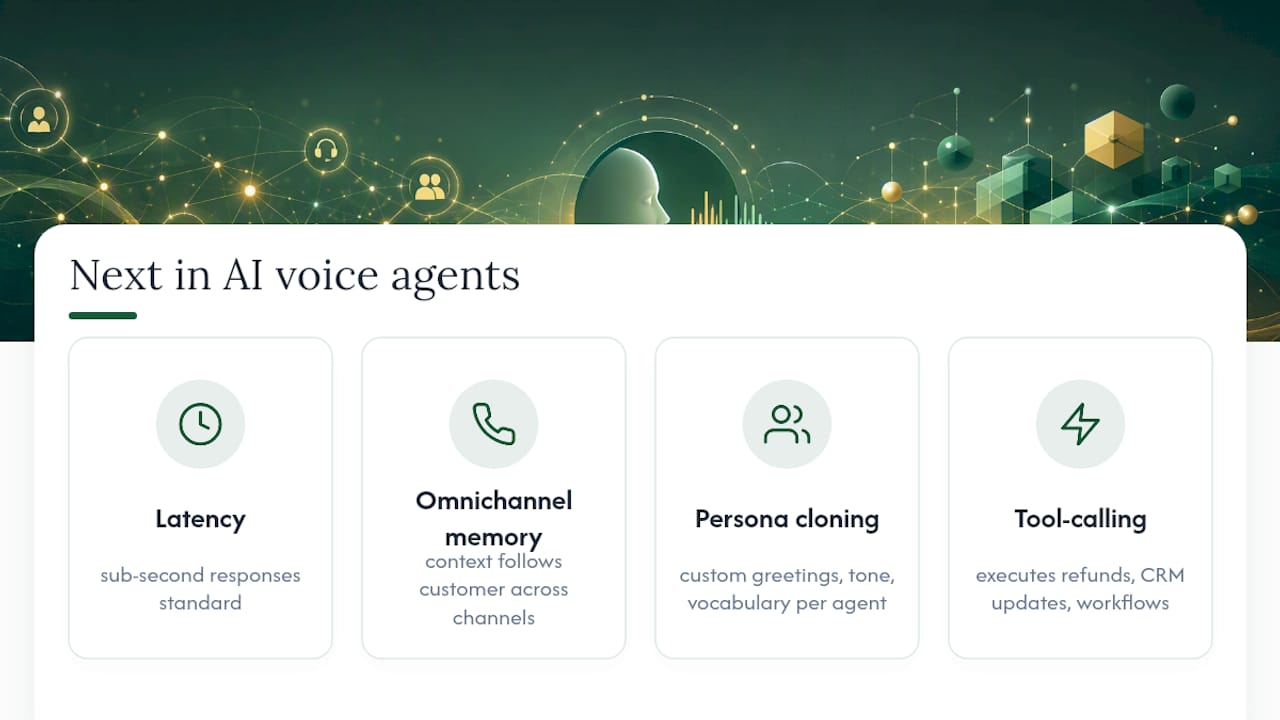
Latency is closing in on human conversation speed. Sub-second response times, once a novelty, are becoming standard for well-built sandwich architectures, and that shift alone will make agents feel less like “talking to a bot” and more like a competent junior staff member.
Expect deeper omnichannel memory next: an agent that remembers a WhatsApp conversation from last week when the same customer calls the phone line. Wattle’s unified inbox model, where calls, SMS, web chat, and payments all sit in one customer thread, points toward where the whole category is headed, context that follows the customer, not the channel.
Voice cloning and persona customisation will keep improving too, letting businesses set a distinct greeting, tone, and vocabulary per agent rather than sounding identical to every competitor’s bot. At the same time, expect tighter regulation around consent and recording disclosure, particularly as more calls involve payment collection or personal data capture.
The more interesting shift is architectural: as tool-calling and function execution inside LLMs matures, the line between “voice agent” and “business automation platform” blurs. An agent that books an appointment today will likely process a refund, update a CRM record, and trigger a Zapier workflow in the same call within the next product cycle, all inside one conversation, with no human in the loop unless something needs one.
When should a business actually adopt an AI voice agent?
Automation earns its keep on repetitive, rule-based calls, bookings, screening, order status, and struggles on anything emotionally loaded or genuinely novel. The smart path is staged: pilot one flow, measure containment and no-match rates for a few weeks, then expand. Most businesses can move from prototype to steady production inside a month if they resist automating everything at once.
— Christopher
How Wattle helps you move from research to a live agent
If you’ve read this far, you already know the checklist: telephony, a call-flow builder, integrations that match your existing tools, and proper handoff for anything sensitive. Wattle brings those pieces together in one workspace instead of five separate subscriptions, so you’re not stitching a calendar tool to a phone system to a payment processor by hand.
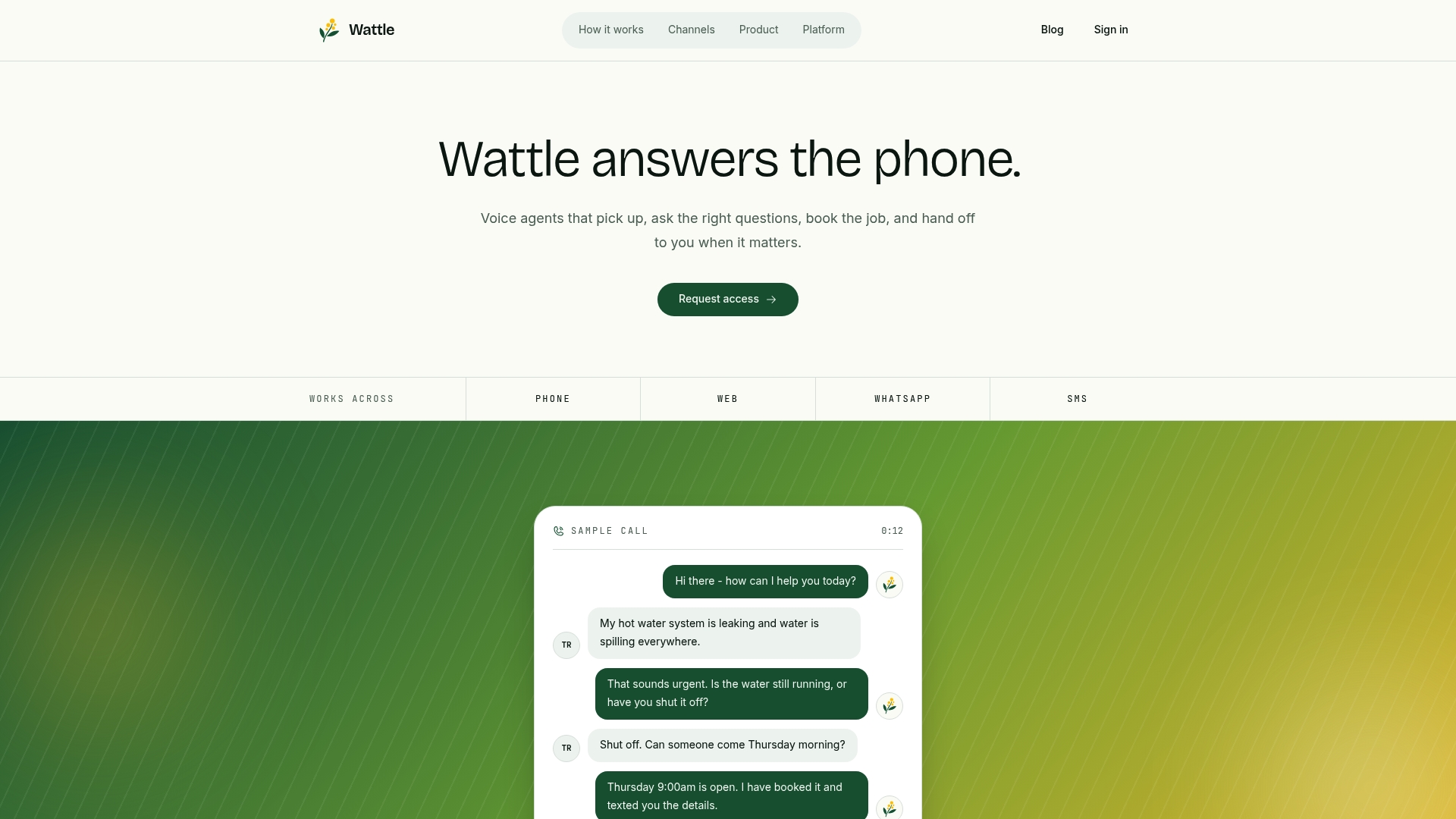
Setup starts with a guided assistant and a publish-readiness checklist, so you can run test calls in the browser before a single real customer dials in. Connect your calendar, add your knowledge base content, and turn on the integrations you actually use, Xero, Google Sheets, or Zapier, rather than paying for ones you don’t. Whether you’re replacing a missed-call problem or adding WhatsApp and SMS to an existing phone line, the setup path is the same.
Book a demo with Wattle and run a real test call through your own booking flow before you decide on anything.