
An AI call summary is an automated recap of a phone conversation, generated from a transcript, that captures the key points, decisions, action items and customer sentiment without an agent typing a word. The main payoff is reclaimed time: agents spend less time on after-call work, managers get faster visibility for coaching, and sales teams stop losing detail between the call and the CRM.
TL;DR:
- Prioritize tools that seamlessly integrate summaries into your existing workflow to ensure summaries are actually reviewed and used.
- Focus on action item accuracy and task attribution quality, as they are more critical than narrative detail for follow-up success.
- Measure follow-up completion rates alongside time savings to better evaluate real organizational benefits from AI summaries.
- Ensure privacy, consent, and data retention policies are clearly addressed before deploying AI call summaries at scale.
- Pilot with real calls across diverse channels to identify weaknesses in accuracy, speed, and organizational adoption efforts.
Table of Contents
- What does an AI call summary actually include?
- How AI call summaries work behind the scenes
- The real payoff: benefits and use cases
- Where summaries fit in your tech stack
- Where accuracy and privacy still need attention
- How to evaluate an AI call summary tool
- Rolling it out: admin setup and enablement
- How Wattle applies this in practice
- What most guides get wrong about this technology
- Get summaries and bookings handled in one step
- Sources
What does an AI call summary actually include?
Most tools produce a handful of standard outputs, though the exact mix varies by vendor and how the account is configured. Some platforms lean heavily into narrative recaps; others push everything into structured fields designed to slot straight into a CRM record.
Expect to see:
- A short narrative recap, usually three to six sentences, covering what the call was about and how it ended
- Action items, each tied to an owner where the conversation makes that clear
- Outcomes and decisions, such as “customer agreed to a callback Thursday” or “quote declined, price objection”
- Timestamps linking summary points back to the moment they happened in the recording
- A sentiment label, often simple (positive, neutral, negative) rather than granular
Delivery format matters as much as content. A summary might arrive as a transcript-plus-summary card inside a dashboard, a CRM-ready note pushed straight to a contact record, an email recap sent to the agent and their manager, or a set of suggested tasks waiting for approval. Contact-centre platforms tend to favour the structured, CRM-ready version because it feeds directly into analytics and quality assurance workflows, while meeting-style tools often default to a more conversational recap dropped into a shared workspace.
Where the summary actually lands depends on the stack it’s built for. CRM sync, inbox delivery and meeting-notes apps are the three most common destinations, and the better platforms let you choose more than one without duplicating the record.
How AI call summaries work behind the scenes
The pipeline behind a summary follows a fairly consistent sequence, whether the vendor calls it an “AI assistant” or a “note taker.”
- Speech capture. The call audio is recorded or streamed live, either from a softphone, a dialler, or a meeting platform’s built-in capture.
- Transcription. Speech-to-text models convert audio into a raw transcript, tagging speakers where the system supports diarisation.
- NLP and topic extraction. Natural language processing models scan the transcript for intents, entities, topics and sentiment shifts.
- Summarisation and item extraction. A generative model condenses the transcript into a summary and pulls out action items, dates and commitments.
There’s a real trade-off between real-time and post-call processing. Live assistants surface prompts and hints during the call itself, which helps in fast-moving sales or support conversations, but they tend to trade some accuracy for speed. Post-call processing, by contrast, can run heavier models against the full transcript and usually produces a cleaner, more reliable summary within a minute or two of hangup.
Templates and custom fields do a lot of the heavy lifting here. Some vendors let you define prompts or select the summarisation engine itself to balance cost against output quality, which matters if you’re running thousands of calls a day. Integration touchpoints, usually a CRM API or a webhook, are what turn a good summary into an automatically filed one instead of another tab to check.
The real payoff: benefits and use cases
The clearest, most measurable benefit is a drop in after-call work (ACW). When a summary and action items are already drafted, agents spend less time typing notes and more time on the next call. Vendor figures on this vary, and some claim reductions of a substantial portion in ACW, but treat any single vendor’s number as a starting point to test rather than a guarantee.
Beyond raw time savings, teams typically see:
- Wider QA coverage, because managers can skim summaries instead of listening to full recordings for every review
- Faster coaching cycles, since sentiment flags surface the calls that actually need attention
- Better CRM data quality, with fewer blank fields and fewer notes written three days later from memory
- Quicker follow-ups, because a task with an owner and a due date exists the moment the call ends
The use cases stack up across a business. Sales teams use summaries to hand a warm lead from SDR to account executive without a briefing call. Service businesses use them to confirm appointment bookings and catch details a rushed agent might drop. Intake and triage teams use them to route calls faster. Compliance-heavy industries use them as a searchable record, provided they’re treated as a support document rather than the sole legal record.
Pro Tip: Don’t measure ACW savings in isolation. Pair it with “percentage of calls with a captured, actionable follow-up” — that second number tells you whether the summaries are actually being used, not just generated.

Where summaries fit in your tech stack
A summary is only useful if it lands somewhere someone will actually look. Most teams route it into one or more of three places: the CRM contact record, a support ticket, or a task management tool.
Typical automations look like this:
- Push the summary and action items to the CRM timeline as a logged activity
- Auto-draft a follow-up email from the summary for the agent to review and send
- Create a task with an owner and due date directly from an action item
- Append the summary to an open support ticket rather than creating a duplicate
Some communication platforms build this straight into the softphone, so the summary and CRM sync happen without stitching together separate tools. Others, like workspace-based note tools, keep everything searchable inside a shared workspace rather than pushing it out to a separate system.
The main pitfall is field mismatch. If your CRM has custom fields for “next step” or “objection type,” map the summary’s structured output to those fields explicitly, otherwise you end up with duplicate notes and a messier record than before automation.
Where accuracy and privacy still need attention
No summarisation system is error-free. The most common issues are missed entities (a date or name transcribed incorrectly) and outright hallucination, where the model states something that didn’t happen on the call. This isn’t theoretical: reporting has documented real cases of automated summaries generating false alerts, which pushed at least one major platform to pull the feature back until it improved.
The mitigation that matters most: treat every automated summary as a first draft, not a legal record. Add a review gate for compliance-sensitive calls, and keep the raw transcript alongside the summary so anyone can check the source.
On privacy, clarify three things with any vendor before rollout: consent requirements for recording (these vary by jurisdiction and call type), data residency and retention windows, and who can access or export historical summaries.
How to evaluate an AI call summary tool
Run any shortlist through the same set of questions rather than judging on feature lists alone.
- Latency. How long between hangup and a usable summary? Seconds matter for fast follow-ups, minutes are fine for QA.
- Integration breadth. Does it push directly to your CRM, or does it need middleware?
- Template customisation. Can you define your own fields, or are you stuck with a generic recap?
- Action extraction quality. Does it correctly attribute owners and dates, or just list vague tasks?
- Audit trail. Can you see the original transcript behind every summary?
- Cost model. Per-minute, per-seat, or per-summary, and does it scale sensibly with call volume?
Before signing anything, ask directly where summaries land, who has edit rights, and how tasks get attributed when a call involves more than one agent. Then pilot it properly: run it against real calls, not scripted demos, and measure both the ACW time saved and the accuracy of task attribution. Deliberately throw in a multilingual or noisy call. That’s where most tools show their weaknesses.
Rolling it out: admin setup and enablement
Enabling AI call summaries is usually an admin-level task, not something individual agents switch on themselves. Expect to configure recording consent settings, decide who can view or edit summaries, and set retention rules before the first live call runs through the system.
For the pilot itself:
- Pick a small, representative group of agents rather than your best performers only
- Track ACW minutes, QA coverage, and follow-up completion rate as your three core metrics
- Budget time for agent training. A summary tool that nobody trusts gets ignored, regardless of accuracy
- Plan on four to eight weeks from pilot to full rollout, adjusting based on what the pilot metrics show
How Wattle applies this in practice
Heywattle’s voice agent handles the call itself, then generates a summary automatically as part of the same conversation, no separate transcription step to configure. Capabilities include:
- Call capture and appointment booking handled in real time by the voice agent
- Summary generation with action items delivered into a single inbox
- Omnichannel coverage across phone, web, WhatsApp and SMS, so summaries from every channel land in one place instead of four
Businesses running this setup typically report fewer missed bookings and clearer handoffs, because the summary and the booking happen in the same step rather than being stitched together after the fact.
What most guides get wrong about this technology
Most advice on AI call summaries treats accuracy and speed as the whole story. They’re not. The bigger failure point is organisational: teams buy a summarisation tool, get excited about the ACW savings, and never build the review habit that catches the occasional hallucinated detail or misattributed action item.
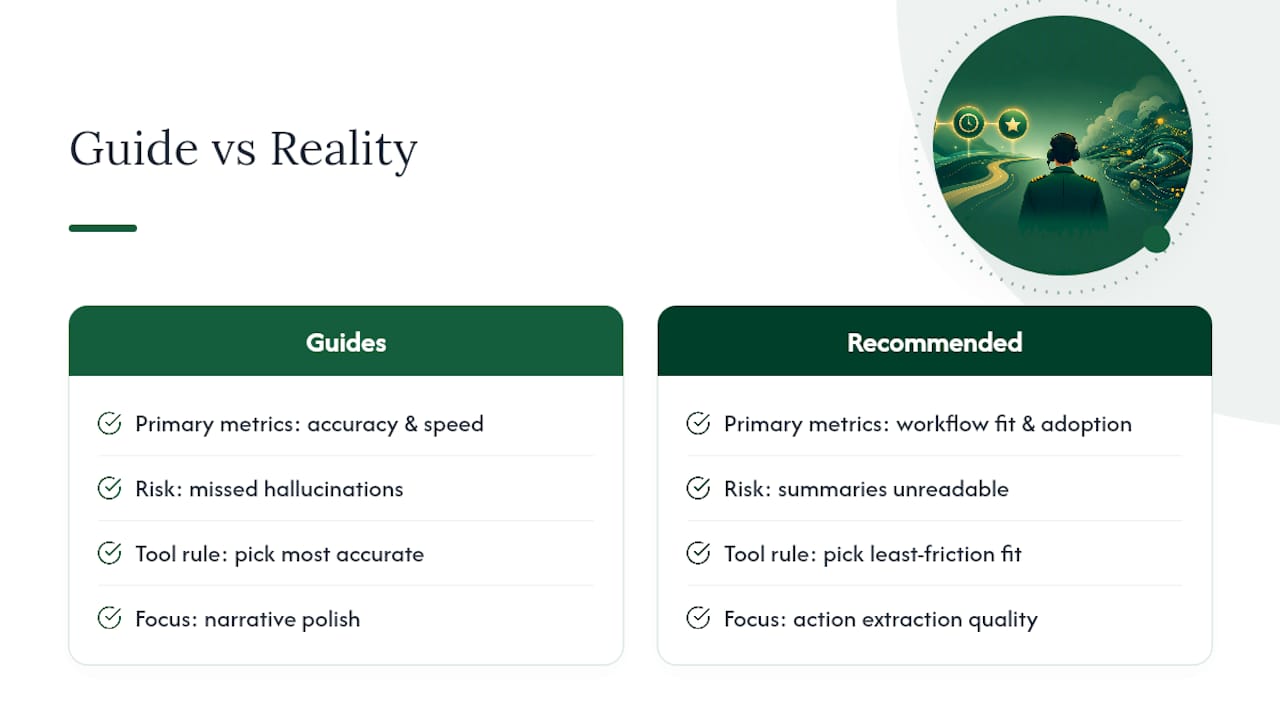
The conventional wisdom says “pick the most accurate tool.” I’d argue you should pick the tool that fits into an existing workflow with the least friction, because a summary nobody reads is worse than no summary at all. Action extraction quality matters more than narrative polish. Nobody re-reads the prose recap of a sales call. Everybody checks whether the task got created with the right owner and due date.
If you’re piloting this for the first time, prioritise measuring follow-up completion over measuring ACW minutes. The time savings are real but modest; the difference between a booking that gets confirmed and one that quietly falls through is what actually shows up in revenue.
— Christopher
Get summaries and bookings handled in one step
Heywattle covers the checklist above natively: call capture, structured summaries with action items, and appointment booking, all inside one omnichannel inbox spanning phone, web, WhatsApp and SMS. Instead of stitching together a transcription tool, a summarisation add-on and a separate booking system, you get one workflow that does what the last few sections just described you should be testing for.
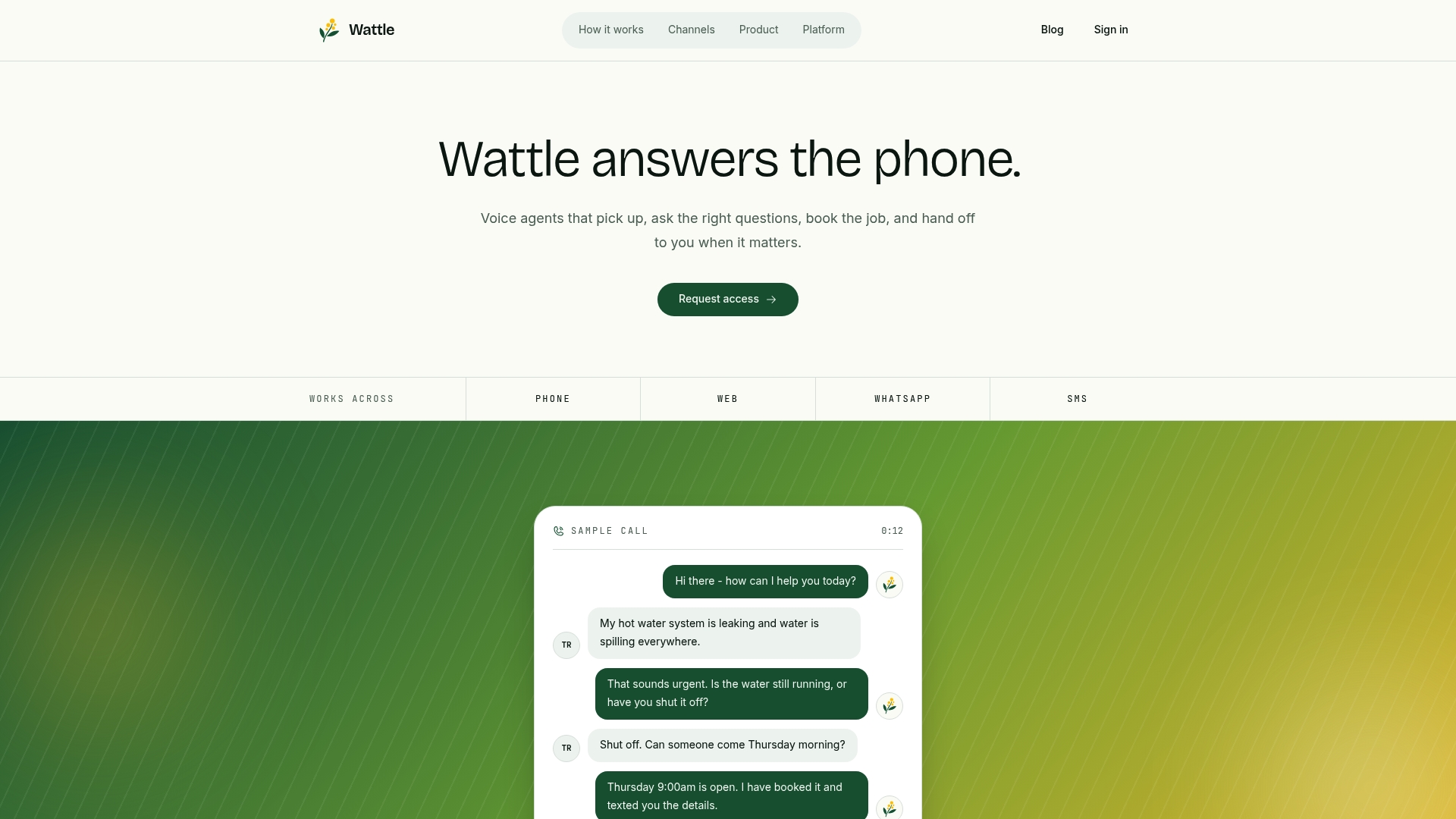
If you’re at the pilot stage already, this is the shortcut worth trying: see how Wattle’s AI voice agents handle calls, generate summaries and book appointments without extra middleware. Request a demo and run it against a week of real calls, then compare the follow-up completion rate against whatever you’re using now.
Sources
For deeper technical detail, see Zoom’s AI note-taking documentation, Notion’s AI meeting notes overview, and Nice’s contact-centre summarisation product page.