Most small businesses pay somewhere between $60 and $300 a month for an AI answering service, with per-minute plans typically running in a low to moderate per-minute cost range and flat subscriptions sitting in a moderate monthly price range (https://www.layer3labs.io/guides/ai-answering-service-cost). Low-volume shops usually come out ahead on per-minute pricing; businesses with steady call patterns tend to save on a subscription. Your next move: count your average monthly calls and multiply by call length in minutes, then match that number against the models below.
TL;DR:
- Low-volume businesses can expect to pay around $60 to $90 monthly on entry-level plans, with costs increasing significantly at higher call volumes.
- Per-minute pricing remains most cost-effective for unpredictable call patterns, while subscriptions are better for steady call volumes around 200 monthly calls.
- Additional fees such as setup, phone numbers, telephony, and model upgrades can add up, and overage rates should always be confirmed in writing before signing.
- Advanced features like sentiment analysis and multilingual support often come at higher tiers or extra costs, and they are only worthwhile if they address specific business needs.
- Implementing a trial with your actual call logs and understanding all potential overage, setup, and tuning costs helps ensure accurate budgeting and ROI estimation.
Table of Contents
- How much does an AI answering service cost across pricing models?
- What you’ll actually pay: worked cost examples for low, medium and high volumes
- What drives your bill: integrations, setup and hidden fees
- AI answering versus human and hybrid receptionists: the trade-offs
- How do you estimate your own cost before you sign?
- Additional costs related to AI answering service maintenance and updates
- What do advanced features like sentiment analysis actually cost?
- What savings and ROI can you realistically expect?
- What should you actually prioritise when you shop?
- How Wattle fits your budget and where to start
- Sources
How much does an AI answering service cost across pricing models?
Vendors price AI answering services four ways, and picking the wrong one for your call pattern is the fastest way to overpay.
Per-minute pricing charges you for actual talk time, typically $0.05 to $0.31 per minute depending on the platform and model complexity. This suits businesses with unpredictable or seasonal call volume, trades who might get five calls one week and forty the next, because you’re never paying for capacity you don’t use.
Per-call pricing bills a flat fee per answered call, often $2 to $4, regardless of how long the conversation runs. It works well if your calls are short and consistent, like a booking confirmation line, but it can punish you if customers tend to chat.
Monthly subscriptions bundle a set number of minutes or calls into a flat fee, usually $79 to $249 a month for small-business tiers. This is the model most owners find easiest to budget against, because you know the number before the month starts.
Hybrid plans combine a base subscription with overage rates once you exceed the included allowance. These fit businesses expecting to grow but not sure by how much yet.
A few things to check regardless of model:
- Whether concurrency (handling multiple calls at once) costs extra per additional line
- Whether the quoted rate includes telephony, or whether that’s billed separately
- Whether the plan supports multiple languages at the base price or as an add on
What you’ll actually pay: worked cost examples for low, medium and high volumes
Numbers land better than ranges, so here’s the actual maths for three common small-business scenarios.
Low volume: roughly 50 calls a month, 3 minutes average. That’s 150 minutes. At $0.15 per minute (a fairly typical mid-range rate), you’re looking at $22.50 in usage costs, though most vendors will push you toward a flat monthly minimum instead. Expect $60 to $90 a month on an entry-level plan once the platform fee is added.
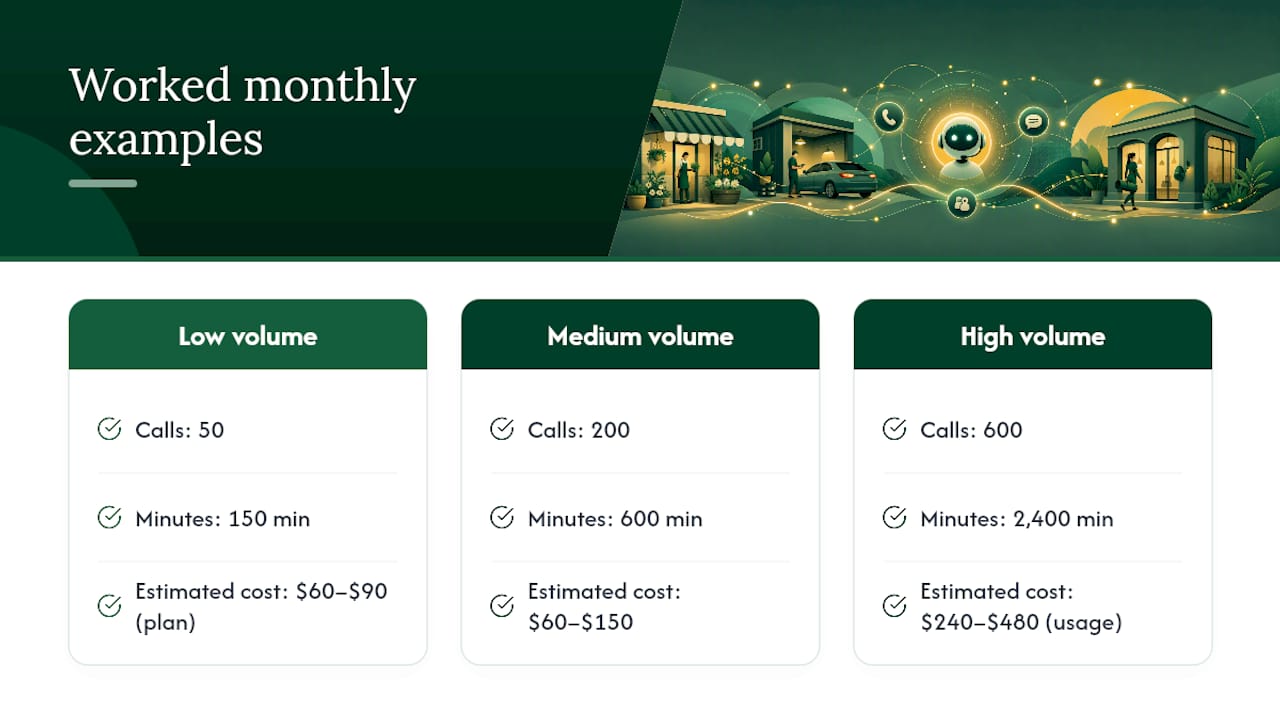
Medium volume: around 200 calls a month, 3 minutes average. That’s 600 minutes. A business at this level typically pays $60 to $150 on many self-serve platforms, whether billed per-minute or against a subscription allowance. This is the volume band where subscriptions usually start beating pure per-minute pricing.
High volume: roughly 600 calls a month, 4 minutes average. That’s 2,400 minutes, a serious jump. At $0.10 per minute that’s $240 in raw usage; at $0.20 per minute it’s $480. This is where hybrid plans and negotiated enterprise rates start making sense, because the marginal cost of every extra minute compounds fast.
Pro Tip: Run your own numbers before you talk to a single vendor. Pull twelve months of call logs from your phone provider, average the call count and duration, and you’ll walk into every sales conversation already knowing whether their quote is fair.
The sensitivity here matters more than most owners expect. Shift your average call length from 3 minutes to 4 minutes across 200 calls a month, and you’ve added 200 minutes, which at $0.15 per minute is another $30. Shift the rate itself from $0.10 to $0.20 per minute and you’ve doubled your bill without a single extra call. Small assumptions move the total more than people assume when they’re comparing headline prices side by side.
What drives your bill: integrations, setup and hidden fees
The advertised price is rarely the final price. Several line items commonly show up after you’ve signed:
- Setup and training fees for configuring scripts, greetings, and knowledge base content
- Phone numbers, usually $2 to $15 a month per number
- Telephony charges on top of the platform fee, often $0.01 to $0.02 per minute
- Concurrency costs, roughly $8 to $10 per month per additional simultaneous line
- Overage rates once you exceed an included allowance, which can be steeper than the base rate
- Model and voice choices, since some platforms charge more for premium speech-to-text and text-to-speech models
That last point matters more than it looks. The underlying language model and voice engine change per-minute cost directly, because complex conversational turns often route to more expensive models than simple ones. A vendor advertising a low headline rate might be running cheaper models by default and charging extra for anything more capable.
Ongoing tuning is the cost nobody mentions upfront. Scripts need adjusting after the first few weeks of real calls, escalation paths need refining, and if human agents pick up handoffs, someone needs to manage that workflow. Ask about support SLAs before you sign, not after your first bad week of missed handoffs.
Pro Tip: *Get the overage rate in writing before you commit, not after your first invoice.
AI answering versus human and hybrid receptionists: the trade-offs
An AI answering service is usually a fraction of what a staffed alternative costs. Human virtual receptionist services commonly run $245 to $1,725 or more a month depending on call minutes, and a fully loaded in-house receptionist costs several times that once you add wages, super, and downtime.
That gap doesn’t mean AI wins every time:
- Choose AI when calls are largely routine (bookings, FAQs, availability checks) and cost predictability matters more than nuance
- Choose human or hybrid when calls regularly involve complex judgment calls, sensitive complaints, or high-value sales conversations where tone matters
- Hybrid setups pay off fastest in trades, medical and allied health clinics, and hospitality, where AI handles volume and humans step in for anything requiring real judgment
How do you estimate your own cost before you sign?
Work through this in order, and you’ll walk into any vendor conversation with a number they can’t talk you out of:
- Calculate monthly minutes. Multiply average calls per month by average call length in minutes.
- Apply the rate. Compare that minute total against per-minute pricing, or check it fits inside a subscription’s included allowance.
- Add platform and number fees. Include the base subscription, phone number rental, and any telephony surcharge.
- Add integration costs. Calendar syncing, CRM connections, and payment processing sometimes carry setup charges.
- Add a 20 to 25% buffer. Year-one total cost commonly runs about 1.5 times the headline monthly price once integration and tuning are factored in, so budget accordingly.
Before signing anything, ask the vendor to confirm: their overage rate in writing, their concurrency limits and cost per extra line, which integrations are included versus billed separately, and whether you can run a trial period against real call logs rather than a demo script.
Estimate step What to check Monthly minutes Calls × average call length Base rate Per-minute, per-call, or subscription allowance Add-ons Phone numbers, telephony, concurrency Buffer 20–25% for onboarding and tuningNegotiation leverage is strongest before you sign, not after. Ask for a short trial with visibility into raw call transcripts rather than a curated demo. Vendors confident in their product will hand over the logs without hesitation.
Additional costs related to AI answering service maintenance and updates
The sticker price rarely covers what happens after launch. Scripts drift out of date as your services or pricing change, and someone needs to update the knowledge base every time you add a product, change your hours, or run a promotion. Most platforms don’t charge extra for basic edits, but larger structural changes, like adding a new call flow or connecting a new integration, sometimes carry a project fee.
Voice model updates are another quiet cost. Providers periodically upgrade the underlying speech and language models, and while most roll this into the subscription, some charge a premium for access to newer, more natural-sounding voices or faster response times. If your provider changes its default model, your per-minute cost can shift even though your usage hasn’t.
Then there’s tuning. An AI answering service configured on day one rarely performs at its best by day thirty. Real callers ask questions you didn’t script for, and someone on your team, or the vendor, needs to review transcripts and adjust the flow.
Budget for a light monthly review cycle rather than treating setup as a one-off task. A quarterly check against actual call outcomes catches drift before it becomes a customer-facing problem.
What do advanced features like sentiment analysis actually cost?
Basic call answering, greeting, capturing details, booking a slot, sits at the low end of most pricing tiers. Sentiment analysis, natural language understanding beyond simple intent matching, and multilingual support usually push you into a higher tier or trigger a per-feature add-on.
Sentiment analysis, detecting frustration or urgency in a caller’s tone so the system can escalate faster, adds real value for businesses fielding complaints or high-stakes bookings, but it’s rarely included in entry-level plans. Expect it bundled into mid-to-upper tiers rather than sold standalone in most cases.
Natural language understanding, the difference between a bot that only recognises rigid keywords and one that follows a genuinely conversational exchange, is where per-minute costs climb. More sophisticated models cost more to run per interaction, and vendors often pass that through as a higher per-minute rate rather than a flat surcharge.
Multilingual support is usually priced per additional language, either as a flat monthly add-on or bundled only in higher tiers. If you regularly field calls in more than one language, confirm this before comparing headline prices between vendors, because a cheaper base rate can disappear once you add a second language.
The honest takeaway: these features are worth paying for if they solve a specific problem you actually have, missed escalations, lost non-English speaking customers, but they’re not worth chasing as a checkbox. Match the feature to the problem, not the marketing copy.
What savings and ROI can you realistically expect?
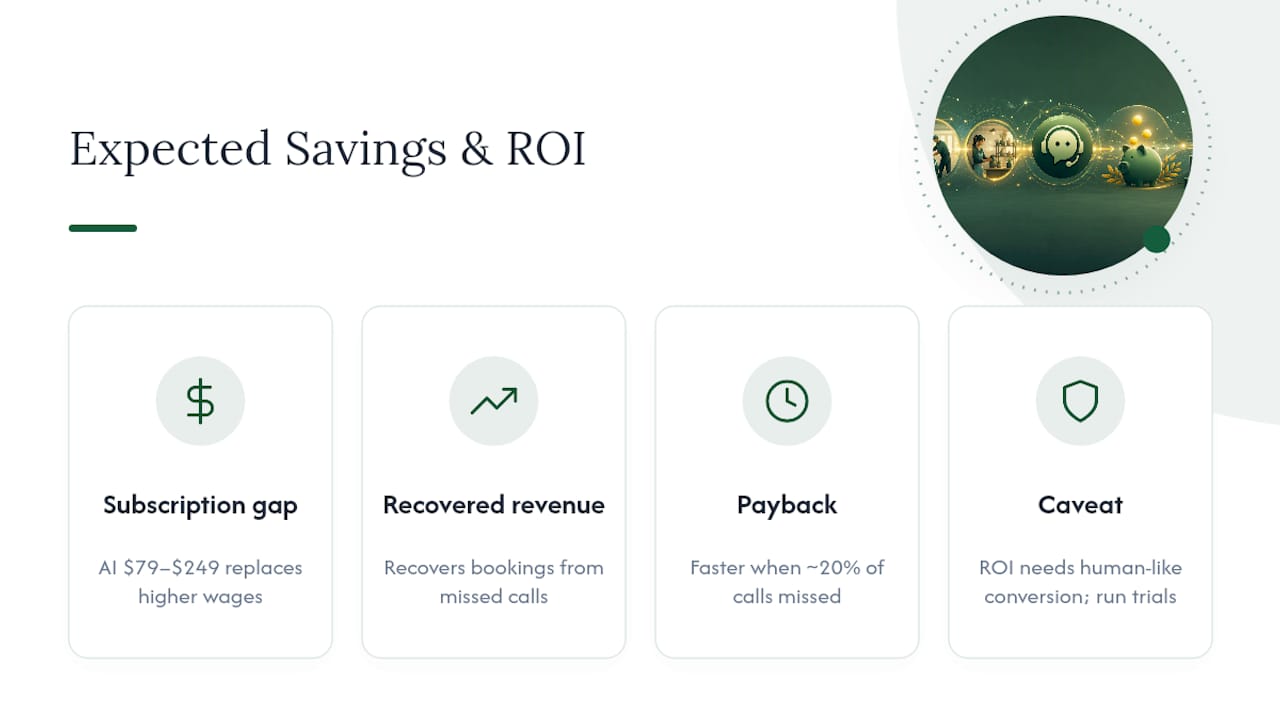
The clearest saving is the gap between AI pricing and staffed alternatives. A subscription running $79 to $249 a month replaces or supplements a role that would otherwise cost hundreds to thousands of dollars monthly in wages alone. That gap alone often justifies the switch for businesses currently missing calls after hours or during peak periods.
The less obvious saving is recovered revenue from calls that would otherwise go unanswered. Every missed call from a customer trying to book a job or make an enquiry is a chance lost, and real-time AI handling on calls can recover a meaningful share of that lost business by never letting a call ring out. For trades and clinics running tight on admin staff, this is frequently where the actual ROI shows up, not in the subscription line item, but in bookings that would have gone to voicemail.
Payback period depends heavily on your current miss rate. A business missing one in five calls during business hours has a much steeper upside, because each recovered booking often covers a chunk of the monthly subscription on its own.
The honest caveat: ROI calculations only hold if the AI actually converts callers into bookings at a rate close to what a human would. That’s why trial periods with real call log review matter more than any vendor’s marketing claim.
What should you actually prioritise when you shop?
If steady cashflow matters more to you than shaving every dollar, go subscription. If your call volume genuinely swings month to month, per-minute pricing usually saves more over a year. Either way, run a short trial and pull the raw call logs yourself rather than trusting a demo. Budget for modest tuning in the weeks after launch. Nobody’s setup is perfect on day one.
— Christopher
How Wattle fits your budget and where to start
Wattle is built around the exact cost drivers covered above, rather than treating them as afterthoughts you discover on your first invoice. Integrations for calendars, Xero, QuickBooks Online, and Google Sheets sit inside the platform rather than as separate paid add-ons, and every call, chat, and SMS lands in one unified inbox instead of scattered across disconnected tools. Human handoff is built in for the calls that genuinely need a person, with warm transfer and message-taking so nothing falls through when your team is busy.
For a business working out whether AI answering fits your budget, the practical next step is seeing how it handles your actual call patterns rather than a generic demo script. Wattle supports secure payments through your own Stripe account, phone, web, and WhatsApp channels under one setup, and appointment booking that syncs straight to your calendar. If you’ve done the maths above and want a number specific to your call volume, book a demo with Wattle and bring your call logs. You’ll get a quote built around your actual minutes, not a generic tier.
Sources
Pricing ranges and worked examples in this guide draw on AI Answering Service Cost in 2026: Real Prices & Examples, AI Answering Service Cost: 2026 Pricing Guide, What an AI receptionist actually costs in 2026, and How Much Does an AI Answering Service Cost?. For deeper product detail, see the Wattle platform overview.