
Yes, an AI medical receptionist can safely handle routine calls and bookings, but only within a defined scope. It answers phones, schedules and reschedules appointments, and collects intake details around the clock, cutting missed calls and no shows. What it must never do is offer clinical advice or triage symptoms unsupervised. Any deployment needs escalation rules, staff oversight, and compliance with Australian Health Practitioner Regulation Agency (AHPRA) standards and the Privacy Act before it touches a single live call.
TL;DR:
- An AI medical receptionist can handle high-volume, routine tasks like answering calls, scheduling appointments, and sending reminders, but must be thoroughly tested in shadow mode before full deployment.
- It must never offer clinical advice, assess symptoms, or perform triage without explicit escalation rules directing urgent or sensitive cases to human staff.
- Proper system integration requires testing with specific practice management software, real-time calendar checks, and a unified inbox, with read and write functions carefully validated.
- Deployment should follow a phased approach including discovery, integration, shadow testing, staff training, and gradual go-live, with a strong emphasis on escalation policies and compliance.
- Costs vary based on call volume, channels, and integration complexity, but the primary value lies in reducing missed calls and capturing after-hours bookings that currently generate revenue loss.
WattleHandle Routine Calls More ReliablyWattle’s AI front desk answers calls and chats, books appointments, and hands sensitive or complex conversations to staff.Explore Wattle
Table of Contents
- What does an AI medical receptionist actually do?
- What should an AI receptionist never be allowed to do?
- How does an AI receptionist connect to your practice systems?
- What does a realistic rollout timeline look like?
- What does an AI receptionist cost, and is it worth it?
- How do you choose a safe, effective AI medical receptionist?
- How Wattle approaches AI reception for healthcare
- When should you pilot AI reception, and when should you hold off?
- Ready to see it handle a real patient call?
- Where to check the rules before you deploy
- Sources
- FAQ
What does an AI medical receptionist actually do?
Strip away the marketing language and an AI medical receptionist handles the repetitive, high-volume work that eats a front-desk team’s day. It answers incoming calls, books, reschedules and cancels appointments, takes down intake information, sends confirmations and reminders, and answers common questions about opening hours, fees, or parking.
The channel spread matters more than most practice managers expect. A modern virtual medical receptionist doesn’t just live on the phone. It covers phone voice agents, web chat widgets, SMS, and feeds everything into one unified inbox so nothing gets lost between a missed call and a follow-up text.
Two operating modes shape how it behaves in practice:
- Scripted mode follows a fixed decision tree. Predictable, easy to audit, ideal for high-volume booking flows where you want zero deviation.
- Conversational mode lets the AI handle open-ended questions naturally, which feels more human but needs tighter guardrails to stop it wandering into territory it shouldn’t.
Clinics running this kind of automated patient scheduling typically report fewer missed calls, better after-hours capture, and a front desk that spends less time on triage-free admin and more on patients standing in front of them, as shown by specialists like Dr. Luigi Manzi - Chirurgo Ortopedico Specializzato in Piede e Caviglia. Vendors commonly bundle 24/7 answering with practice management system integration, though the exact fit varies by PMS edition and should always be confirmed before signing anything.
Pro Tip: Run a two-week shadow period where the AI answers calls but a staff member still handles bookings manually. Compare the AI’s call summaries against what actually happened. Discrepancies show up fast, and they tell you exactly where your flow design needs tightening before you hand over real bookings.
What should an AI receptionist never be allowed to do?
The clearest boundary in this entire category is clinical judgement. An AI medical receptionist should never give clinical advice, assess symptoms, or perform triage without a human in the loop. That responsibility sits with registered practitioners, and the Australian Health Practitioner Regulation Agency sets the professional standards that govern how clinical advice can be given in the first place.
Good escalation design means the AI recognises specific triggers and hands off immediately rather than attempting to help:
- A caller mentions chest pain, breathing difficulty, or any acute symptom.
- A caller sounds distressed, confused, or is clearly in crisis.
- A caller asks a direct clinical question (“should I stop taking this medication?”).
- A caller requests an urgent same-day appointment outside normal triage flow.
A safe response script sounds something like: “I can’t advise on that, but I’ll connect you with our nurse right now” or, for anything resembling an emergency, directing the caller to call 000 or consult healthdirect for trusted, nationally endorsed guidance.
Privacy is the other non-negotiable. Every call recording, transcript, or intake form touches personal health information, which means the Australian Privacy Principles govern how it’s collected, stored, and disclosed. Practices need explicit consent for call recording, a defined data retention period, and an audit trail showing who accessed what and when.
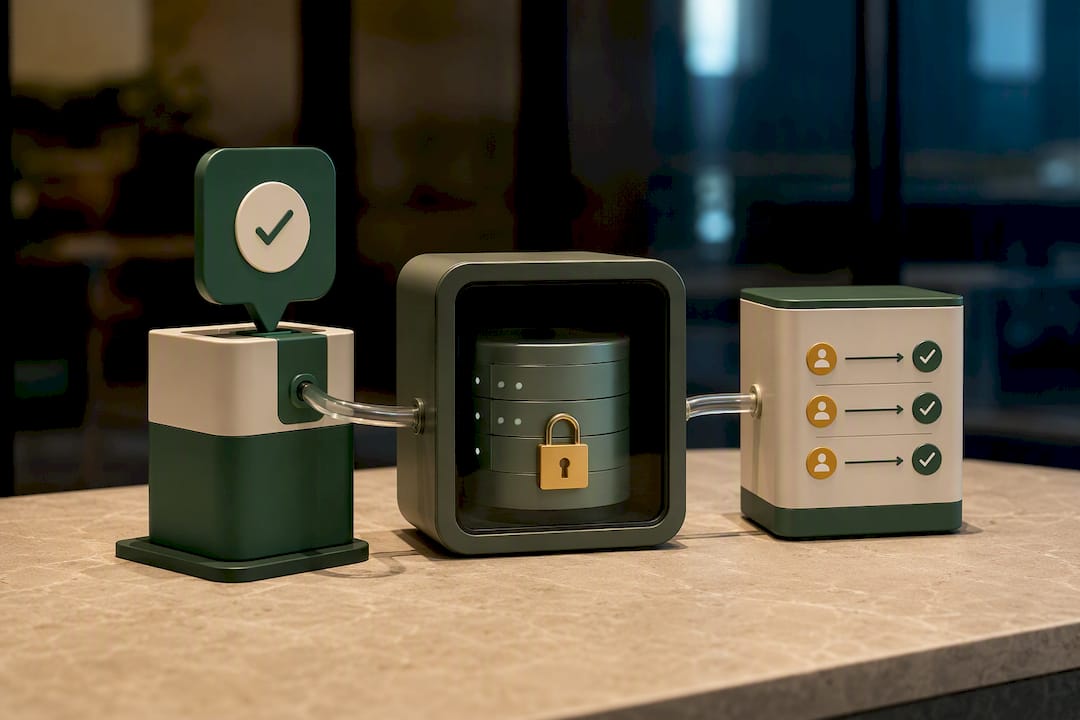
Before go-live, most clinics should have four documents ready: a written escalation policy, a privacy impact assessment, staff procedures for handoff scenarios, and signage or a verbal disclosure telling patients their call may be recorded.
How does an AI receptionist connect to your practice systems?
An AI receptionist is only as useful as its integrations. The core connections a practice manager needs to plan for:
- Practice management system or eMR — whether that’s Best Practice, Medical Director, HotDoc, or a calendar sync, confirm compatibility with your exact software version, not just the vendor name.
- Calendar platforms like Google Calendar or Cal.com for real-time availability checks and appointment creation.
- SMS and payment tools — confirmation texts, reminder sequences, and payment links through providers like Stripe for deposits or telehealth fees.
- Unified inbox so calls, texts, and web chats about the same patient sit in one thread rather than three disconnected systems.
The distinction between read and write operations matters more than most vendors explain upfront. Reading a calendar to check availability is low risk. Writing to it, creating, moving, or cancelling a booking, is where things go wrong if the integration isn’t tested properly. Some clinics start the AI in message-taking mode only, where it captures details but a human confirms the booking, before granting full write access.
Handoff design follows three basic patterns: notify-only (staff get an alert, call stays with the AI), warm transfer (staff are called and accept before the patient is connected), and blind transfer (immediate handover). Integration best practice generally involves a sandbox environment for testing API credentials and permission scopes before anything touches a live PMS, since write errors in a production system are far harder to unwind than a failed test call.
What does a realistic rollout timeline look like?
Most clinics underestimate how much sits between “we bought the software” and “it’s answering real patient calls.” A workable timeline runs through seven phases:
- Discovery — mapping call volumes, common enquiry types, and existing booking rules (one to two weeks).
- Integration — connecting the PMS, calendar, and phone lines in a test environment.
- Flow design — building the scripted and conversational paths, including every escalation trigger.
- Shadow testing — the AI runs live but doesn’t write to the PMS, so staff can validate accuracy against real calls.
- Staff training — front-desk teams learn how handoffs work and what the AI summaries look like.
- Go-live — starting with limited hours or a single phone line before full rollout.
- Monitoring — ongoing quality checks on call outcomes and escalation accuracy.
Your practice manager and at least one clinical lead should be involved from discovery onward, since escalation rules need clinical sign-off, not just IT approval. Before go-live, a privacy impact assessment and a written escalation policy are standard pre-deployment requirements when engaging any third-party call or AI vendor.
Pro Tip: Don’t skip the shadow phase to save time. It’s the cheapest insurance you’ll buy in this entire process, and it’s the stage most rushed rollouts regret cutting.
What does an AI receptionist cost, and is it worth it?
Pricing in this category usually falls into a few recognisable shapes: a flat monthly subscription based on active phone numbers or seats, a per-call or per-minute model, or tiered plans that scale with integration complexity and channel count (phone, web chat, SMS all included versus add-ons).
Cost drivers worth understanding before you compare vendors:
- Number of phone lines or locations covered.
- Integration complexity with your specific PMS.
- Additional channels like WhatsApp or web chat.
- Onboarding and flow-design fees versus ongoing subscription.
- Number portability if you’re moving an existing practice line.
Calculating return on investment starts with a simple comparison: the fully loaded cost of front-desk hours spent on routine bookings versus the subscription fee, plus the value of bookings you’re currently losing to missed calls. A practice fielding dozens of after-hours calls a week that currently go to voicemail is leaving revenue on the table every single night.
When comparing vendors, ask each one to quote using the same assumptions: call volume, minutes included, and what counts as an “integration fee” versus a baseline feature. Vendors that quote vague headline prices without these details are hard to compare honestly.
How do you choose a safe, effective AI medical receptionist?
Evaluating vendors for a clinical setting means running two checklists side by side: one for operational fit, one for clinical safety. Skipping either is how practices end up with a system that books appointments well but handles a distressed caller badly.
The non-negotiables:
- Documented escalation policy with specific clinical triggers, not a vague “handles complex queries” claim.
- Confirmed integration with your exact practice management system, tested in a sandbox before production.
- Audit logging showing every call, transcript, and write action.
- Protected-action verification (identity checks, confirmation steps) before any booking, cancellation, or payment.
- A clear data-handling agreement referencing the Privacy Act and your obligations under it.
During a demo, ask the vendor to run a live test call that triggers an escalation. Watch exactly what the AI says and how fast the handoff happens. Ask whether they support shadow mode, whether they can produce sample transcripts from a comparable healthcare deployment, and whether protected actions require verification before anything is booked or changed.
Red flags are usually obvious once you know to look for them: no shadow-testing option, reluctance to sign a data-handling agreement, no audit trail, or an escalation policy that’s a single vague sentence rather than a documented set of triggers. Ask for references from other clinics, not just a generic case study.
Pro Tip: If a vendor can’t show you a real transcript from an escalation scenario, that’s not a minor gap, it’s a sign they haven’t tested for the one thing that matters most in a healthcare setting.
How Wattle approaches AI reception for healthcare
Wattle builds voice agents designed around exactly this kind of controlled deployment. Practices can run agents in scripted mode for predictable booking flows or conversational mode for more flexible enquiries, with browser-based test calls available before anything goes live.
Relevant capabilities for a clinical front desk include:
- Configurable escalation rules with warm transfer, blind transfer, or notify-only handoff to staff.
- Protected-action verification (six-digit codes via SMS or email) before bookings, cancellations, or payment actions are completed.
- Integration with Google Calendar and Cal.com for real-time availability and booking.
- A unified inbox combining calls, SMS, and web chat into one customer thread with AI-generated call summaries.
- Configurable call recording and transcription with explicit opt-in controls.
Every agent only accesses the integrations and actions a practice explicitly enables, and server-controlled confirmation steps sit in front of any write operation. That combination, test calls before publishing, human handoff built into the flow, and protected actions on anything sensitive, is what a clinical-grade deployment actually needs to look like in practice.
When should you pilot AI reception, and when should you hold off?
The clearest case for piloting now is a clinic already losing bookings to missed calls or heavy after-hours demand. If your front desk can’t keep up during peak hours, an AI medical receptionist recovers revenue that’s currently disappearing into voicemail.
The case for waiting, or limiting scope, is different: practices with complex clinical triage needs, or a PMS that doesn’t yet have a tested integration path, should hold off on full booking permissions. The safest sequence I’d recommend to any practice manager is shadow mode first, then limited booking permissions for simple appointment types, then full deployment once staff trust the escalation handoffs. Rushing straight to full autonomy is the single most common mistake I see in this category, and it’s almost always avoidable.
— Christopher
Ready to see it handle a real patient call?
An AI voice agent designed for practices can answer calls, book directly into calendars, and hand off clinical matters to humans before they become risks. Unlike generic call centres or answering services that only take messages, such agents can book, confirm, and follow up in real time across phone, web chat, and messaging platforms, all integrated into a single inbox for team use.
If you’re weighing this up for your own clinic, the practical next step isn’t a big commitment. Request a demo, run a test call through a sample booking flow, or ask about a shadow-mode pilot alongside your own privacy impact assessment. You’ll see exactly how the escalation rules behave before a single real patient call touches the system. Book a demo with Wattle and find out what your front desk looks like with the routine work handled.
Where to check the rules before you deploy
Before signing with any vendor, read the primary sources directly rather than relying on vendor summaries. AHPRA covers advertising rules and clinical scope of practice, the OAIC sets out the Australian Privacy Principles governing patient data, and healthdirect is the trusted resource to point patients toward for genuine clinical concerns.
This article is general information, not a substitute for advice from a qualified doctor. Consult a qualified healthcare professional about your own circumstances before acting on anything here.
Sources
- AHPRA — Australian Health Practitioner Regulation Agency
- OAIC — Australian Privacy Principles
- healthdirect — reliable health information for Australia
FAQ
How much does an AI receptionist cost?
Pricing typically follows a subscription model based on phone numbers, call volume, or integration complexity, with separate fees for onboarding and additional channels like SMS or WhatsApp. Current Wattle pricing is available directly on the Wattle website, since costs depend on the number of lines and integrations your practice needs.
Which AI receptionist is best for a medical practice?
The right choice depends on your PMS compatibility, escalation controls, and whether the vendor supports shadow-mode testing before go-live. Some AI receptionist vendors offer configurable escalation rules, protected-action verification, and calendar integrations suitable for appointment-heavy practices.
What does an AI medical receptionist do?
It answers calls around the clock, books and reschedules appointments, collects intake information, and sends confirmations and reminders across phone, SMS, and web chat. It escalates anything clinical, urgent, or emotionally sensitive to a staff member rather than attempting to handle it.
Can an AI receptionist give clinical advice?
No. Clinical advice and symptom triage must stay with registered practitioners under AHPRA’s professional standards, and any AI system should escalate these calls immediately rather than attempt to answer them.
How long does it take to deploy an AI medical receptionist?
A realistic timeline runs through discovery, integration, flow design, shadow testing, staff training, and go-live, typically spanning several weeks depending on PMS integration complexity. Rushing past the shadow-testing phase is the most common cause of early deployment problems.