
Omnichannel automation gives service businesses one system to answer every call, chat and message, qualify leads, book appointments, take payment and hand tricky conversations to a human, all logged in a single inbox. Done properly, it cuts missed bookings, shortens the gap between enquiry and appointment, and frees staff from repetitive front-desk work. Platforms like Wattle build this around voice agents, web chat, WhatsApp and SMS working from one shared brain.
TL;DR:
- Success depends on starting with a single workflow, such as bookings or payments, and expanding only after initial metrics prove effective.
- Key metrics to track include containment rate, escalation rate, booking completion, and payment capture, which indicate operational efficiency.
- Ensuring low latency, proper fallback protocols, and security controls like verification and encrypted recordings are vital for reliable, trustworthy automation.
- Automated voice agents should disclose their nature early, handle scripted or conversational flows, and hand off smoothly when unable to assist.
- Implementation typically takes three to six weeks for a pilot and up to twelve weeks for full rollout, with costs driven by volume, integrations, and system complexity.
WattleBring Every Customer Conversation TogetherWattle answers calls and chats, books appointments, takes payments, and hands complex conversations to staff from one shared inbox.Explore Wattle
Table of Contents
- What omnichannel customer-communication automation actually means
- Core capabilities to check before you commit
- Rolling it out without breaking your front desk
- Which metrics actually tell you it’s working
- Security and trust controls you should demand from any vendor
- What it costs and how long it takes to see a return
- Keeping your brand voice consistent across every channel
- What good implementations look like in practice
- Lessons from watching these rollouts succeed and fail
- Where Wattle fits into your rollout
- Sources
- FAQ
What omnichannel customer-communication automation actually means
This is not marketing automation, and confusing the two wastes budget. Omnichannel customer-communication automation is the front desk of a business, automated: it answers phones, replies to web chats, handles WhatsApp and SMS, and routes every one of those conversations into a single inbox rather than five disconnected apps. It does not plan email campaigns or segment audiences for a newsletter. It answers the phone at 9pm, books the job, and takes the deposit.
The problems it solves are operational, not strategic:
- A tradesperson mid-job cannot answer a ringing phone, so the lead calls a competitor instead.
- A receptionist juggling three channels misses a WhatsApp message sent outside business hours.
- A customer wants to pay a deposit at 11pm on a Sunday and there is no one to send them a link.
The business case is real: research on SME omnichannel adoption finds that scalable cloud tools like CRM, calendar and e-commerce integrations are the most accessible enablers for smaller operators, while heavier tools like IoT and big data stay out of reach due to cost and complexity. That’s a useful filter: start with the accessible layer, not the ambitious one.
Core capabilities to check before you commit
Vendor demos all look slick. The differences show up in the detail, so compare on function, not polish.
Voice agent behaviour. Look for both scripted mode, where the call follows a fixed, deterministic flow for compliance-heavy work, and conversational mode, where the agent can handle open-ended questions naturally. Either way, the agent should disclose it’s automated early in the call, cap qualification questions at a small number rather than interrogating the caller, and hand off cleanly when it hits a wall.
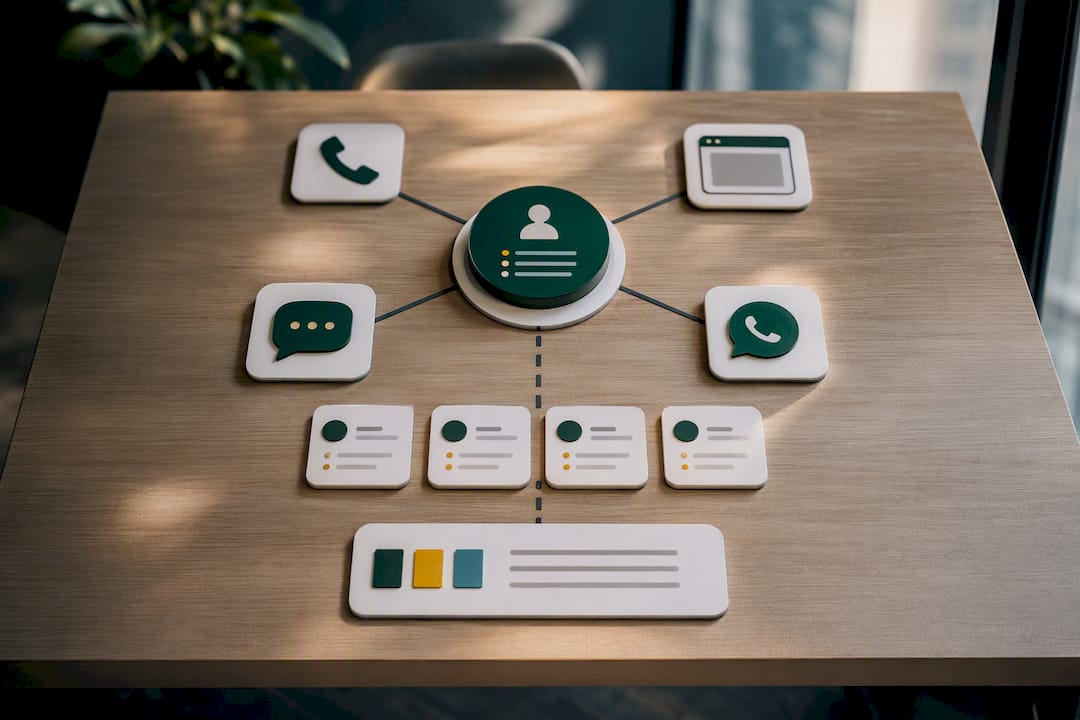
Unified inbox. Calls, SMS, WhatsApp threads and web chats for the same customer should sit in one conversation, not four. Look for call summaries, transcripts and captured details surfaced automatically, so a staff member picking up a thread doesn’t have to re-ask what the customer already said.
Payment capture. Secure payment links sent mid conversation, Stripe-based invoicing, and a fixed-price service catalogue so the agent only ever quotes approved prices, not numbers it invents.
Integrations. Live calendar access (Google Calendar, Cal.com), CRM and spreadsheet actions, and accounting platforms like Xero or QuickBooks Online for invoice lookups. Without live calendar sync, double bookings and reconciliation errors creep in fast.
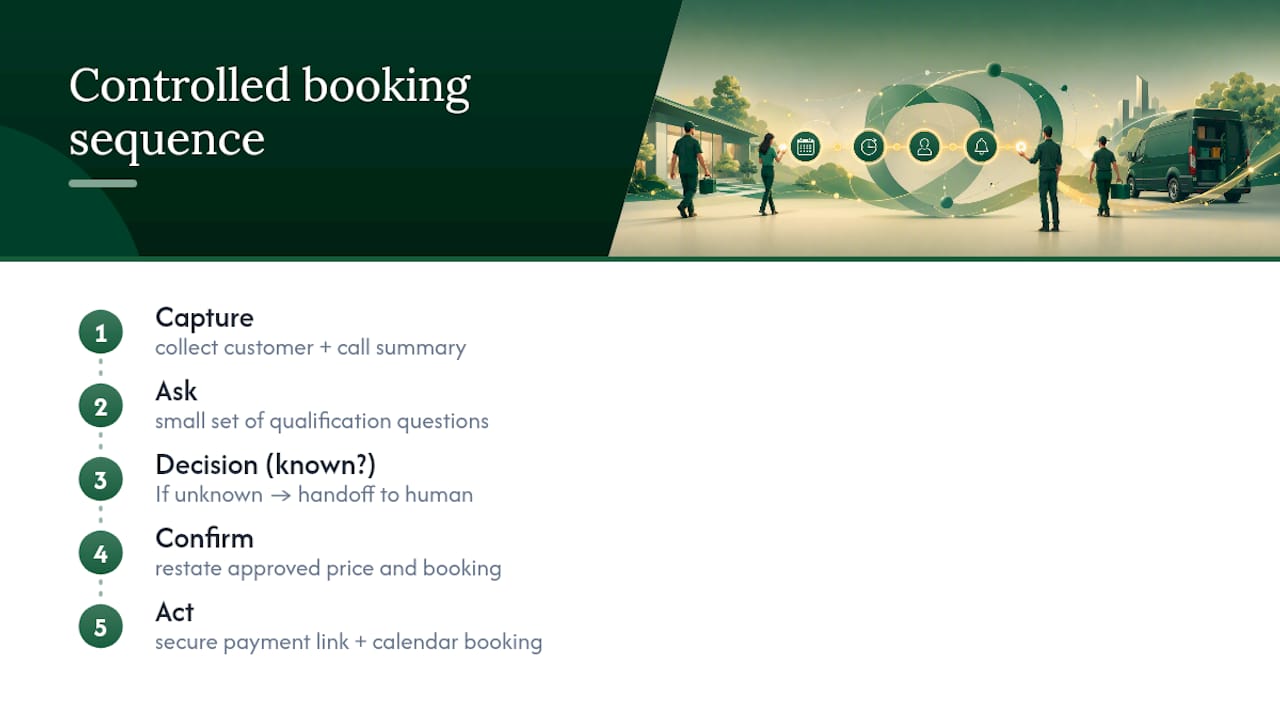
Call-flow control. A visual builder with branching logic lets you enforce business rules deterministically: capture, ask, confirm, then act, rather than trusting an AI to freelance through a booking.
Pro Tip: Ask any vendor to show you what happens when the agent doesn’t know the answer. If the honest response is “it guesses,” walk away.
Rolling it out without breaking your front desk
Treat this like a pilot, not a rip-and-replace project.
- Pick one workflow first. Booking, lead triage or payment capture, whichever causes the most pain today. Don’t try to automate everything in week one.
- Map integrations early. Confirm your calendar, CRM and phone number setup are compatible, and check WhatsApp Business or phone number porting eligibility before you build scripts around them.
- Design scripts with limits. Disclose the call is automated, cap qualification questions to a small number, and build explicit branches for objections and edge cases rather than hoping the agent improvises well. Structured frameworks like BANT or MEDDIC give qualification calls a consistent shape worth borrowing.
- Set fallback triggers. Decide in advance what makes the agent hand off, price disputes, angry callers, anything outside its knowledge base, and test both warm transfer (staff accepts first) and blind transfer (direct hand off).
- Test performance before launch. Aim to keep latency low so the conversation feels natural, run simulated call volume, and score task completion against real scenarios, not just happy-path scripts.
- Set pilot gates. Define what “good enough to expand” looks like (containment rate, booking accuracy, complaint rate) and review weekly rather than waiting a full quarter to judge it.
Pro Tip: Run your worst customer call from last month through the test flow before launch. If the agent handles that badly, it will handle everything else worse.
Which metrics actually tell you it’s working
Six numbers matter more than the rest, and most of them are cheap to track from day one.
- Containment rate – the share of conversations the automation resolves without human help.
- Escalation rate – how often it correctly hands off, not how often it fails silently.
- Booking completion rate and no-show reduction – voice-driven scheduling shows measurable lift here when it’s tied to live calendars and automated confirmations.
- Lead qualification rate – qualified leads and meetings booked as a share of total conversations.
- Latency and average handle time – slow responses kill trust faster than wrong answers.
- Payment capture rate and invoice reconciliation accuracy – a strong signal your billing workflow isn’t leaking revenue.
Watch data-quality signals too: a rising no-match rate on your knowledge base, or slipping transcription accuracy, usually predicts a customer complaint before it happens.
Security and trust controls you should demand from any vendor
Automating the front desk means automating access to bookings, payment details and customer records, so the controls matter as much as the conversation quality.
- Mandatory verification for protected actions – billing changes, cancellations, and account edits should require identity confirmation, not just a caller’s say-so.
- Encrypted credentials and short-lived recording URLs – integration secrets stay encrypted, and call recordings serve through signed links that expire, not permanent public ones.
- Audit logs – every sensitive action should leave a trail you can review.
- Exact-origin allowlists – web chat widgets should only run on domains you’ve explicitly approved, blocking unauthorised embedding elsewhere.
- Explicit recording consent – call recording and transcription should be opt-in and disclosed, not silently switched on.
Ask any vendor to walk you through what happens if a customer requests a refund or account change over the phone. If the answer involves the agent acting alone with no verification step, that’s a gap worth pressing on.
What it costs and how long it takes to see a return
Most service businesses can run discovery in one to two weeks, a pilot on a single workflow in three to six weeks, and a fuller rollout by week ten to twelve. Trying to compress that timeline usually means skipping the testing step, which is the one that prevents embarrassing launch failures.
- Discovery (weeks 1 to 2): map channels, integrations and the one workflow you’re starting with.
- Pilot (weeks 3 to 6): build, test latency and handoffs, run it on a subset of calls or one phone number.
- Rollout (weeks 7 to 12): expand channels, add integrations, widen coverage hours.
Cost drivers are fairly predictable: call and message volume, number of phone numbers provisioned, how many systems you integrate, and underlying speech and language-model usage. Businesses with high call volume or high-value appointments (dental, legal, trades callouts) tend to see payback fastest, since even a handful of recovered bookings a month covers the running cost. The academic evidence on SME adoption backs a phased approach here too: start with the cloud-based basics, expand once the team is comfortable, rather than trying to automate every channel simultaneously.
Keeping your brand voice consistent across every channel
An automated agent that sounds like a call centre script on the phone and a chatty influencer on WhatsApp erodes trust fast, customers notice the mismatch even when they can’t name it.
Start with a single instruction set, not four. Write the agent’s tone, vocabulary and escalation rules once, then apply that same document to voice, web chat, WhatsApp and SMS configurations. If your business speaks plainly and briskly on the phone, the SMS follow-ups should read the same way, not switch to corporate boilerplate.
Name consistency matters more than people expect. If your phone agent introduces itself as “Sam from the front desk,” your web widget and WhatsApp greeting should use the same name and persona, not a generic “virtual assistant” label that breaks continuity when a customer moves between channels.
Guardrails need to travel with the persona. Topics the voice agent won’t discuss (pricing exceptions, medical advice, legal opinions) should be blocked identically in chat and SMS, otherwise customers learn to route around your rules by switching channels.
Review transcripts across channels together, not in isolation. A pattern that looks fine in an isolated phone transcript can reveal a jarring tone shift once you line it up next to the same customer’s WhatsApp thread from the week before. Some platforms allow configuring a single persona, greeting and guardrail set that applies across phone, web, WhatsApp and SMS, which removes most of this inconsistency risk by design rather than by policing it after launch.
What good implementations look like in practice
The businesses that get the most out of this share a pattern: they start narrow, measure early, and expand only once the numbers hold up.
A multi-site allied health clinic, for example, typically struggles with after-hours enquiries going straight to voicemail, and voicemail conversion to booked appointments is notoriously poor. Automating just the booking workflow, live calendar access, automated confirmation and waitlist offers for cancellations addresses the single biggest leak in the funnel without touching anything else in the practice.
A trades and home-services business faces a different problem: technicians can’t answer calls while working, so every missed call is a lead calling the next name on a search results page. Routing missed calls to an automated agent that qualifies the job type, captures the address and books a callback window recovers leads that would otherwise vanish entirely. Salesforce’s own guidance on AI voice agents makes this point directly: voice becomes a revenue channel once it’s tied into CRM and workflow automation, not just a cost-saving replacement for a receptionist.
A dental or medical practice, similarly, sees the clearest returns from no-show reduction, automated confirmation texts and easy rebooking through SMS recover appointment slots that would otherwise sit empty. In each case, the win came from picking one painful workflow, wiring it into the calendar or CRM that already existed, and expanding only after the metrics proved it out.
Lessons from watching these rollouts succeed and fail
The pilots that stall almost always share one root cause: scope creep. A team sets out to automate booking, then tries to bolt on refunds, complaints and general enquiries in week one, and the whole thing becomes unreliable everywhere instead of excellent somewhere. The second most common failure is skipping fallback design, assuming the agent will “figure it out” when it hits an edge case instead of building explicit handoff rules in advance.
Three quick wins consistently pay off fast: automating missed-call text-backs, adding calendar-linked booking to the busiest single channel, and capping qualification questions so calls don’t feel like an interrogation. None of these take months to build.
Before launch, run a go or no-go checklist: does the agent disclose it’s automated, does every sensitive action have a fallback, and does latency hold under load? If any answer is no, the pilot isn’t ready, no matter how good the demo looked.
— Christopher
Where Wattle fits into your rollout
If you’ve read this far, you already know the shortlist of things that matter: one inbox instead of four apps, a voice agent that actually books the job instead of just taking a message, and payment capture that doesn’t require a follow-up phone call. That’s precisely the gap Wattle is built to close.
Some platforms run as the automated front desk for service businesses answering phone, web chat, WhatsApp and SMS from a single workspace, qualifying leads, booking appointments against your live calendar, taking payment through your own Stripe account, and handing off to staff the moment a conversation needs a human. It suits businesses where missed calls cost real revenue, such as trades, clinics, salons and other operations where booked appointments are valuable. Rather than stitching together separate tools for calls, chat and payments, everything lands in one inbox with the context already attached. If your team is losing bookings to voicemail or scrambling across three messaging apps, book a demo with Wattle and see how quickly a pilot workflow can go live.
Sources
For deeper detail on adoption patterns and ROI, the SME omnichannel adoption study covers which technologies pay off first, while Omind’s research on voice AI scheduling breaks down booking-completion gains. Teams building qualification scripts can lean on Future AGI’s lead qualification framework, and businesses wanting custom integration work should look at LogicBranch’s enterprise AI development services.
FAQ
What is omnichannel automation for service businesses?
It’s the automated handling of customer communication, calls, web chat, WhatsApp and SMS, so enquiries get answered, leads get qualified, appointments get booked and payments get captured without a staff member on every conversation.
Is omnichannel automation the same as marketing automation?
No. Marketing automation plans and sends campaigns across email and social; omnichannel customer-communication automation answers live enquiries, books appointments and takes payment in real time.
What latency should an AI voice agent target?
Aim for low latency so the conversation feels natural rather than laggy, a benchmark drawn from industry best-practice guidance on AI voice agents.
How long does it take to implement omnichannel automation?
Most service businesses can run discovery in one to two weeks, pilot a single workflow in three to six weeks, and complete a wider rollout by around week twelve.
Can a platform like Wattle handle payments as well as bookings?
Yes. Wattle connects to a business’s own Stripe account to send secure payment links, generate invoices and quote only approved prices during a live conversation.